

This workflow uses Outscraper, a third-party
service. Readdy does not manage Outscraper pricing, billing, permissions, or
data coverage.
What You Will Get
After following this guide, you should have:- A CSV file with business prospects
- An
emailcolumn that can be uploaded into Readdy - Extra columns such as
description,address,industry,phone, orwebsitethat you can later use as variables in your outreach email
Step-by-Step
1
Log in to Outscraper
Go to Outscraper and sign in to your account.
2
Open Google Maps Scraper
In All Services, find Google Maps Scraper and click Open Service.This is just one example workflow. If you prefer a different source, you can
choose other services in Outscraper instead, such as Yelp, LinkedIn,
Yellow Pages, and other similar directories or lead sources.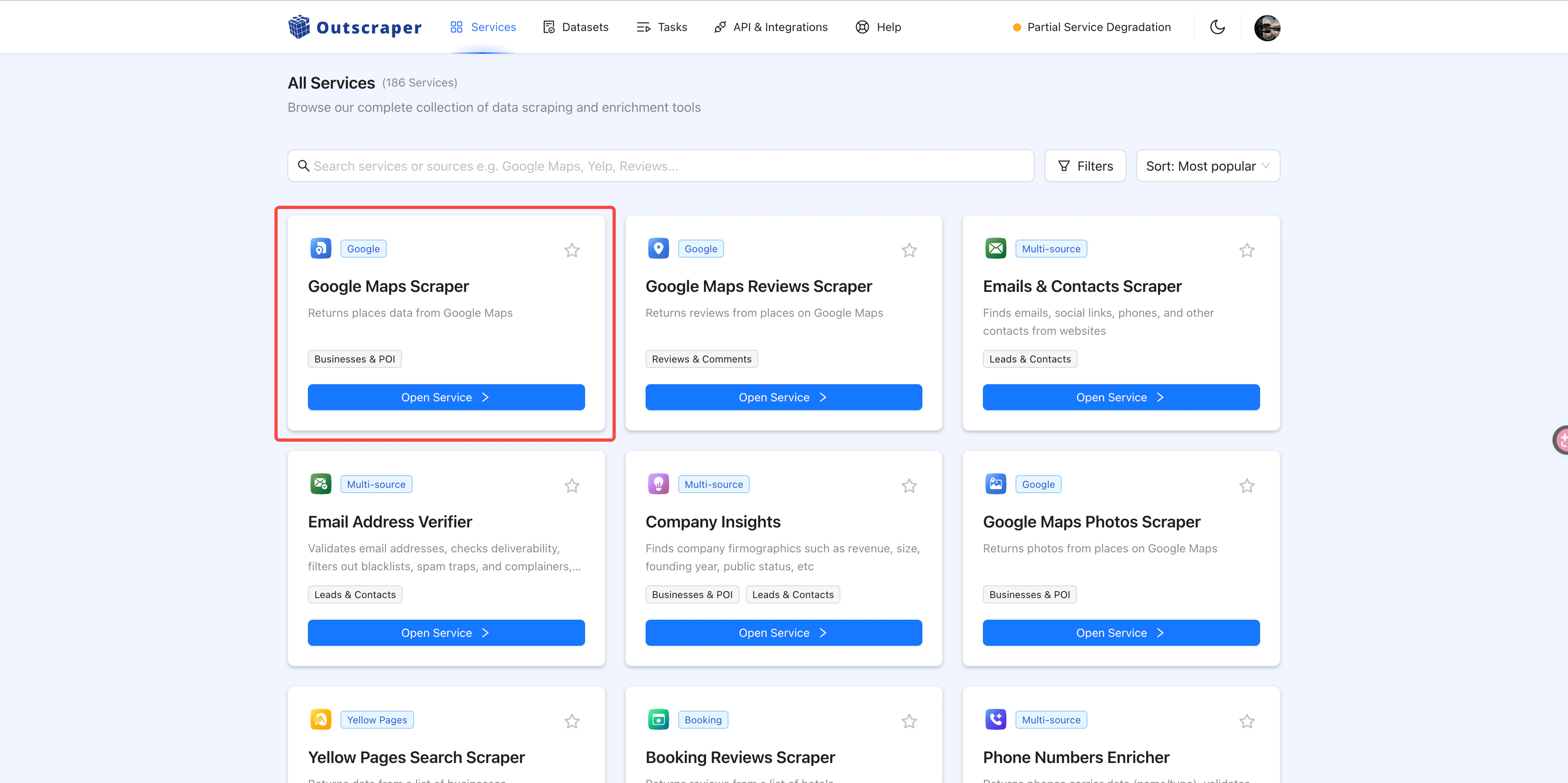
3
Choose the industry, location, and result limit
Select the type of businesses you want to target, the areas you want to
search, and the maximum number of results you want to collect.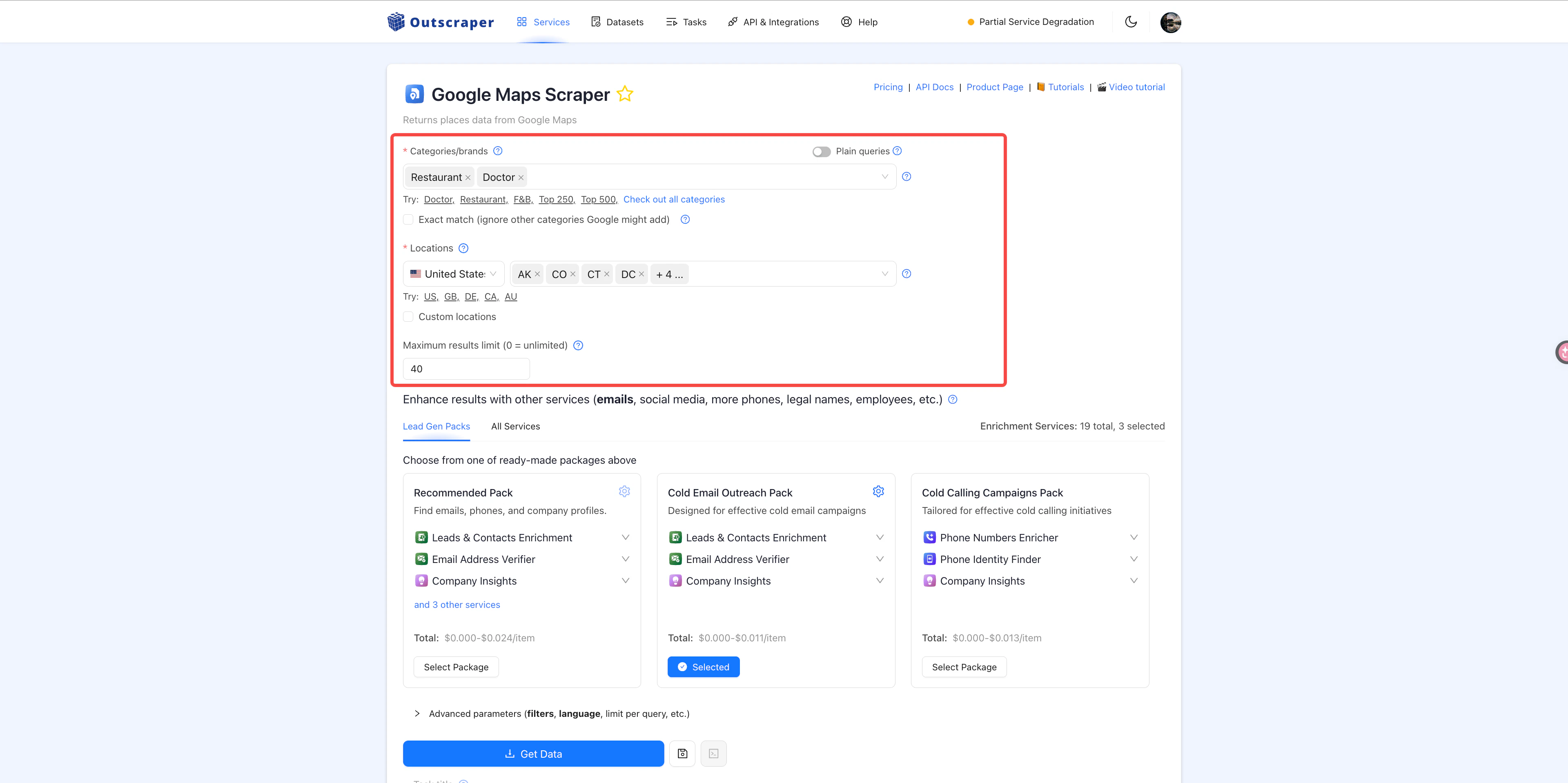
4
Choose a search pack
We recommend Cold Email Outreach Pack because it can help you find email
addresses and validate whether those emails are usable for outreach.
5
Set the result format and fields
Open Other parameters (result format, task tags) and set the export for
your Readdy workflow.
- Set Result extension to
CSV - Add
emailas a field, because it is required by Readdy Outreach Campaign - Add extra fields such as
description,address,industry,phone, orwebsitedepending on which variables you want to use later in your email
6
Confirm the task
Review the task summary, then click Confirm.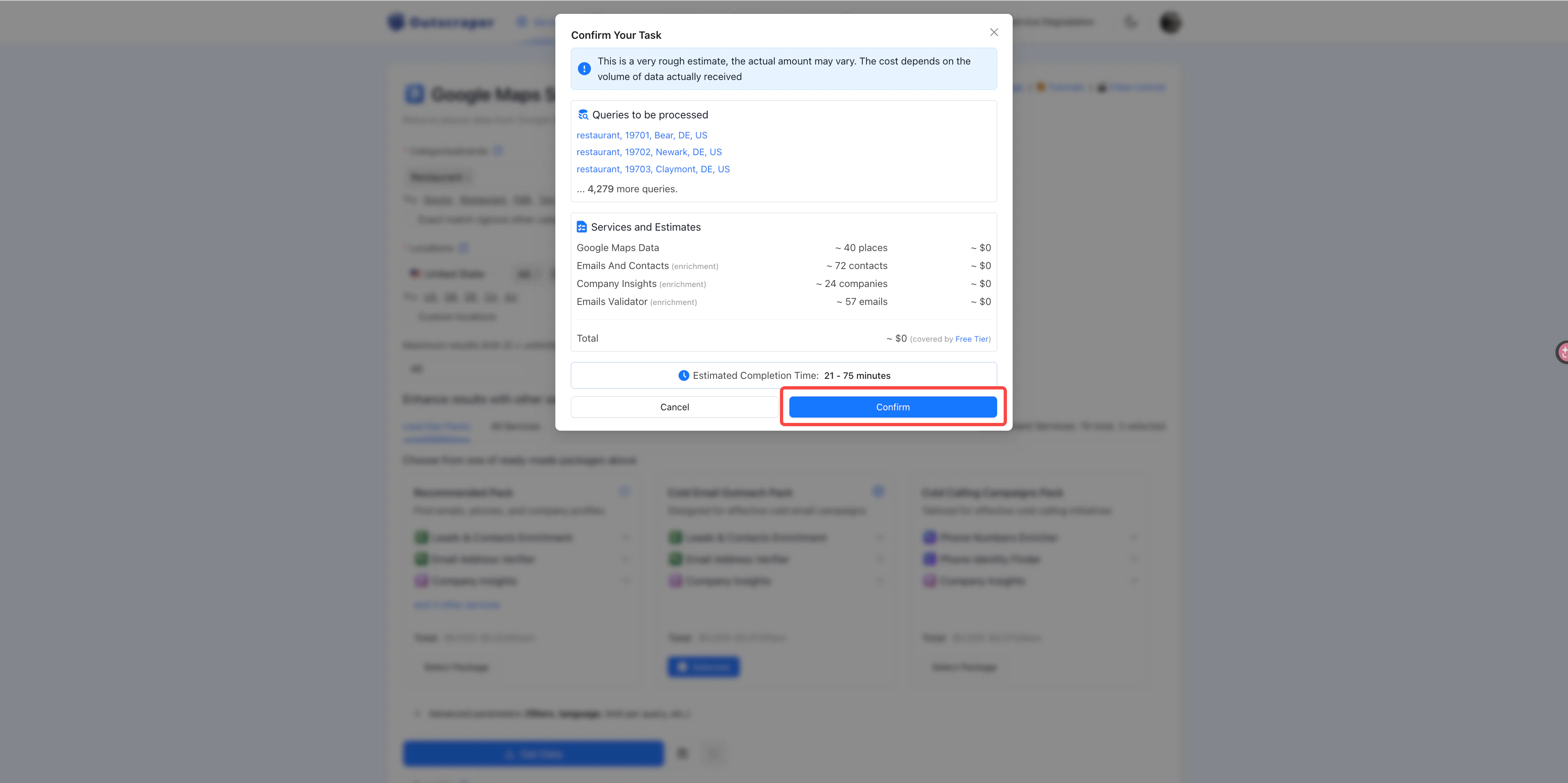
7
Open Tasks and download the result when it is ready
Click Tasks in the top navigation bar. If the task is still running, wait
until it finishes. Once it is complete, click the download button.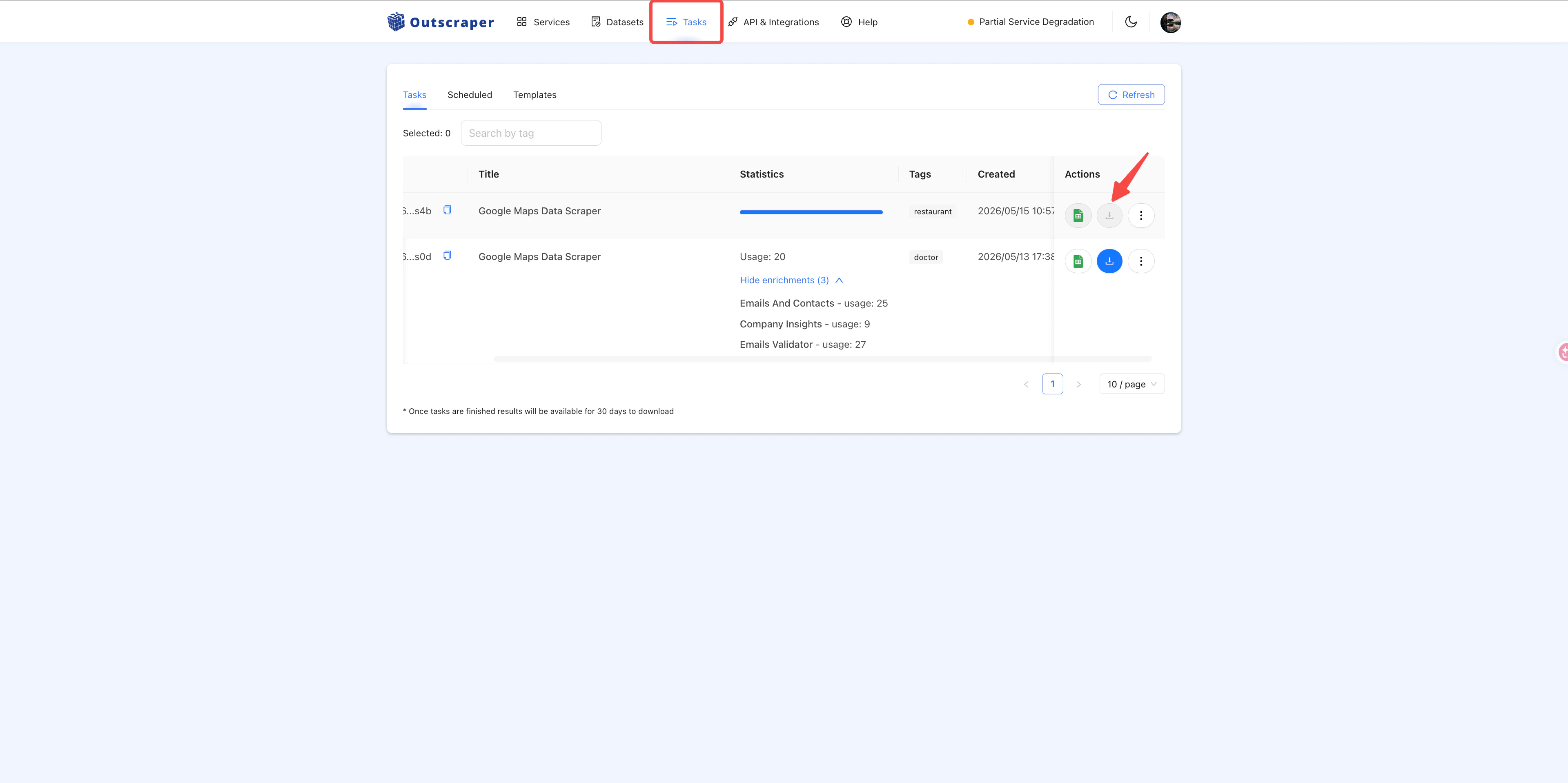
8
Filter and clean your client list
Open the downloaded file in Excel or Google Sheets and review the rows before
using them for outreach.Remove or filter out rows without an email, government or public-sector
websites, businesses whose websites are already very complete, and any
businesses that are clearly not a fit for your agency.
9
Upload the file into Readdy Outreach Campaign
Go to Outreach Campaign, upload your cleaned
CSV file, review the table, and continue with the email setup flow.The columns you keep in the CSV can become variables in your outreach email.
For example, if you keep 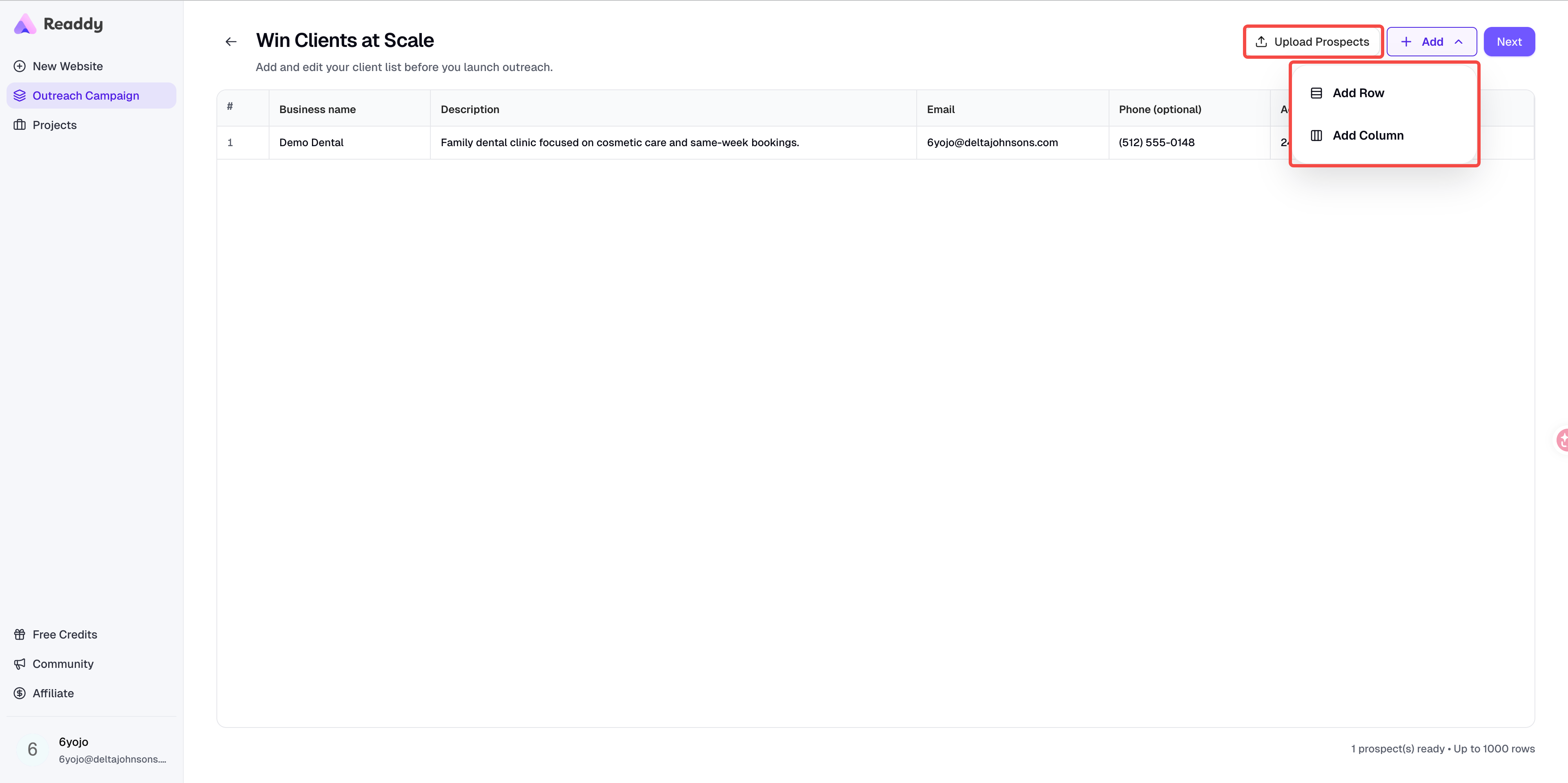
description, address, or industry, you can use
them later to personalize your content.FAQ
Do I have to use Google Maps Scraper?
Do I have to use Google Maps Scraper?
No. Google Maps Scraper is just the example used in this guide. You can also
use other Outscraper services, such as Yelp, LinkedIn, Yellow Pages, or other
lead sources, as long as the final file contains the fields you need for
Readdy.
Which field is required for Readdy Outreach Campaign?
Which field is required for Readdy Outreach Campaign?
The
email field is required. Without an email column, you will not be able
to use the file directly in Readdy Outreach Campaign.Can I keep extra columns in the CSV file?
Can I keep extra columns in the CSV file?
Yes. You can keep columns such as
description, address, industry,
phone, or website if you want to use them later as variables in your
outreach email.Why should I clean the file before uploading it to Readdy?
Why should I clean the file before uploading it to Readdy?
Raw exports often include rows without email addresses, poor-fit businesses,
government websites, or companies whose websites are already strong enough
that they are unlikely to be good outreach targets. Cleaning the file helps
improve campaign quality.
What if the Outscraper task is still running?
What if the Outscraper task is still running?
Wait until the task finishes, then download the CSV from the Tasks page.
If needed, refresh the Tasks page and check again later.
Need Help?
If this guide doesn’t resolve your issue:- Submit a support ticket: readdy.ai/feedback
- Use the live chat in the top-right corner of Readdy