

llms.txt file and adds schema structured data to each page.
Feature Highlights
AEO/GEO Optimization is an optional publish setting for React projects that have already been published successfully. Once enabled, it helps:- Create an
llms.txtfile for your website - Add schema structured data to every page
- Make your content easier for AI crawlers and Google to understand
Before You Start
This option is available only after your website has already been published once and connected to a custom domain.If you have not connected a custom domain yet, follow Publish - for React Project first.
How to Enable It
1
Open a project that is already live
Go to the project that has already been published successfully on your custom domain.
2
Turn on Optimization AEO/GEO
Click Publish in the top-right corner. In the publish dialog, enable Optimization AEO/GEO.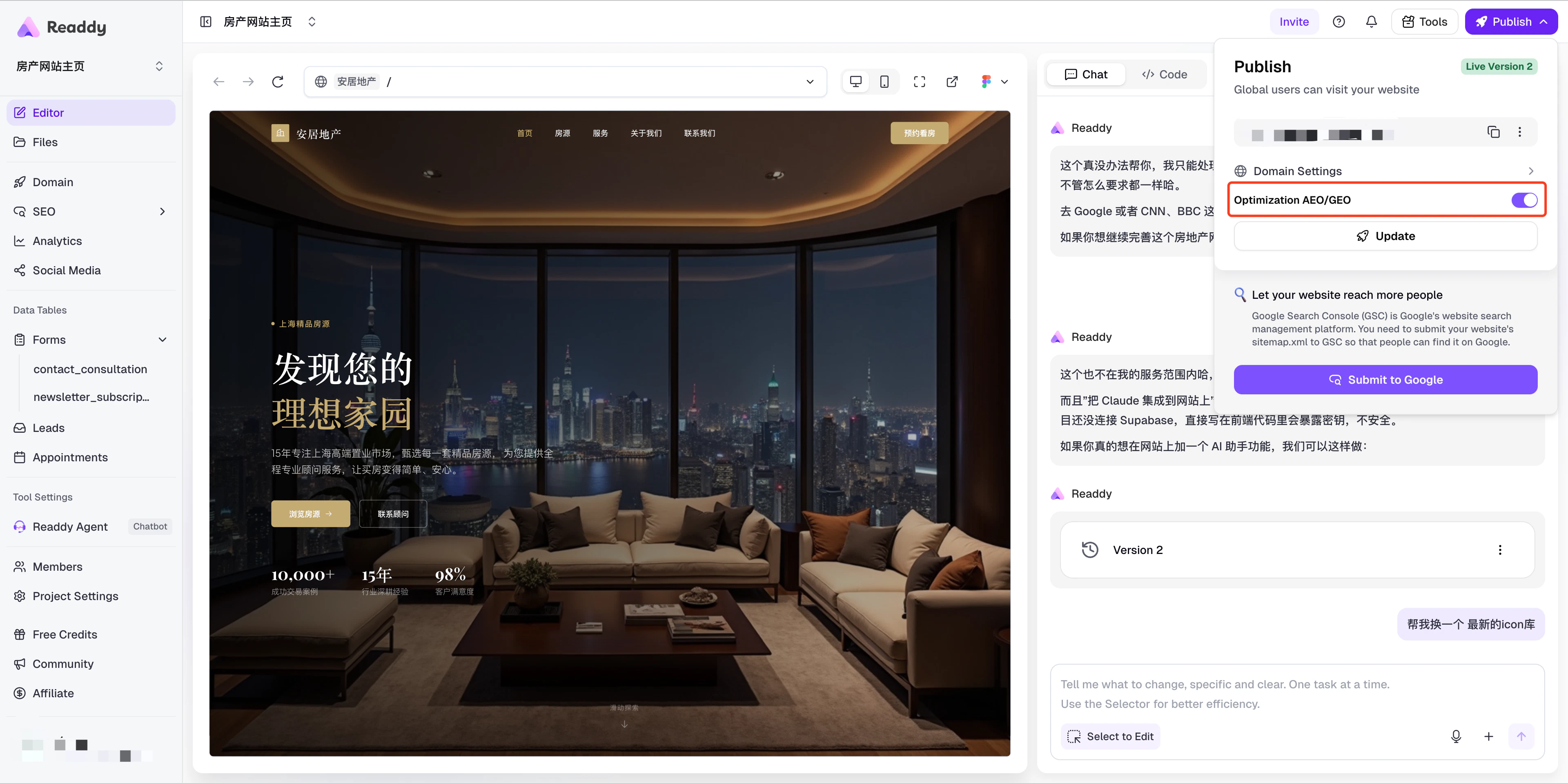
3
Publish again to apply the optimization
Click Update to publish again. Readdy will then start generating
llms.txt and page-level schema structured data for your site.How to Verify
Openhttps://yourdomain/llms.txt in your browser, replacing yourdomain with your actual custom domain.
If the page is available, your llms.txt file has been created and the AEO/GEO optimization is in effect.
FAQs
Can I disable AEO/GEO Optimization after enabling it?
Can I disable AEO/GEO Optimization after enabling it?
Yes. Open the publish dialog again and turn off the Optimization AEO/GEO toggle, then click Update to republish. The
llms.txt file and schema markup will be removed after the next publish.Will this affect my existing website content?
Will this affect my existing website content?
No. This feature only adds an
llms.txt file and schema structured data. It does not modify your existing pages or content.Need Help?
If this guide doesn’t resolve your issue:- Email: hi@readdy.ai
- Feedback: https://readdy.ai/feedback