

- Save Time: Automatically detect common website issues in seconds
- AI-Driven Insights: Get personalized solutions and actionable recommendations
- Build Trust: Ensure your website is healthy, secure, and user-friendly
Why Use AI SEO Analysis
Publishing a website is just the beginning. To attract and retain visitors, your site needs to be fast, secure, accessible, and easy to find on search engines. AI SEO Analysis helps you:- Improve Search Rankings: Identify and fix SEO issues that may be hurting your visibility
- Enhance User Experience: Discover performance bottlenecks and design problems
- Protect Visitor Data: Find security vulnerabilities before they become problems
- Reach More Users: Ensure your site is accessible to everyone, including those with disabilities
Getting Started
1
Navigate to AI SEO Analysis
From your project dashboard, click on AI SEO Analysis in the left navigation panel, then click Start Diagnosis to begin.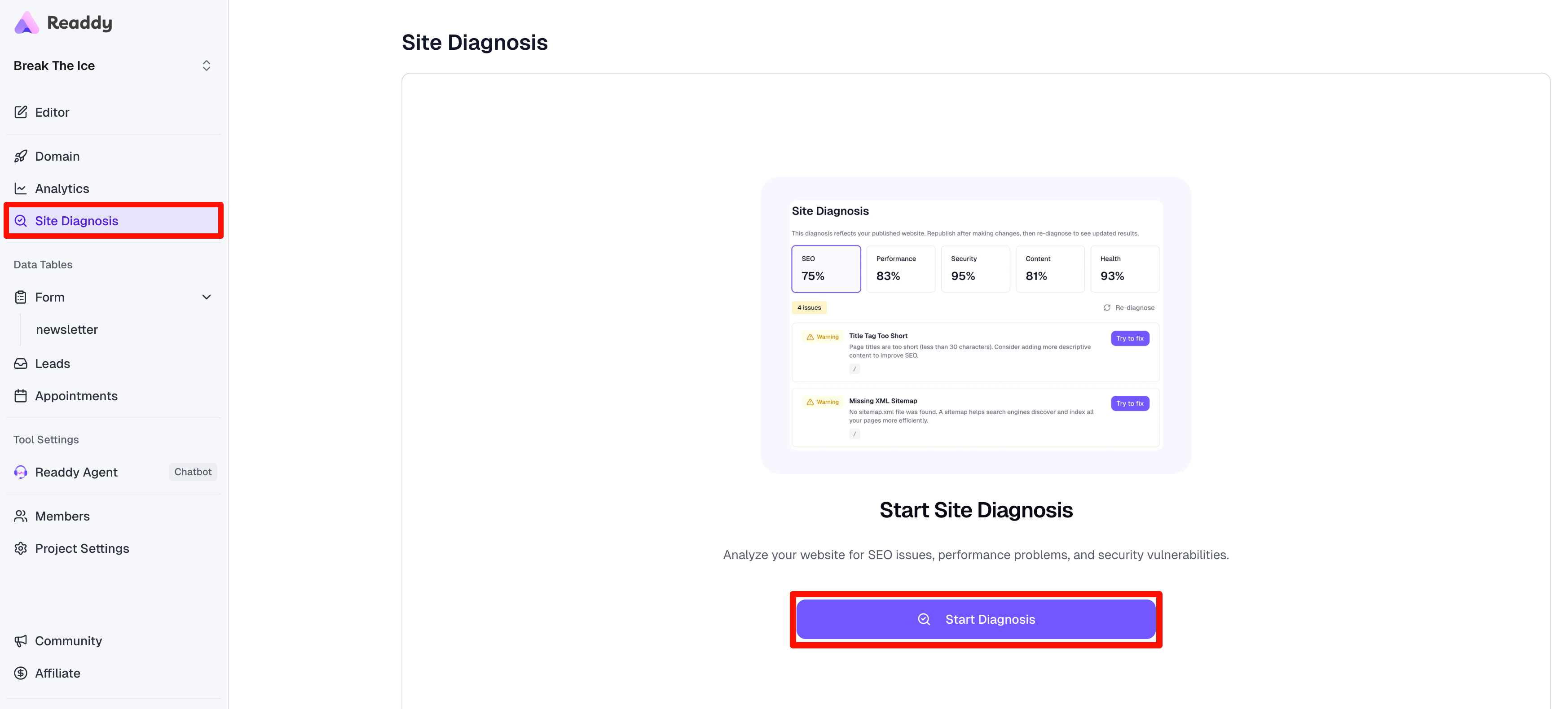
Make sure your website is published before running a diagnosis.
2
Analyzing Your Website
Readdy will analyze your website for 10-30 seconds, checking for issues across all five categories: SEO, Performance, Security, Content, and Health.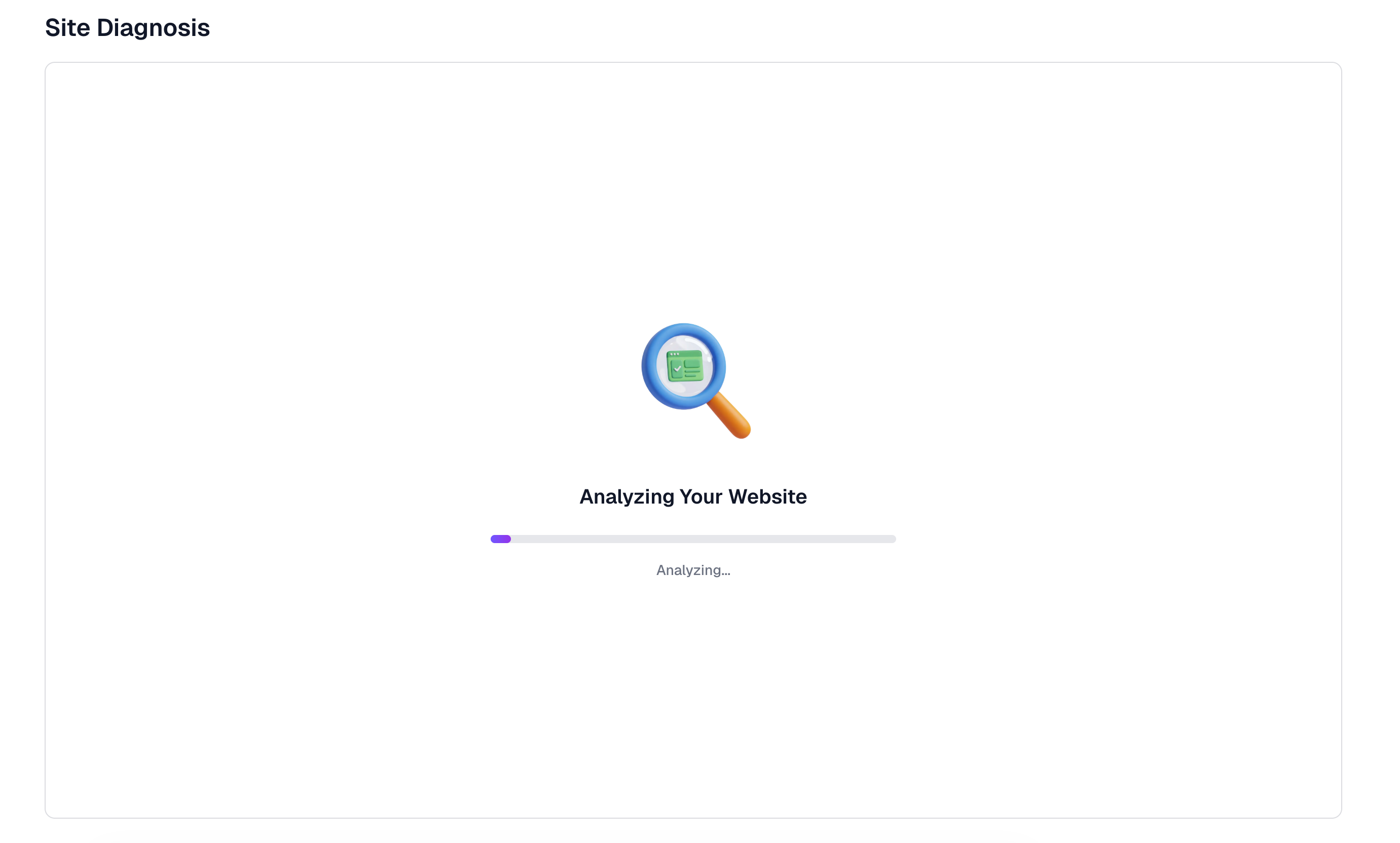
3
Review Diagnosis Results
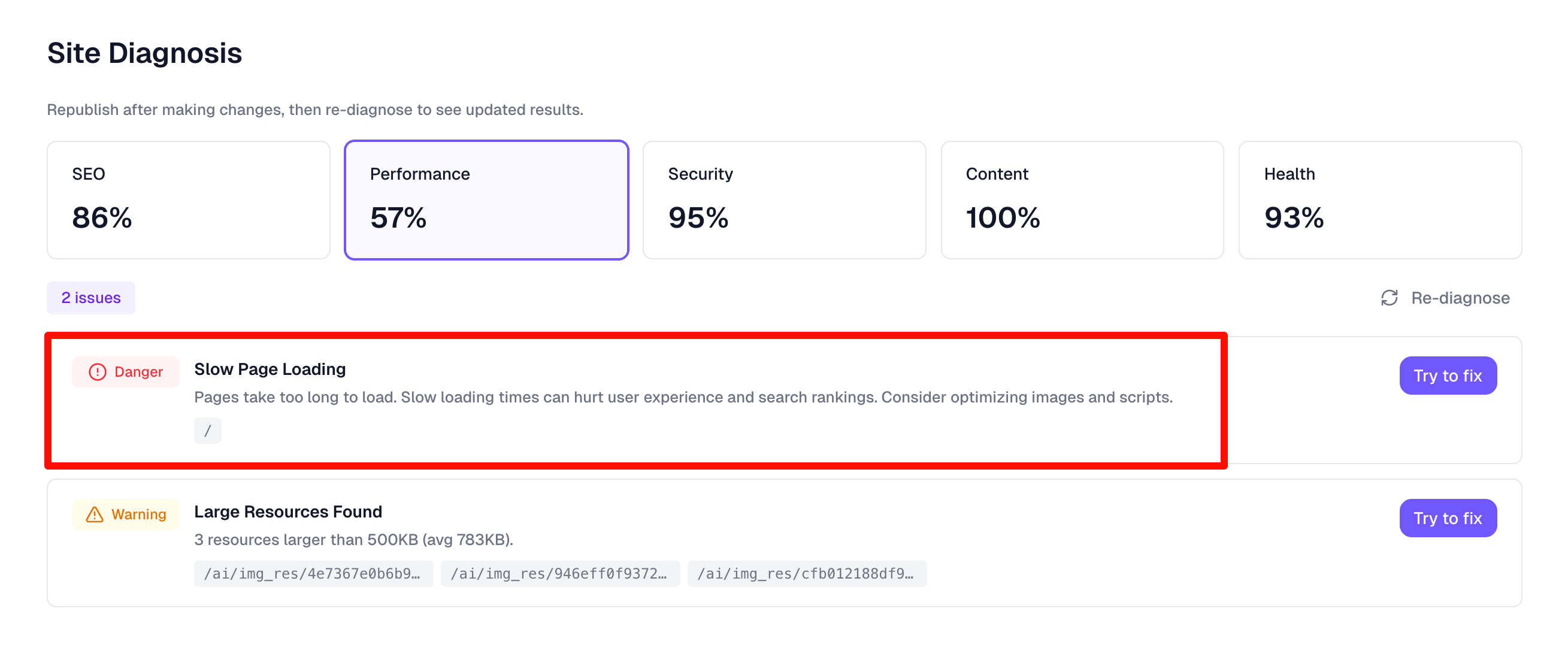
Once complete, you’ll see a comprehensive health score and detailed breakdown of any issues found. You can switch between the five dimension tabs to view specific issues in each category.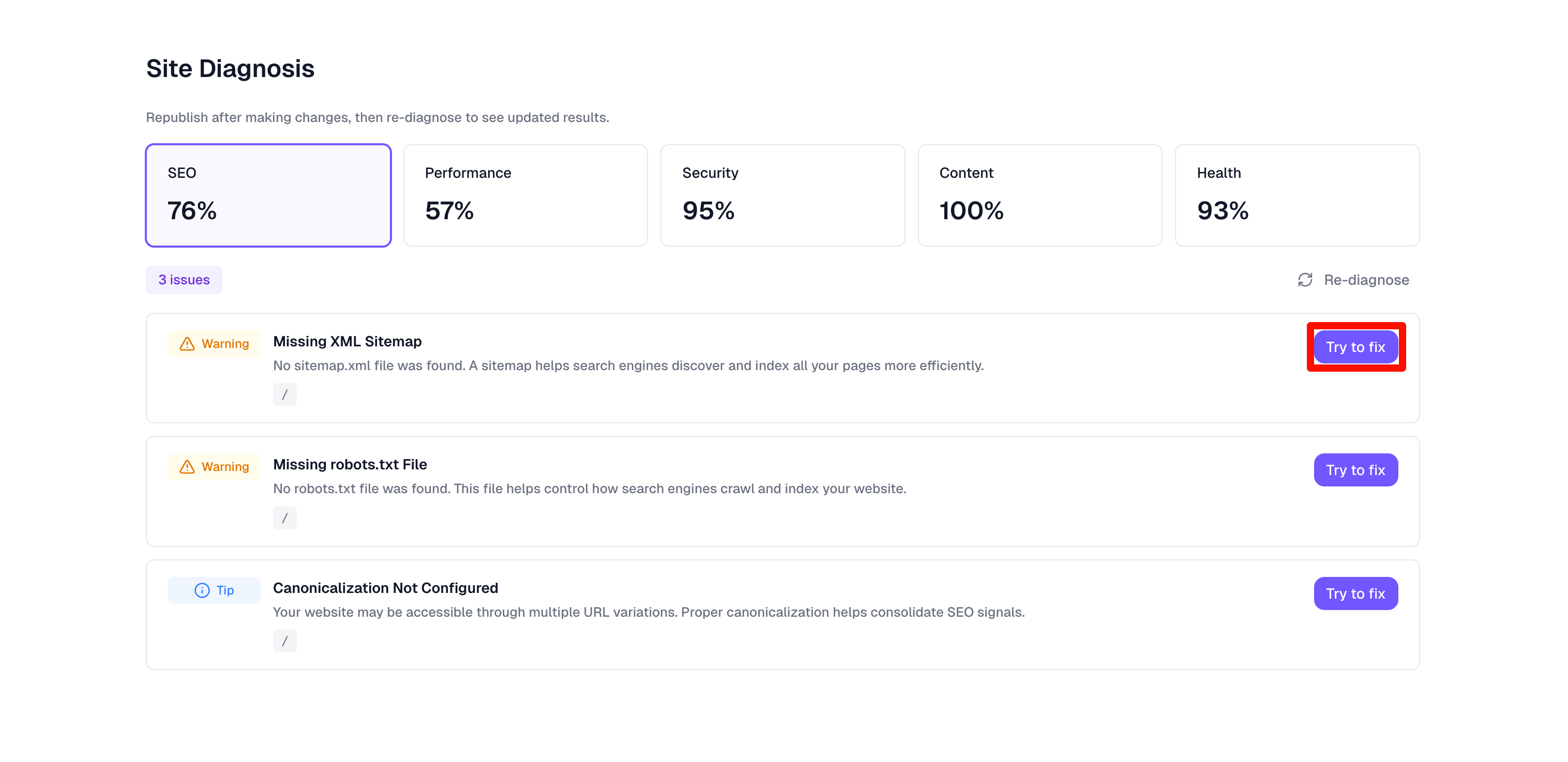
4
Try to Fix
Click the Try to Fix button next to any issue you want to resolve. The system will automatically navigate to the editor page with the fix request ready—just click send to proceed.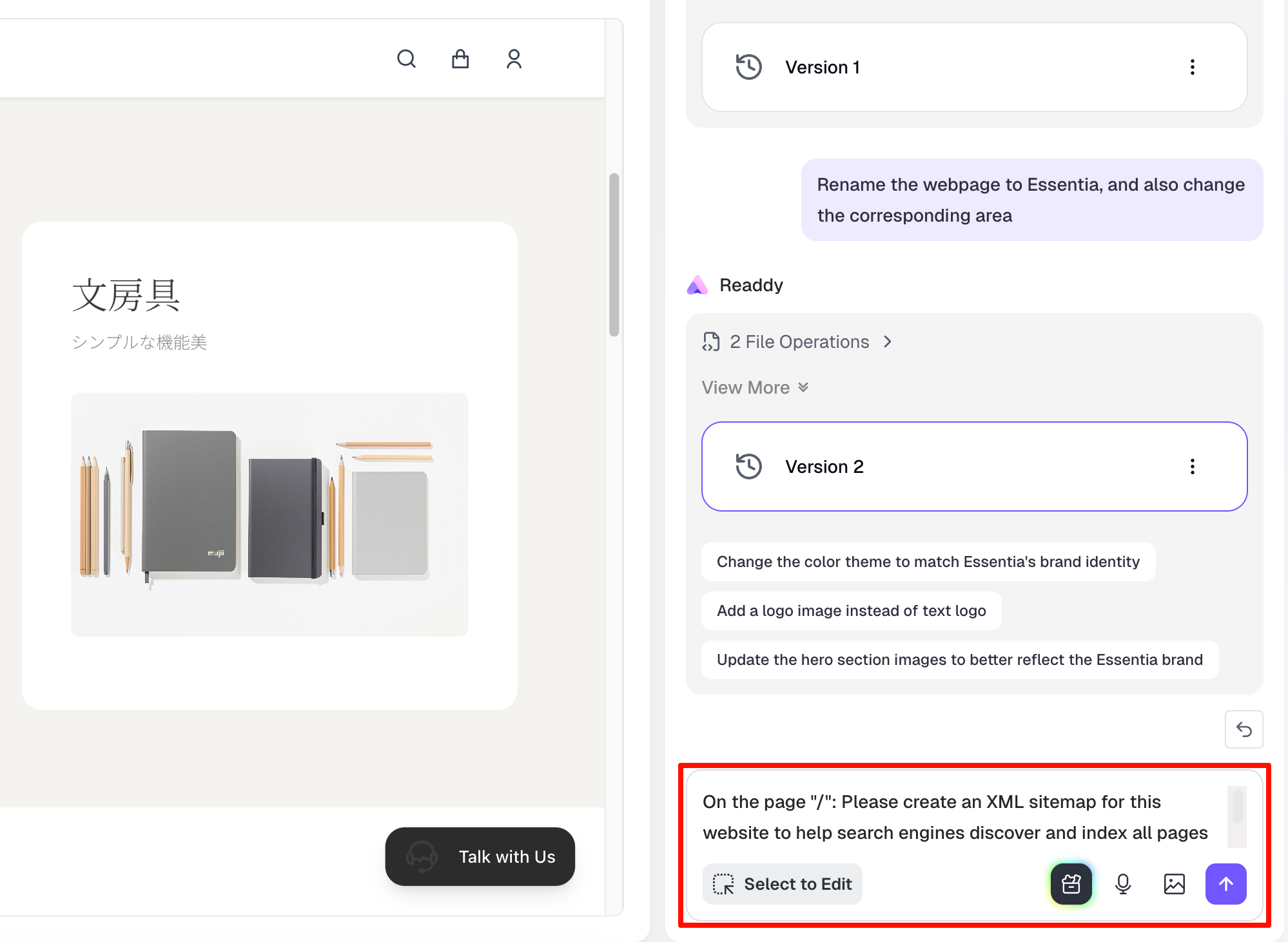
5
Confirm and Continue
Once AI optimization is complete, click AI SEO Analysis in the left navigation panel to return to the diagnosis results page and continue fixing the next issue.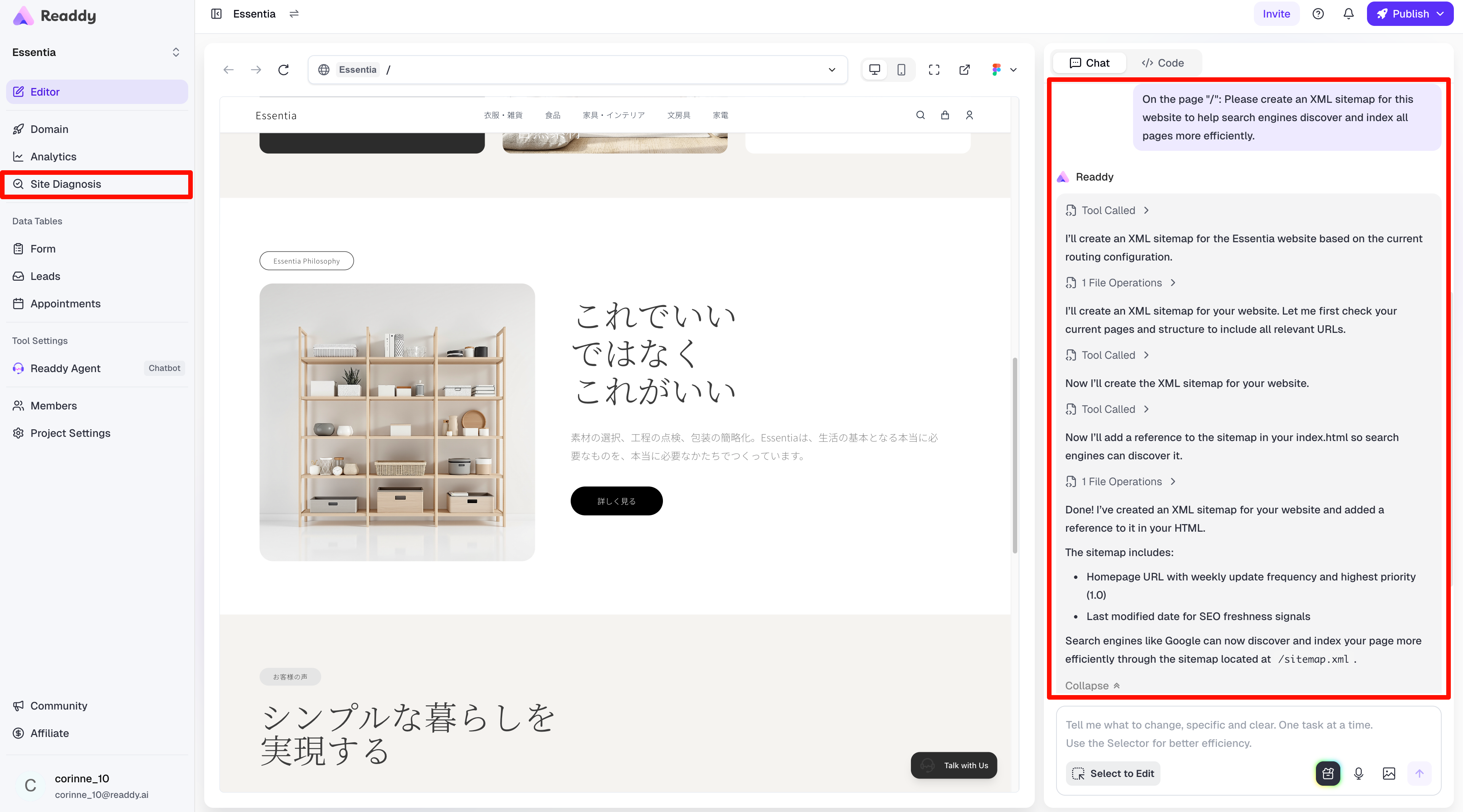
Understanding Diagnosis Results
Health Score
Your overall health score provides a quick snapshot of your website’s condition. A higher score indicates fewer critical issues.Issue Categories
Issues are organized into five categories, each with severity indicators:1. SEO
1. SEO
Checks for:
- Missing or duplicate meta tags
- Title tag issues
- Structured data problems
- Open Graph and Twitter Card metadata
2. Performance
2. Performance
Analyzes: - Core Web Vitals: - LCP (Largest Contentful Paint):
Measures loading performance - FID (First Input Delay): Measures
interactivity - CLS (Cumulative Layout Shift): Measures visual stability -
Page load times - Resource optimization opportunities
3. Security
3. Security
Identifies: - SSL/HTTPS configuration issues - Mixed content warnings (HTTP
resources on HTTPS pages) - Security headers
4. Content
4. Content
Tests for: - ARIA labels and roles - Color contrast ratios - Semantic HTML
structure - Keyboard navigation support
5. Health
5. Health
Examines:
- Mobile responsiveness
- Navigation structure
- Broken links and 404 errors
- Layout and design consistency
Collaboration Mode
AI SEO Analysis supports team collaboration, allowing multiple team members to review and fix issues together.Team Roles & Permissions
In collaborative projects where the owner has upgraded to the Pro plan, both Owner and Editor roles can perform AI SEO Analysis on the website.Viewers do not have access to the AI SEO Analysis feature.
Best Practices
- Run Diagnoses Regularly: Re-diagnose your published website after making updates
- Prioritize Critical Issues: Address critical and high-severity issues first
- Consider User Impact: Focus on issues that directly affect your visitors’ experience
Notes
- Diagnosis scans typically take 10-30 seconds depending on website size and complexity - Results are based on the state of your website at the time of scanning - Some performance metrics may vary based on visitor location and network conditions
Need More Help?
If you need assistance with AI SEO Analysis, our support team is here to help:- Email: hi@readdy.ai
- Feedback: https://readdy.ai/feedback