

- Explore text effects: Add motion to headlines, labels, and short UI copy
- Animate images: Make hero visuals, banners, and media sections feel more dynamic
- Improve interactions: Add hover states, button feedback, and lightweight micro-interactions
Before You Start
This works best after your layout is in place. To animate a specific element, use Selector first.
- You know which section or element should animate
- You know whether you need a text, image, or interaction effect
- You start with one effect at a time
How It Works
1
Open Readdy Effects
Open Readdy Effects and browse the examples.
2
Choose an effect category
Choose the category that fits your goal: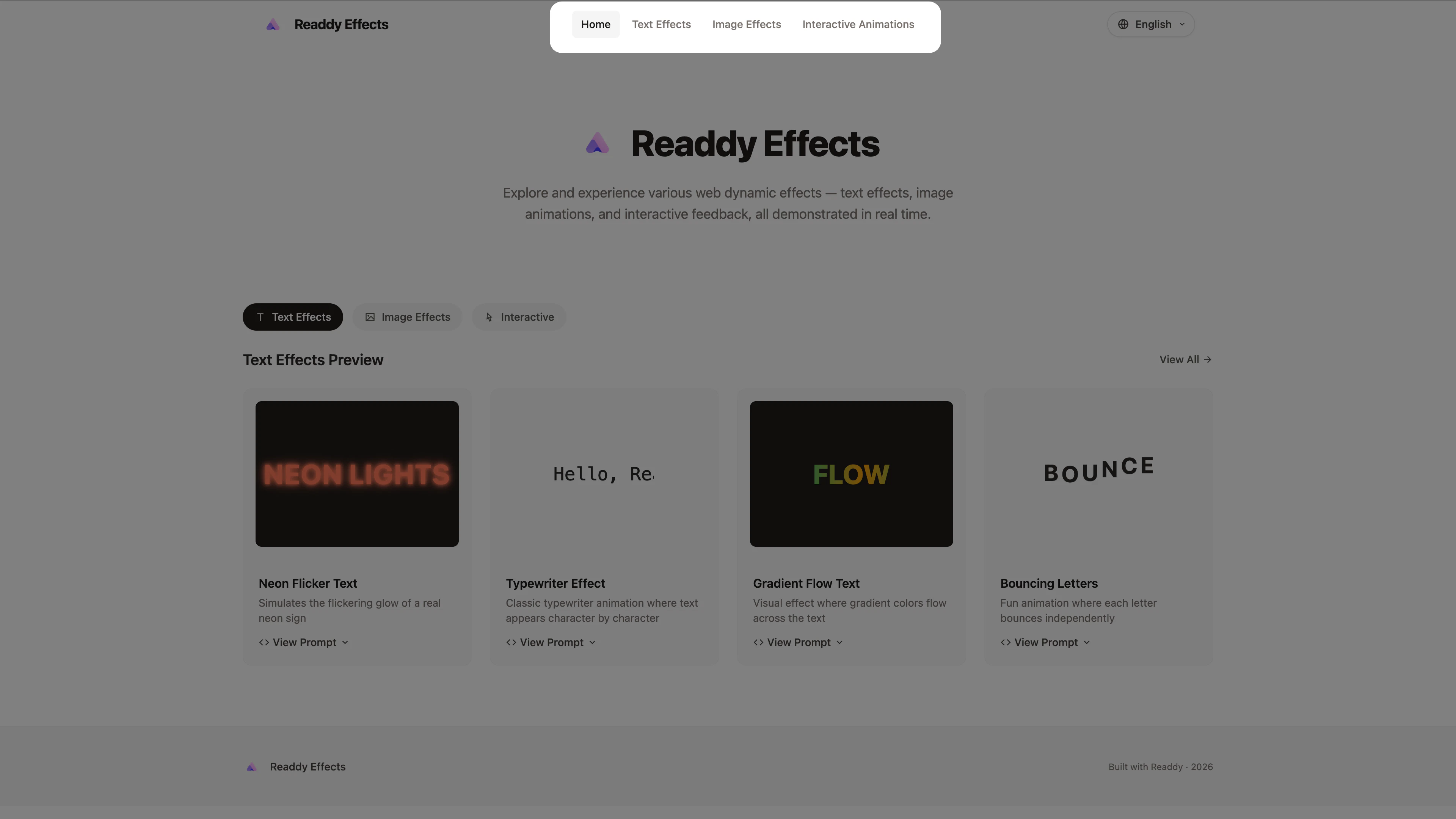
- Text Effects for headlines, labels, and short copy
- Image Effects for hero visuals, banners, and media blocks
- Interactive Animations for buttons, cards, hover states, and feedback
3
Copy a prompt that matches your layout
Open an effect, click View Prompt, and copy the prompt. Then adjust it to fit your content, tone, and target element.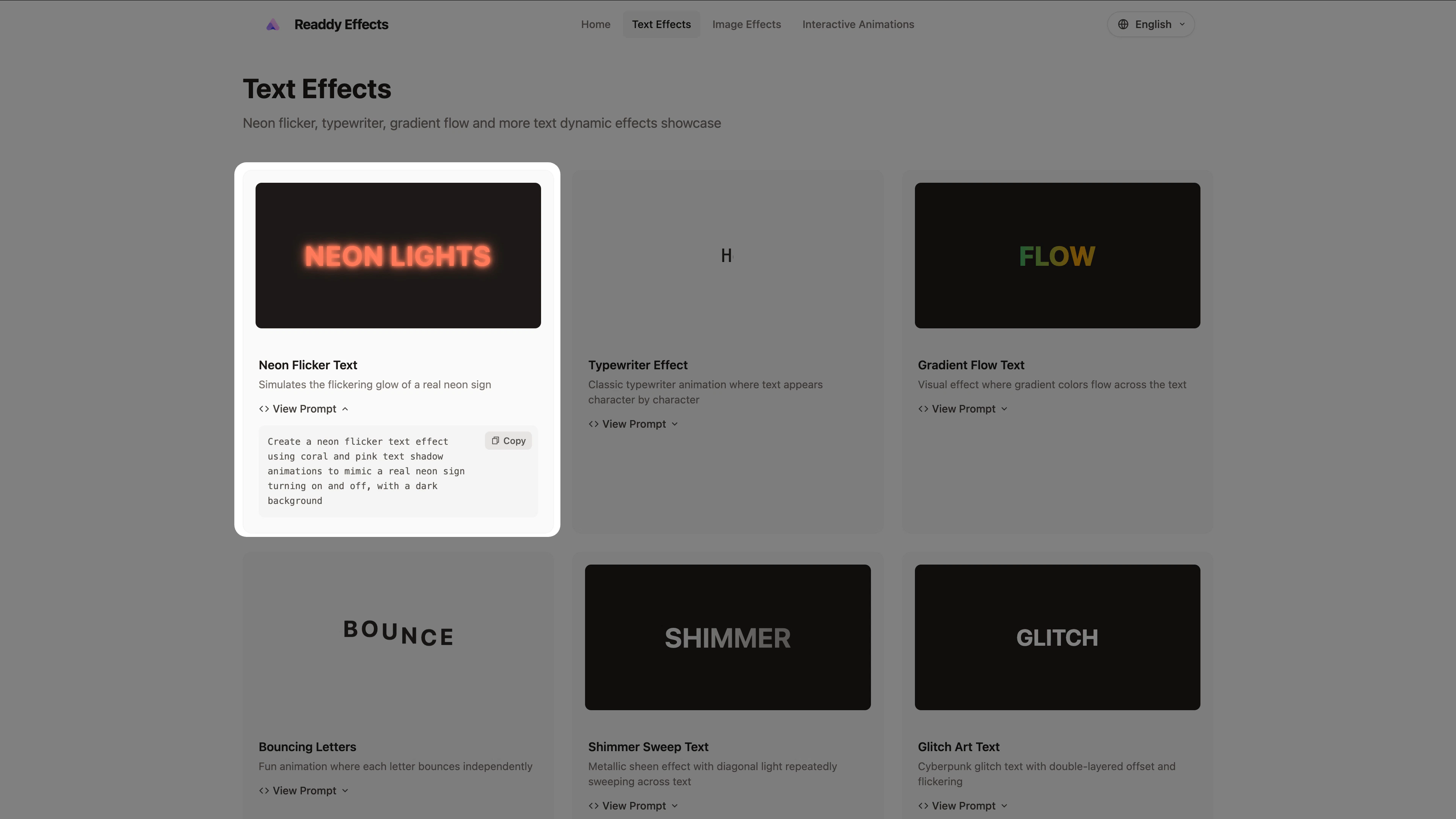
4
Target the right area in Readdy
In Readdy, decide how narrow the change should be.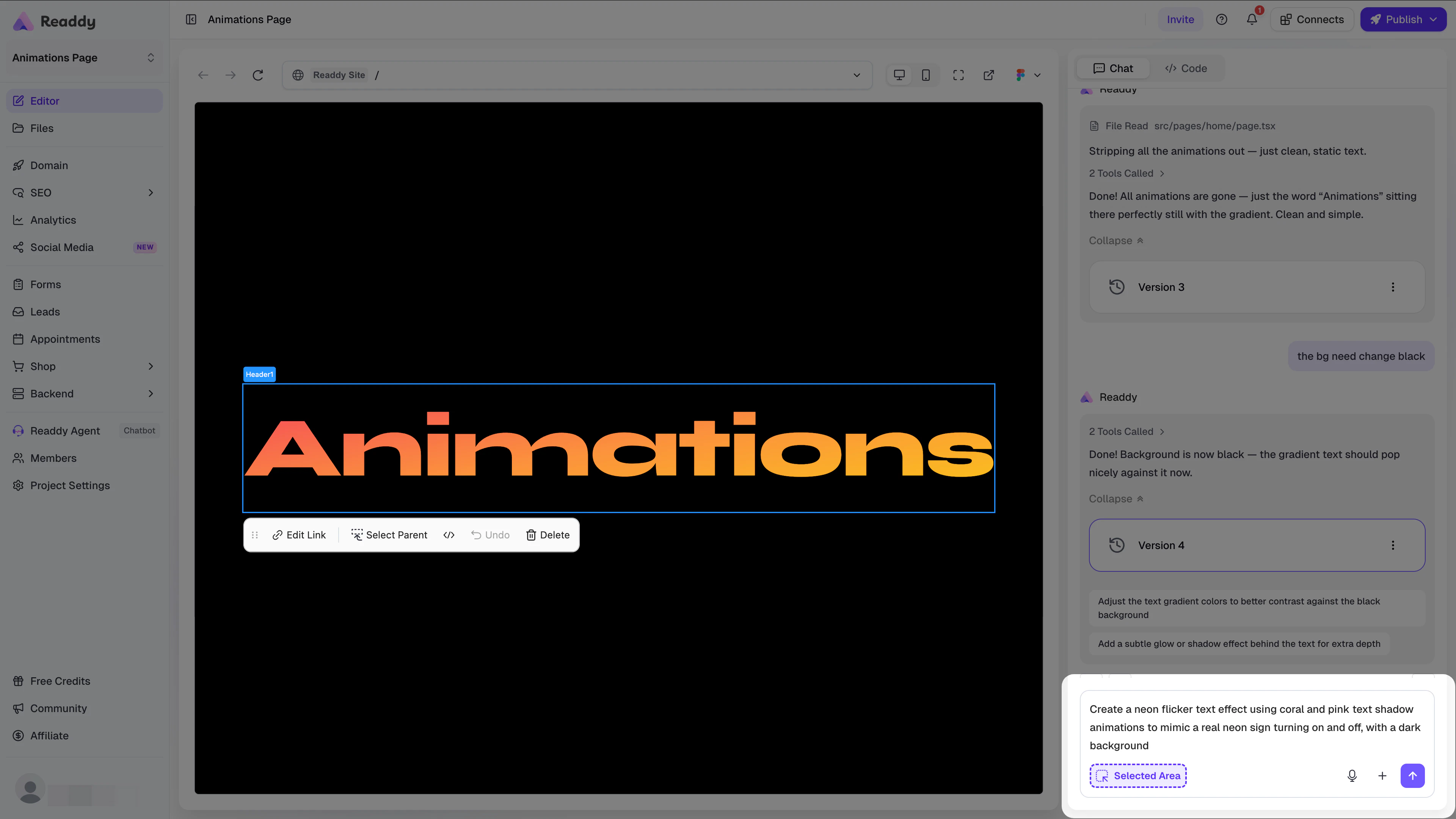
- For a specific element, turn on Selector and select it first.
- For a section-level effect, name the section clearly.
- For page-wide motion, say exactly where it should and should not appear.
5
Paste the prompt and refine it
Paste the prompt into Readdy and refine the result. If the motion is too strong, ask for a subtler, slower, or hover-only version.
Prompt Tips
Start with the Readdy Effects prompt, then add:- Target: Which element should animate
- Trigger: When it should happen
- Style: Subtle, playful, smooth, energetic, premium, and so on
- Limit: Loop, once, or hover only
Best Practices
- Start with one focal animation, such as a headline, hero image, or CTA button
- Match the effect to the content type instead of reusing the same motion everywhere
- Keep marketing pages subtle so motion supports the message
- If the first result is close, refine the same prompt instead of rewriting it
FAQ
Can I use Readdy Effects on an existing page?
Can I use Readdy Effects on an existing page?
Yes. This is often the easiest way to add motion without changing the layout.
What should I do if the animation affects too many elements?
What should I do if the animation affects too many elements?
Narrow the scope. Tell Readdy exactly what should animate and what should stay static.
What if the animation feels too strong or distracting?
What if the animation feels too strong or distracting?
Ask Readdy to reduce the intensity, shorten the duration, remove looping, or trigger it only on hover or in view.
Should I add multiple animations in one request?
Should I add multiple animations in one request?
Start with one effect at a time. Once it looks right, add the next one.