

- Privacy: Only stores anonymized data without cookies, respecting your visitors’ privacy and web experience.
- Integrated Infrastructure: Built into the Readdy platform and accessible from your project’s dashboard — no third-party services needed.
- Conversion Tracking: Track leads from AI Receptionist and forms to monitor your website’s conversion performance.
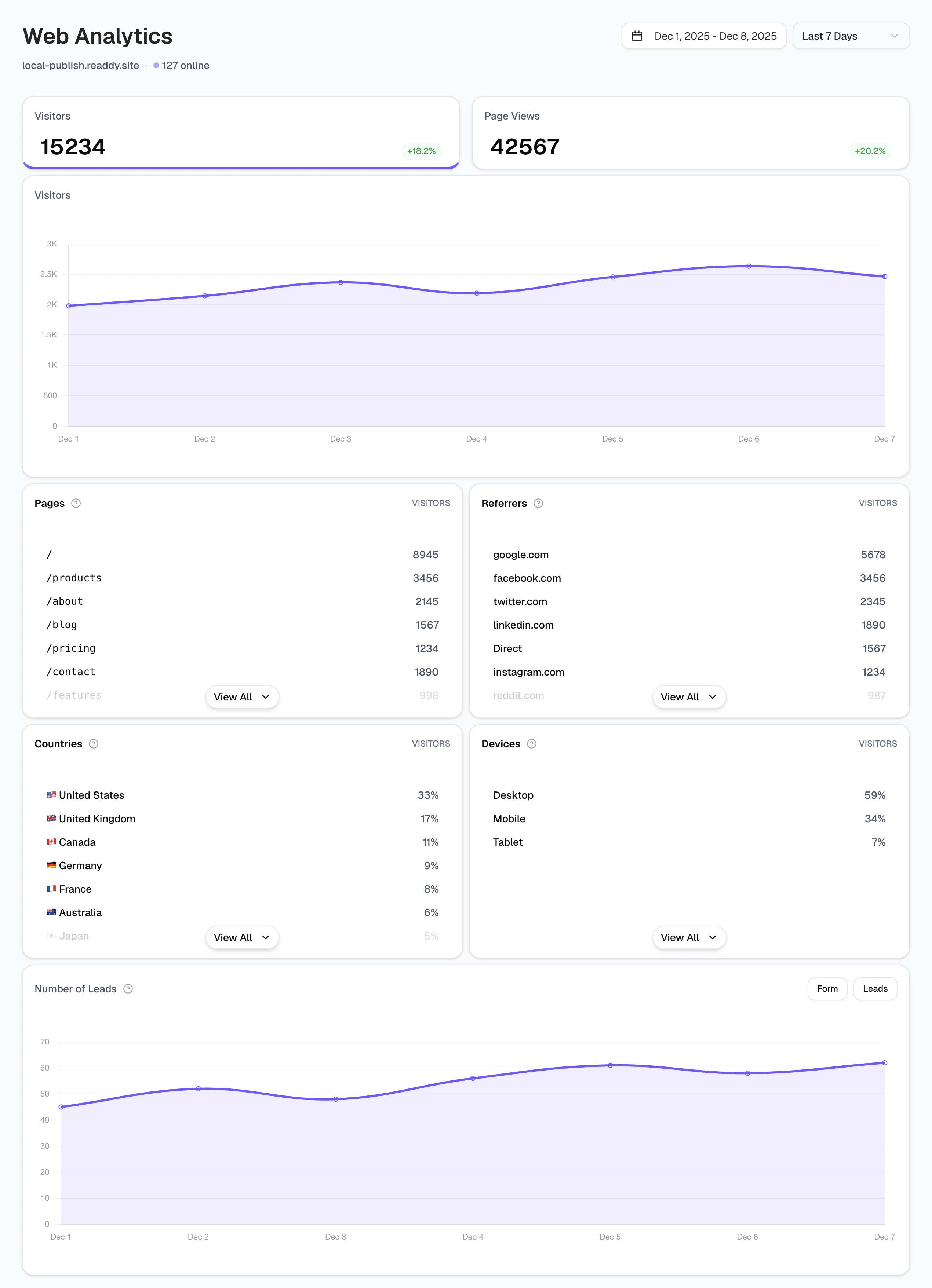
Why Use Web Analytics
Publishing your website is just the first step — what matters most is using it to drive more revenue for your business. With Web Analytics, you can better understand your users: which channels they come from, which pages they visit, where they’re located, what devices they use, and how many leads they generate. These insights help you optimize your website design more effectively and better serve your business goals.Getting Started
1
Create and Publish Your Website
Build your website using Readdy and publish it to make it live.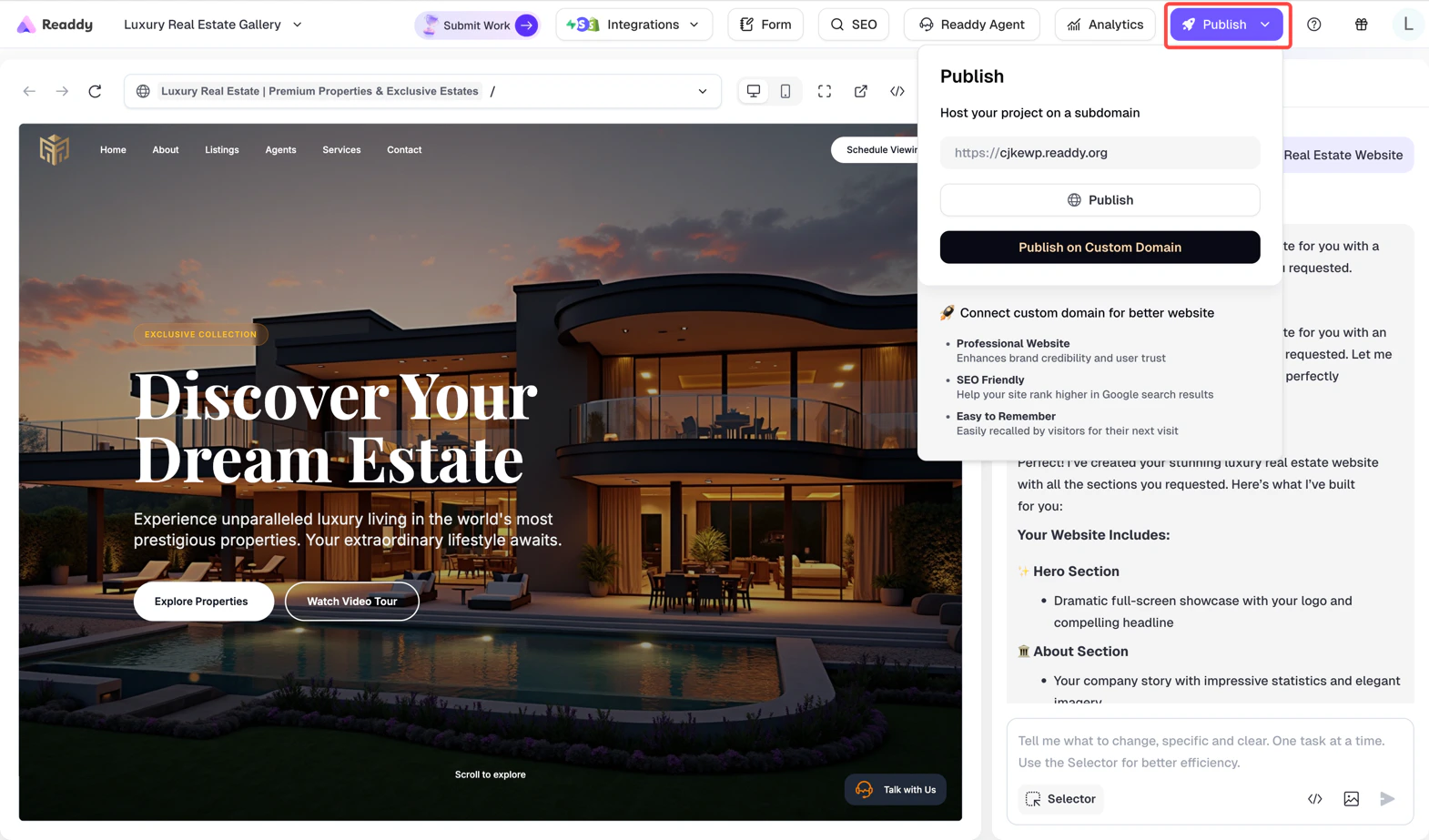
2
Access the Analytics Dashboard
Click on the Analytics feature in your project to open the Analytics dashboard.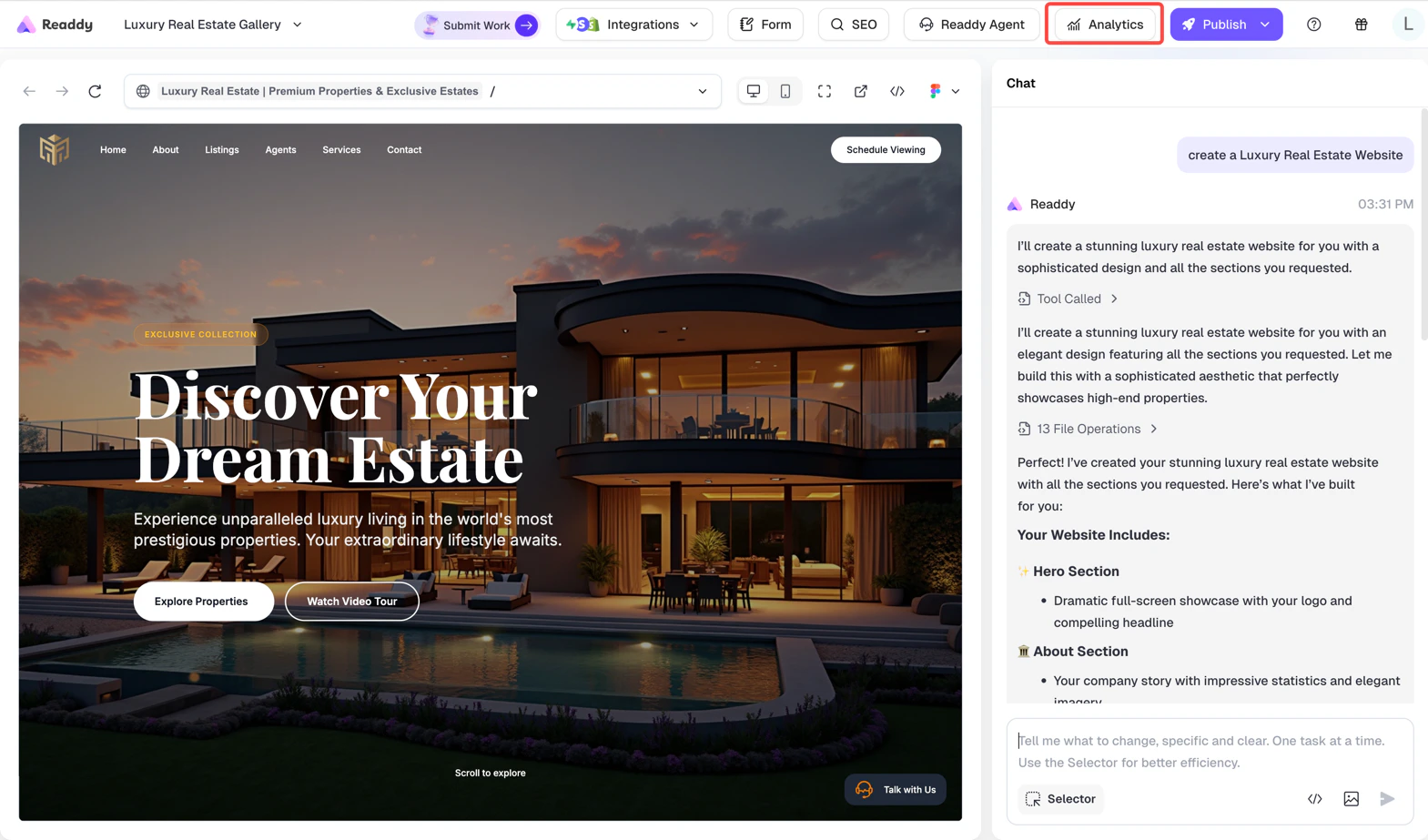
3
View Your Data
Select your desired time range to view website performance data for that period.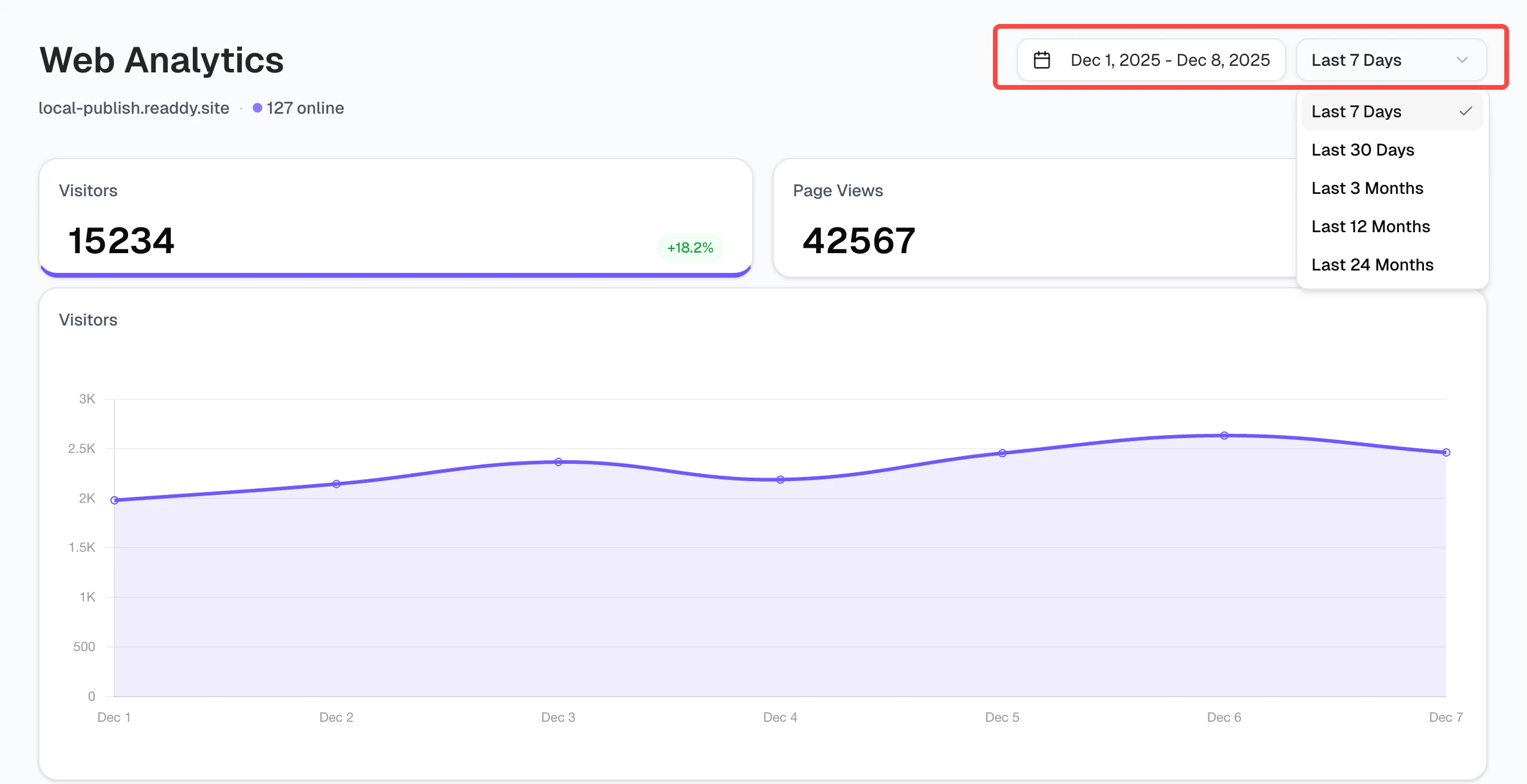
Data Definitions
Visitors
The Visitors tab displays all your website’s unique visitors within a selected timeframe. You can adjust the timeframe by selecting a value from the dropdown in the top right corner.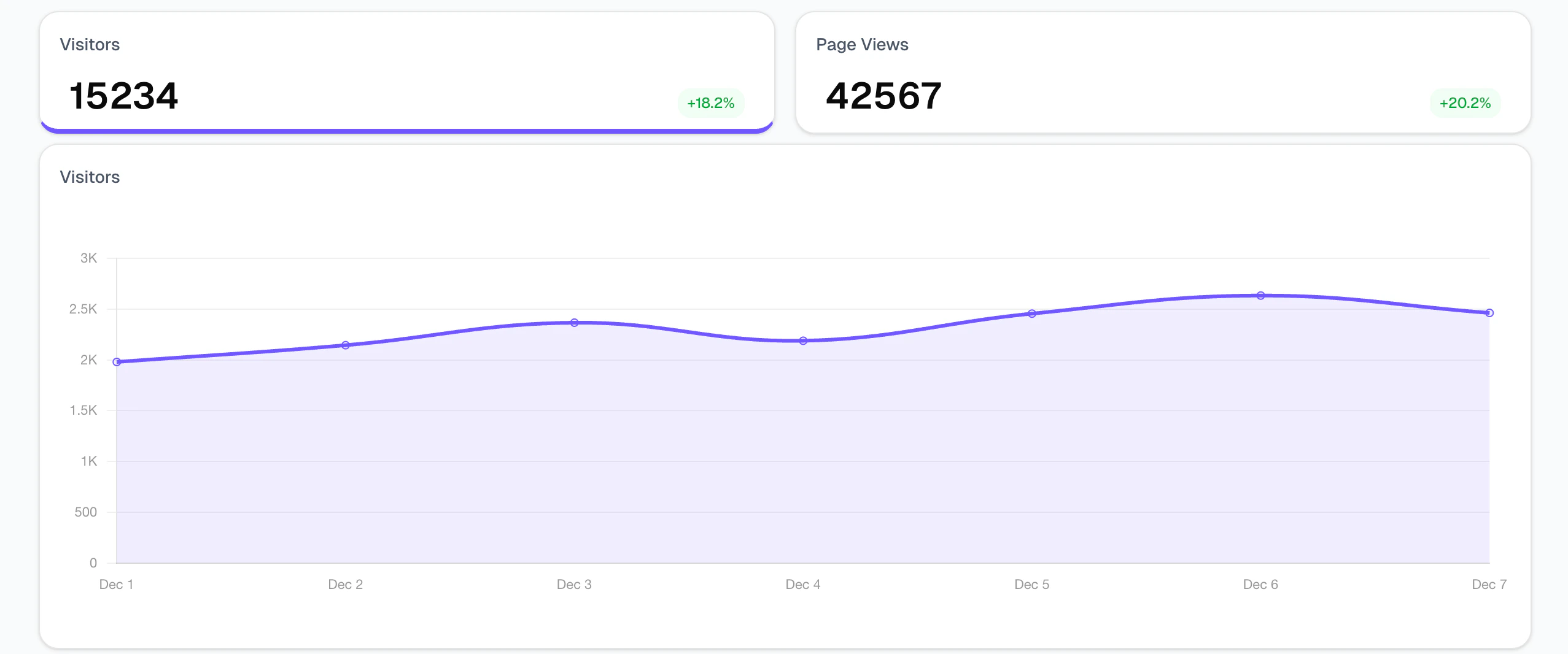
Page Views
The Page Views tab, like the Visitors tab, shows a breakdown of every page loaded on your website during a certain time period. Page views are counted by the total number of views on a page. For page views, the same visitor can view the same page multiple times, resulting in multiple events.Panels
Panels provide a way to view detailed analytics for Visitors and Page Views, such as top pages and referrers. They also show additional information such as the country and device of your visitors, helping you better understand your audience.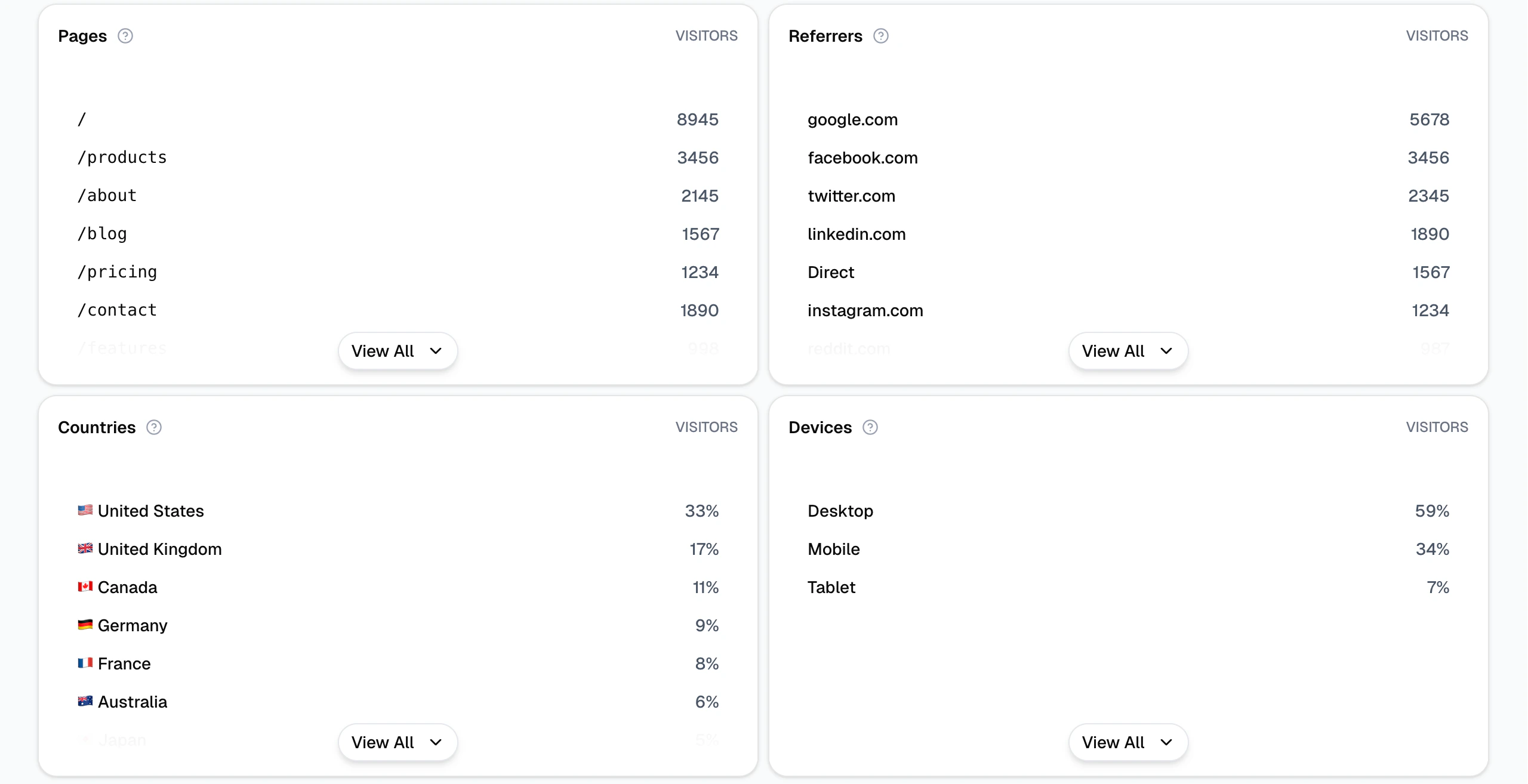
Number of Leads
The Number of Leads panel displays the count of visitors who left their contact information on your website. Data is sourced from forms and AI Receptionist leads.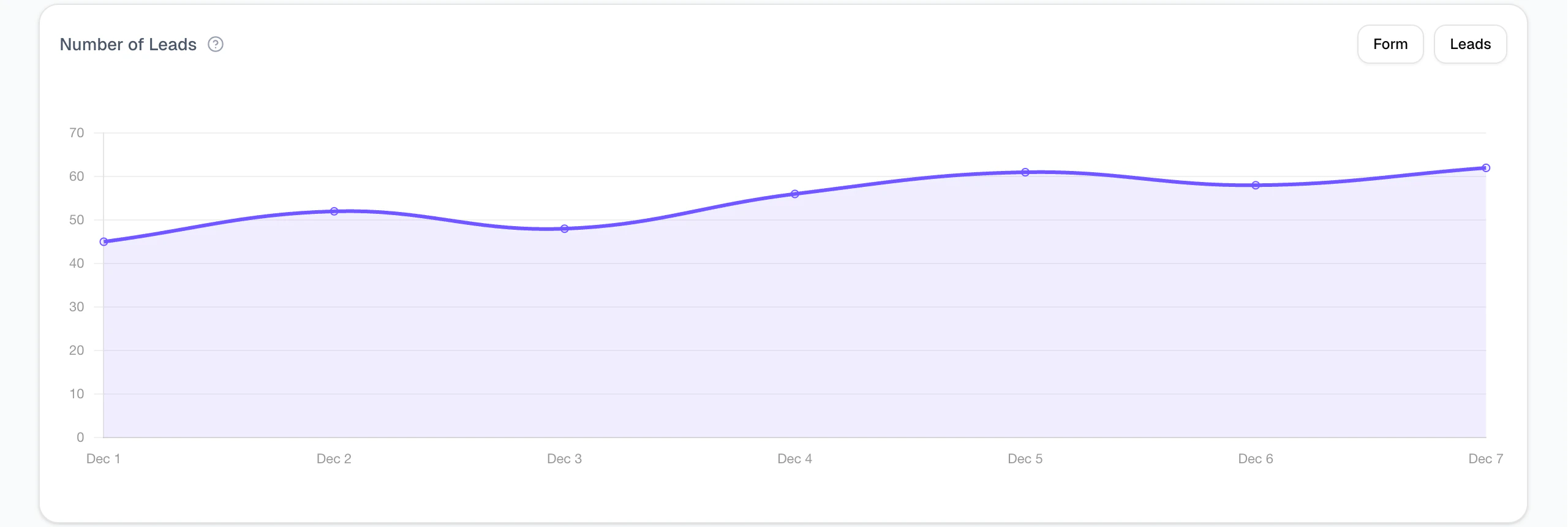
Notes
- Both subdomain and custom domain support analytics tracking.
- Due to large data volumes, there may be a delay of a few minutes in data updates. If this occurs, refresh the page to view the latest data.