Understanding our plans
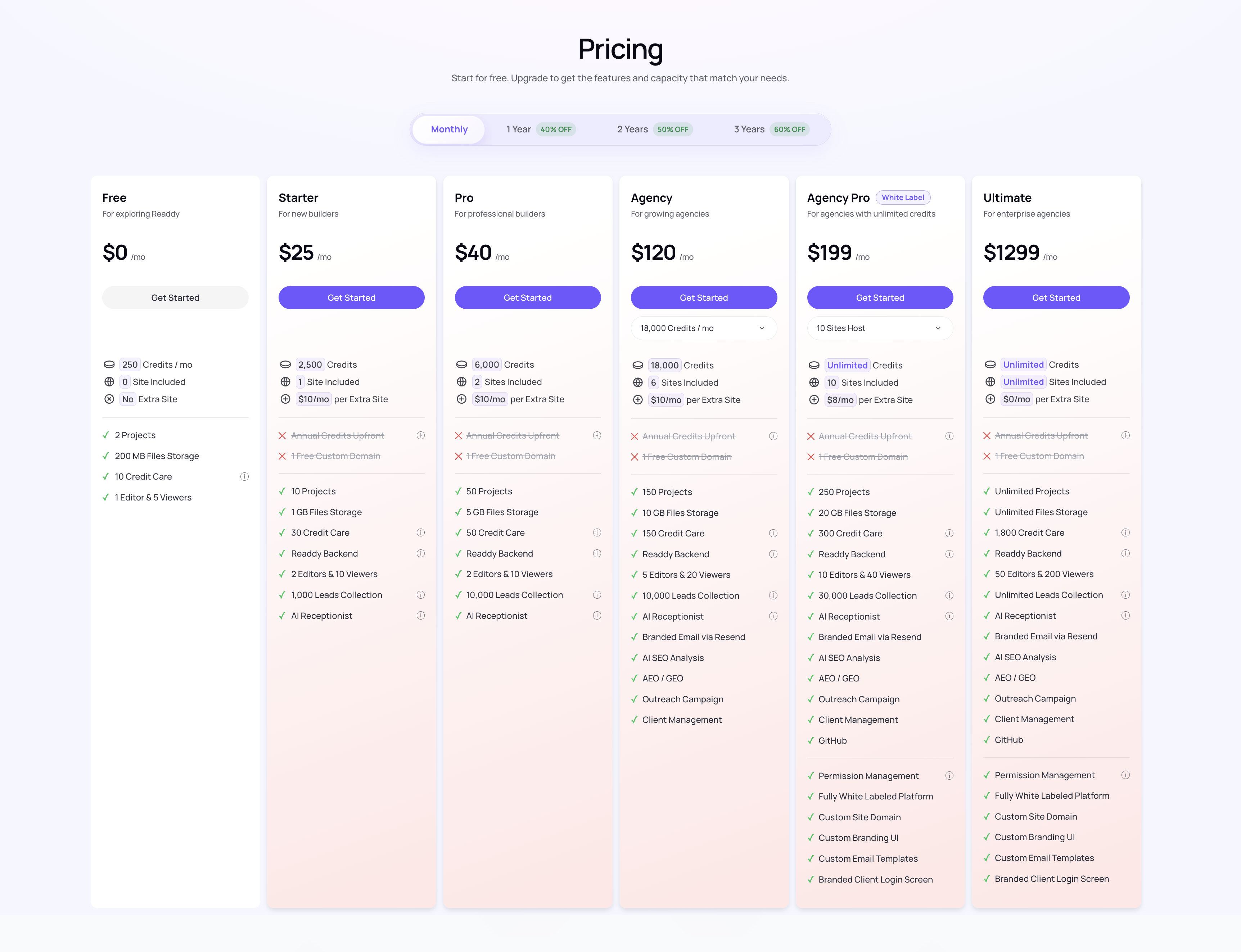
Readdy now offers 6 plan tiers in our V3 pricing system: Free, Starter, Pro, Agency, Agency Pro [White Label], and Ultimate.Free Plan
For first-time users- 250 credits per month
- 1 project
- Best for trying core website generation before you publish or scale
Starter Plan ($25/month)
For new builders- 2,500 credits per month
- 10 projects
- Including 1 live site
- Extra live sites cost $10/site/month
- Includes Readdy Backend so you can power your site with built-in databases, functions, forms, and app logic
- Core website building and publishing features, including custom domain support, for getting your business online
- Includes AI Receptionist for live chat with your website visitors
- A good fit for freelancers, founders, and small business websites
Pro Plan ($40/month)
For professional builders- 6,000 credits per month
- 50 projects
- Including 2 live sites
- Extra live sites cost $10/site/month
- Includes Readdy Backend so you can power your site with built-in databases, functions, forms, and app logic
- Higher limits for forms, storage, collaboration, Credit Care, and AI Receptionist usage
- Adds advanced growth features like AI SEO Analysis and Branded Email via Resend
Agency Plans ($80/$120/$160 per month)
For growing agencies- 12,000, 18,000, or 24,000 credits per month
- Including 200 projects
- Including 4/6/8 live sites
- Extra live sites cost $10/site/month
- Includes Readdy Backend so you can power your site with built-in databases, functions, forms, and app logic
- Adds agency-focused tools like AEO/GEO, Outreach Campaign, and Client Management
- Best for teams that need more credits and agency workflow features before moving to white-label plans
Agency Pro with White Label ($199/$299/$499/$799 per month)
For agencies with unlimited credits- Unlimited credits and higher multi-site capacity
- Including 800 projects
- Including 10/30/60/120 live sites
- Extra live sites cost $8 to $5/site/month, depending on your tier
- Includes Readdy Backend so you can power your site with built-in databases, functions, forms, and app logic
- Includes white-label features like custom branding, custom platform or site domains, custom email templates, and branded client login
- Built for agencies delivering websites under their own brand
Ultimate Plan ($1,299/month)
For enterprise agencies- Unlimited credits, unlimited projects and unlimited live sites
- No extra site purchase is needed because live sites are unlimited
- Includes Readdy Backend so you can power your site with built-in databases, functions, forms, and app logic
- The highest limits across storage, collaboration, and agency operations
- Best for large teams managing many client websites at scale
Credit Usage
It costs 25 credits every time you generate content or make an edit.Monthly vs Multi-Year Billing
Readdy offers monthly, 1-year, 2-year, and 3-year billing options. Your credits refresh differently depending on your billing cycle:- Monthly plans: credits refresh every month
- 1-year plans: all credits for the year are granted upfront in a single balance
- 2-year and 3-year plans: credits refresh once per subscription year
Monthly Billing
· Pay and auto-renew every month
· Credits refresh every month
· Switch to Free plan anytime
· Credits refresh every month
· Switch to Free plan anytime
1-Year / 2-Year / 3-Year Billing
· One-time payment for your selected term
· Save 40% / 50% / 60%
· 1-year plans receive all yearly credits upfront
· 2-year and 3-year plans refresh credits once per year
· Save 40% / 50% / 60%
· 1-year plans receive all yearly credits upfront
· 2-year and 3-year plans refresh credits once per year
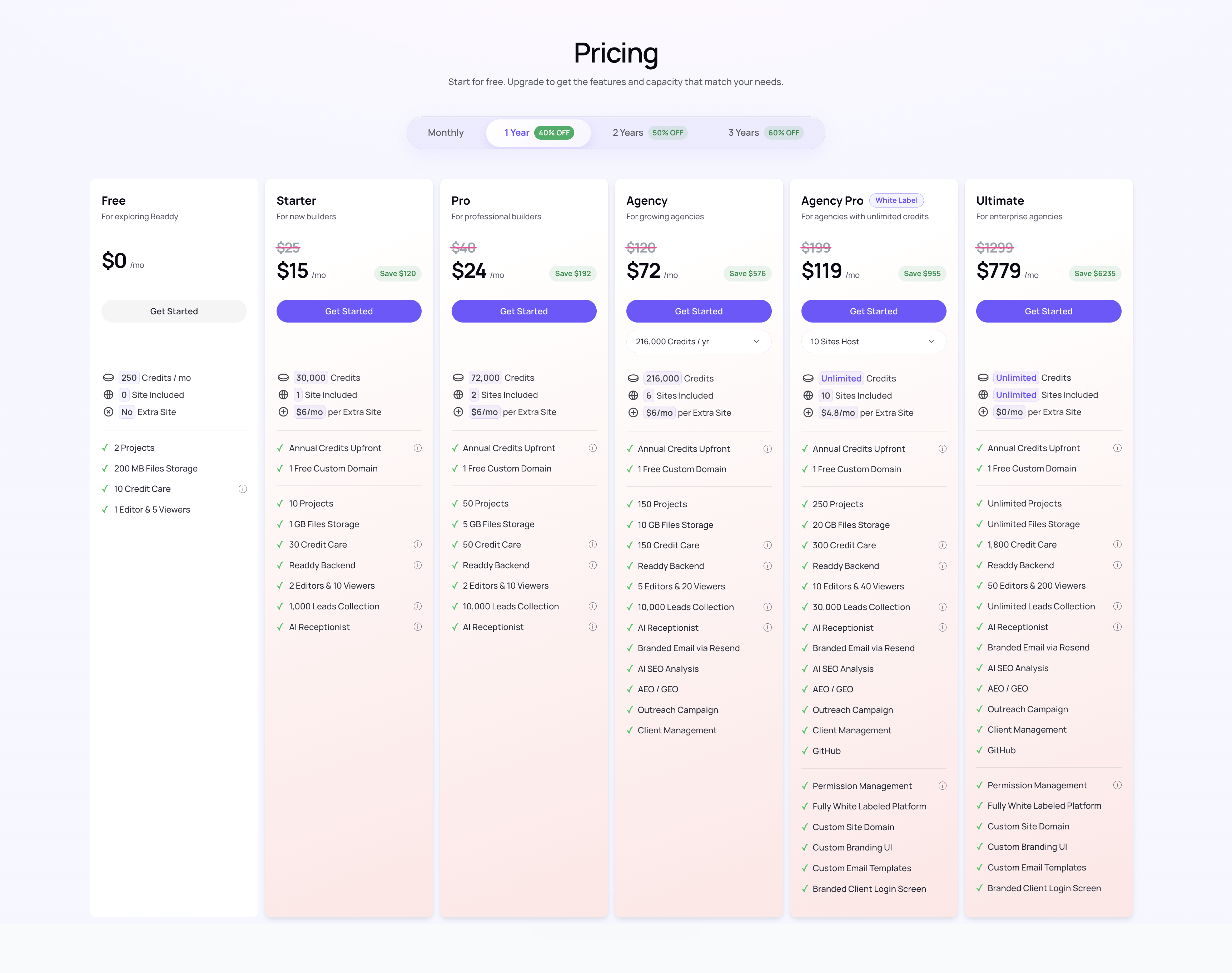
1-year plans grant all yearly credits upfront. 2-year and 3-year plans refresh credits once per subscription year.
Compare Price
We’re continuing to update our product to offer you even more features. You can always find the latest details of our plans by clicking Avatar > Subscription.
Changing your plans
Upgrading Your Plan
If you’re running out of credits, you can upgrade your plans at any time for immediate access to more credits. You can reach this page by clicking Avatar > Subscription. Upgrades take effect immediately. Any unused credits from your current subscription will be converted based on their credit value and applied toward the bill for your new plan.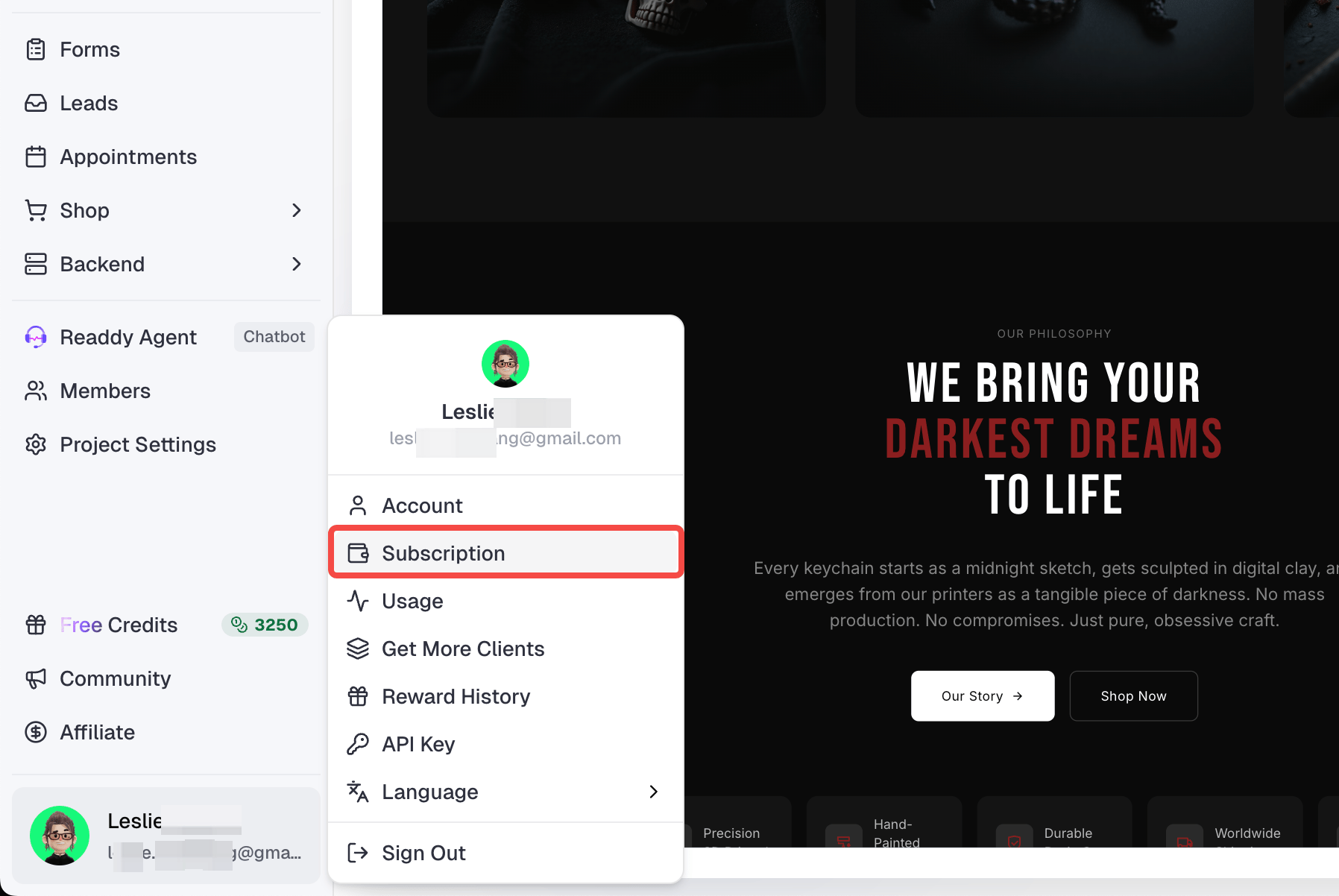
Reset Billing Cycle
For multi-year subscriptions, if your current billing period has not ended but your credit value has already been fully used, you can reset your billing cycle early and start the next subscription year in advance.Downgrading Your Plan
If you wish to downgrade your paid plans, you can make this change in Subscription page at any time. The change will take effect at the start of your next billing cycle. For multi-year subscriptions, scheduled downgrades are only available during the final year of your current subscription term due to order processing limitations.Switch to Free Plan
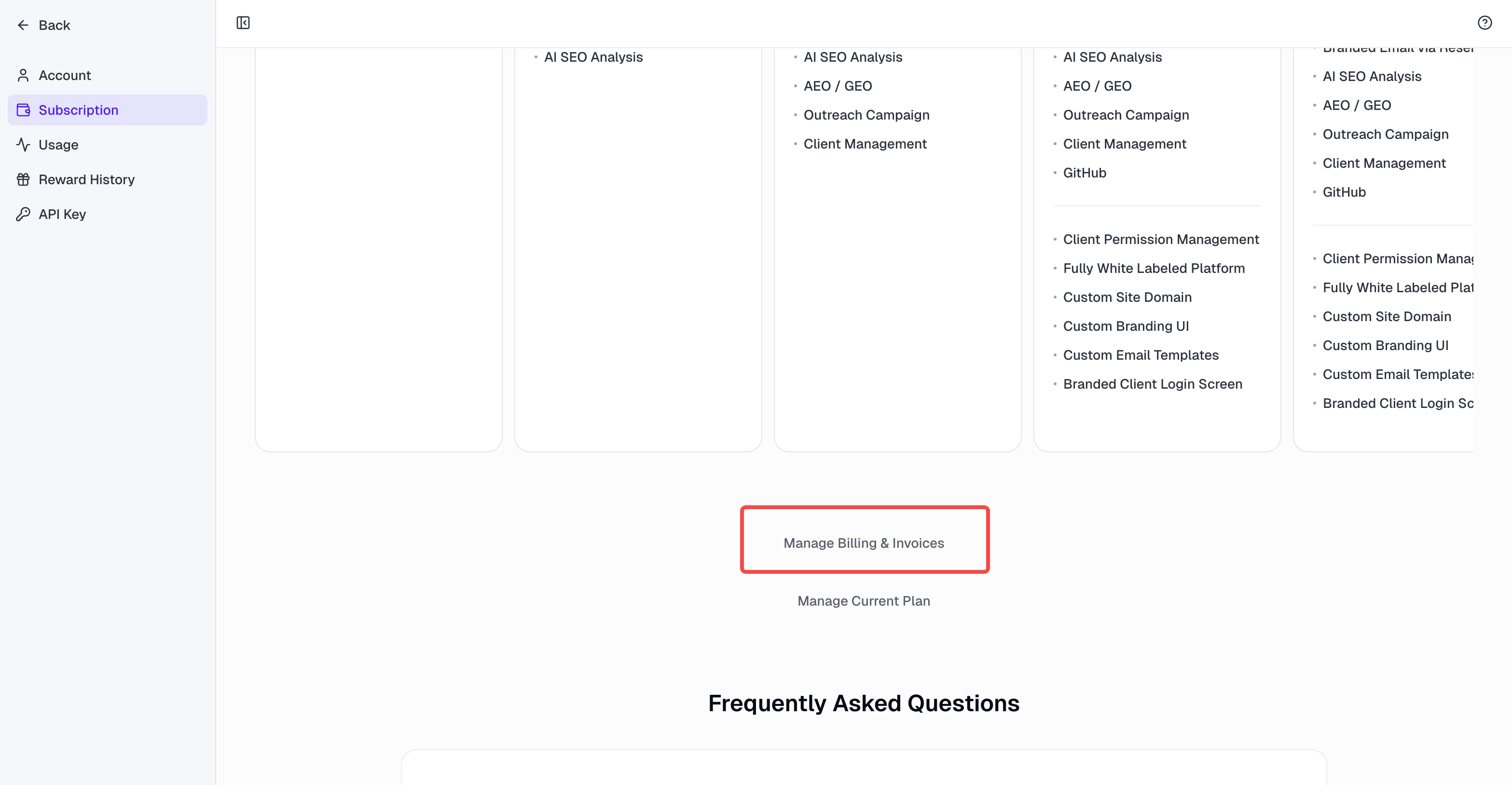
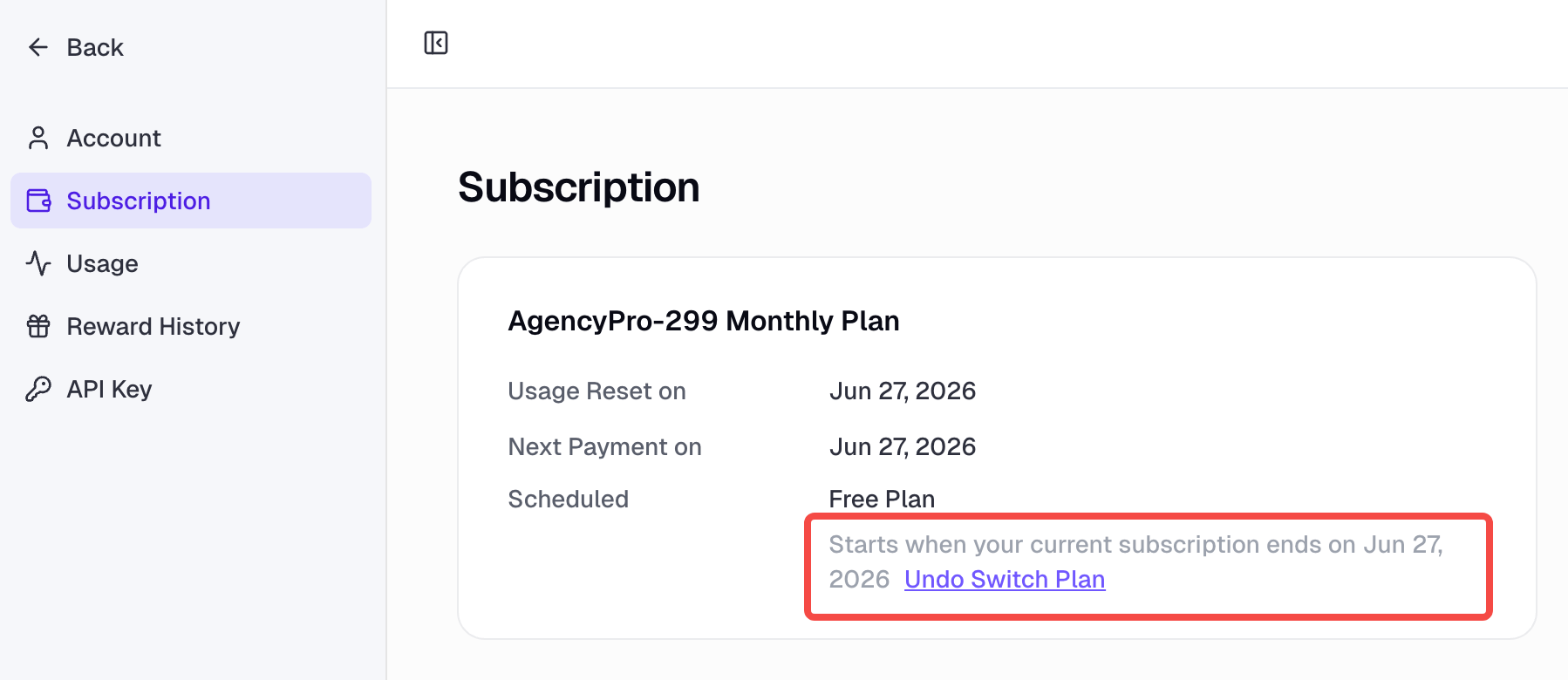
If you want to stop your subscription, you’ll need to switch to your current plan first, then click Manage Current Plan to change it to the Free Plan. The change will take effect at the start of your next billing cycle. You can also cancel your subscription directly from the option shown in the screenshot.