Overview
Readdy Code Editor provides high-precision control over your website’s codebase. Inspect every file, make direct edits, and export standalone, production-ready projects built with React, Tailwind CSS and TypeScript.Why Use It?
- Full Ownership: Export your entire project as a standalone bundle.
- Efficiency & Speed: Skip the AI generation queue. Edit code directly for instant updates, saving both your time and AI credits for more complex tasks.
- Precise Control: Make exact modifications. Avoid unexpected AI changes by manual overrides.
- Production-Ready Stack: Receive clean, industry-standard code. Projects include essential files like
vite.config.tsandtailwind.config.tsfor professional deployment. - Rapid Delivery: Skip hours of manual environment setup. Move from AI concepts to functional projects for client handoff in minutes.
How It Works?
1. Access and Navigate
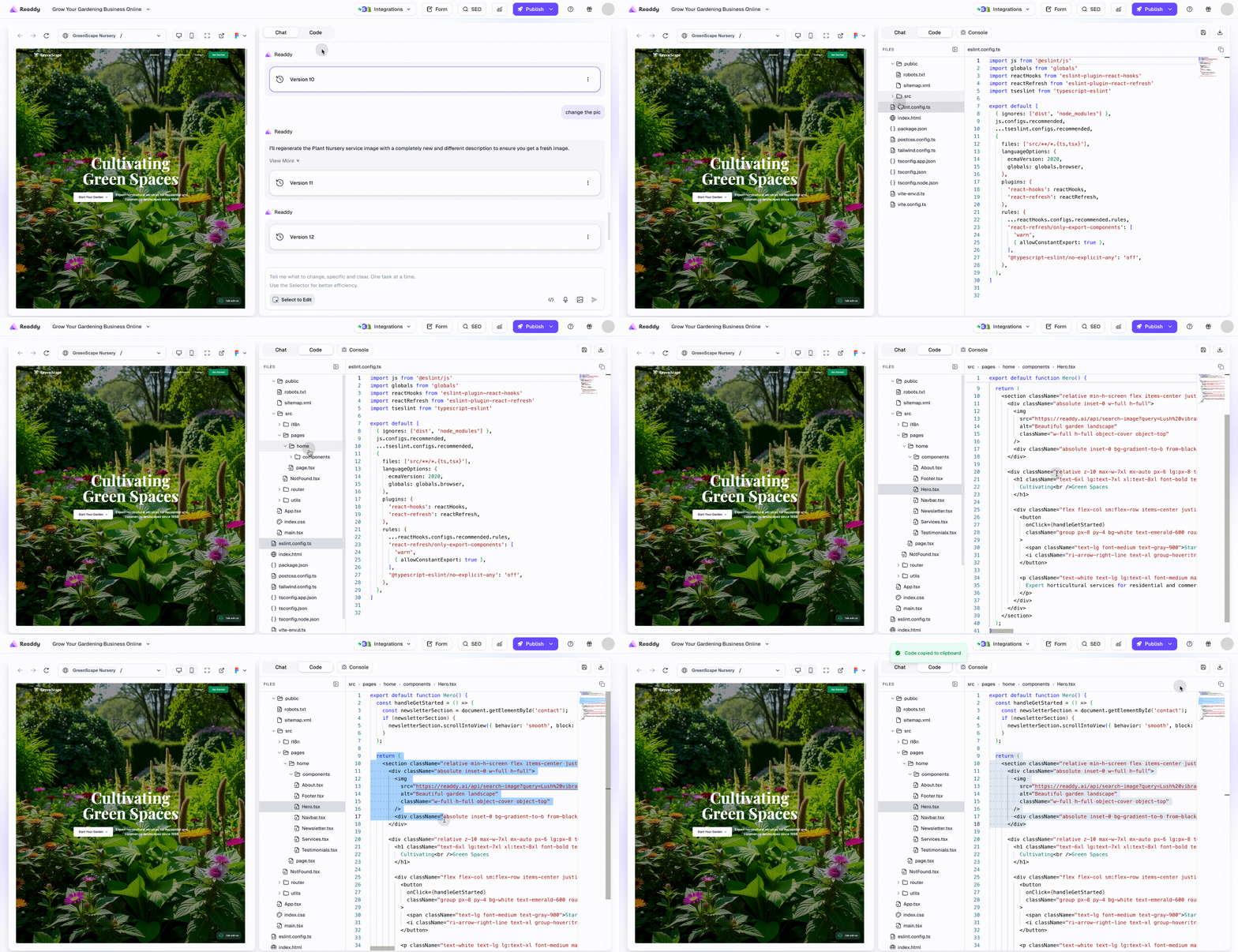
View your site preview and code interface side-by-side for seamless navigation.- Switch to Code: Click the “Code” tab in the right panel. Switch from AI Chat to the Code Editor instantly.
- Explore & Inspect: Use the File Explorer on the left to browse your project structure. Click files like
App.tsxorindex.htmlto view, check, and copy source code.
2. Edit and Live Render
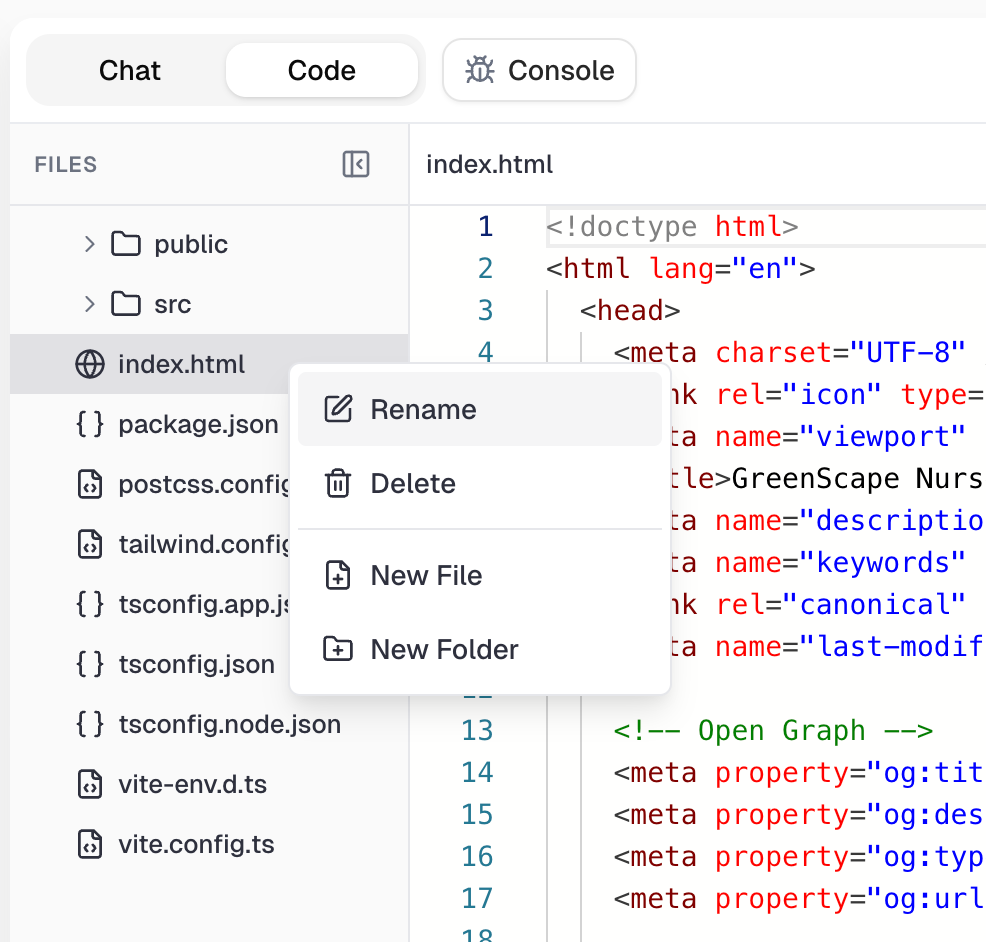
Modify your code directly to fine-tune designs and functionality.- Direct Code Editing: Take full command of your source code. Modify files in
srcor configs liketailwind.config.ts. You can also rename, delete, or create files and folders via the right-click menu.
- Instant Rendering: Once your code edits are saved, the preview pane automatically refreshes to reflect your latest changes, enabling rapid, iterative development.
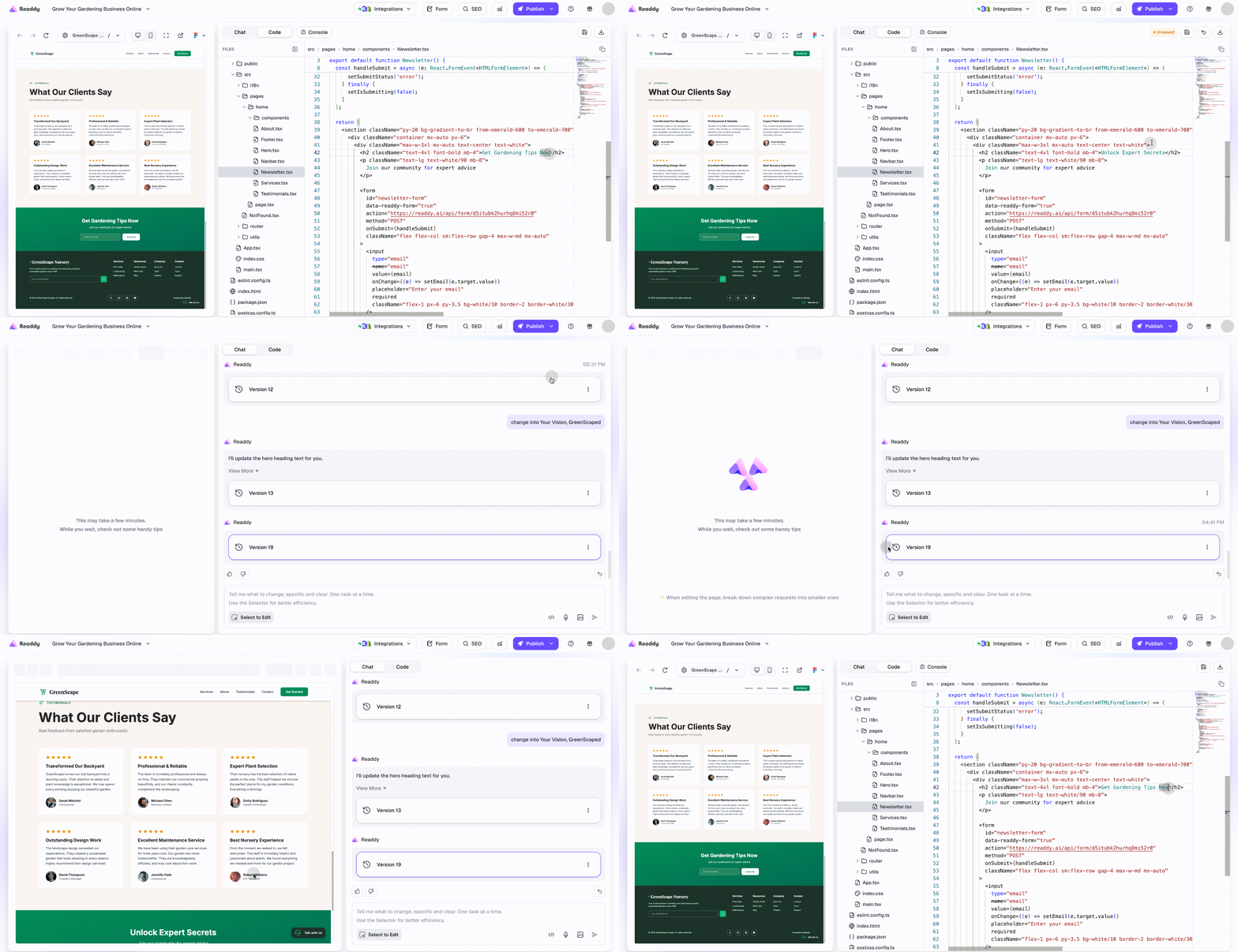
- Sync Visual Changes: When you modify elements in the visual preview, the updates automatically sync to your codebase.
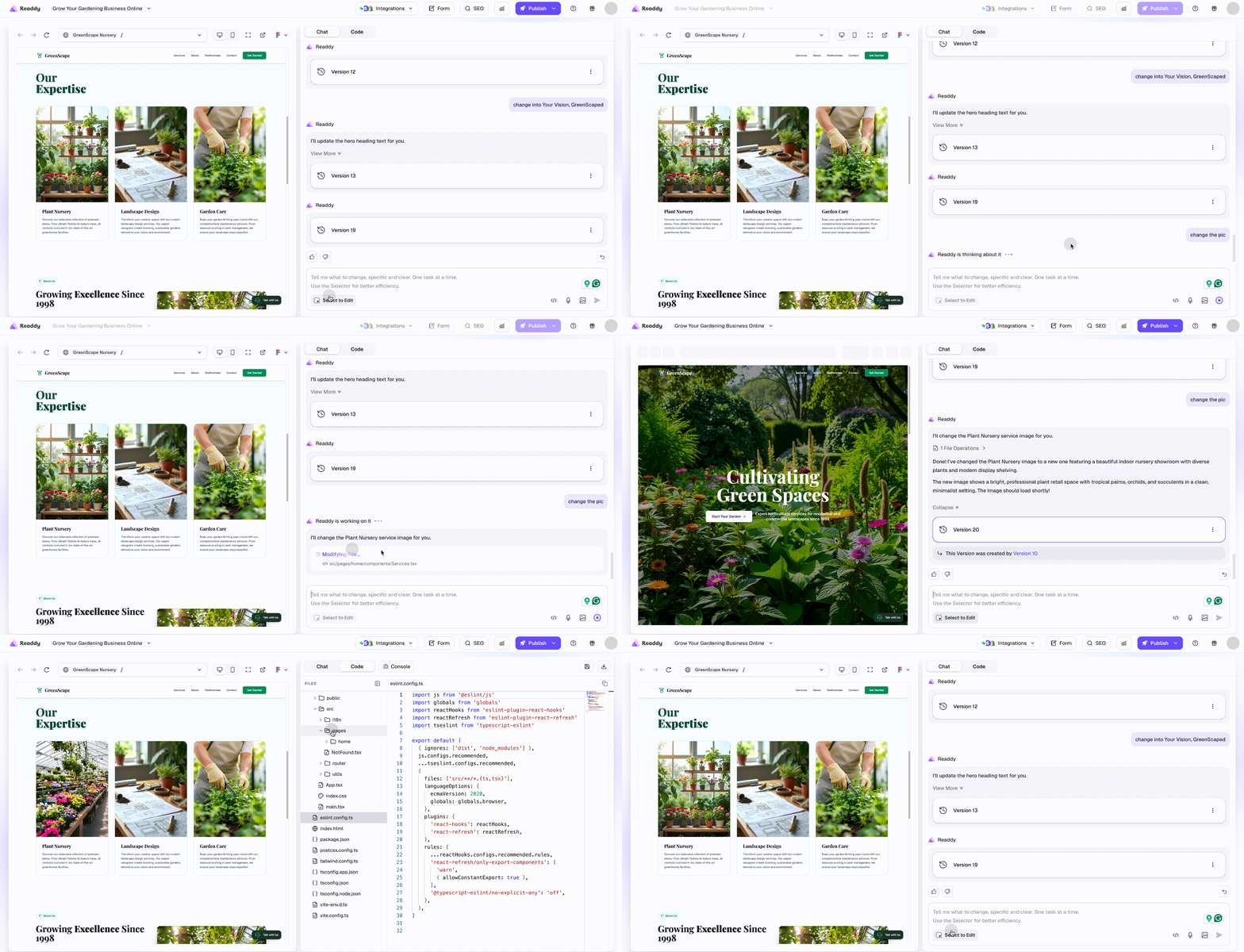
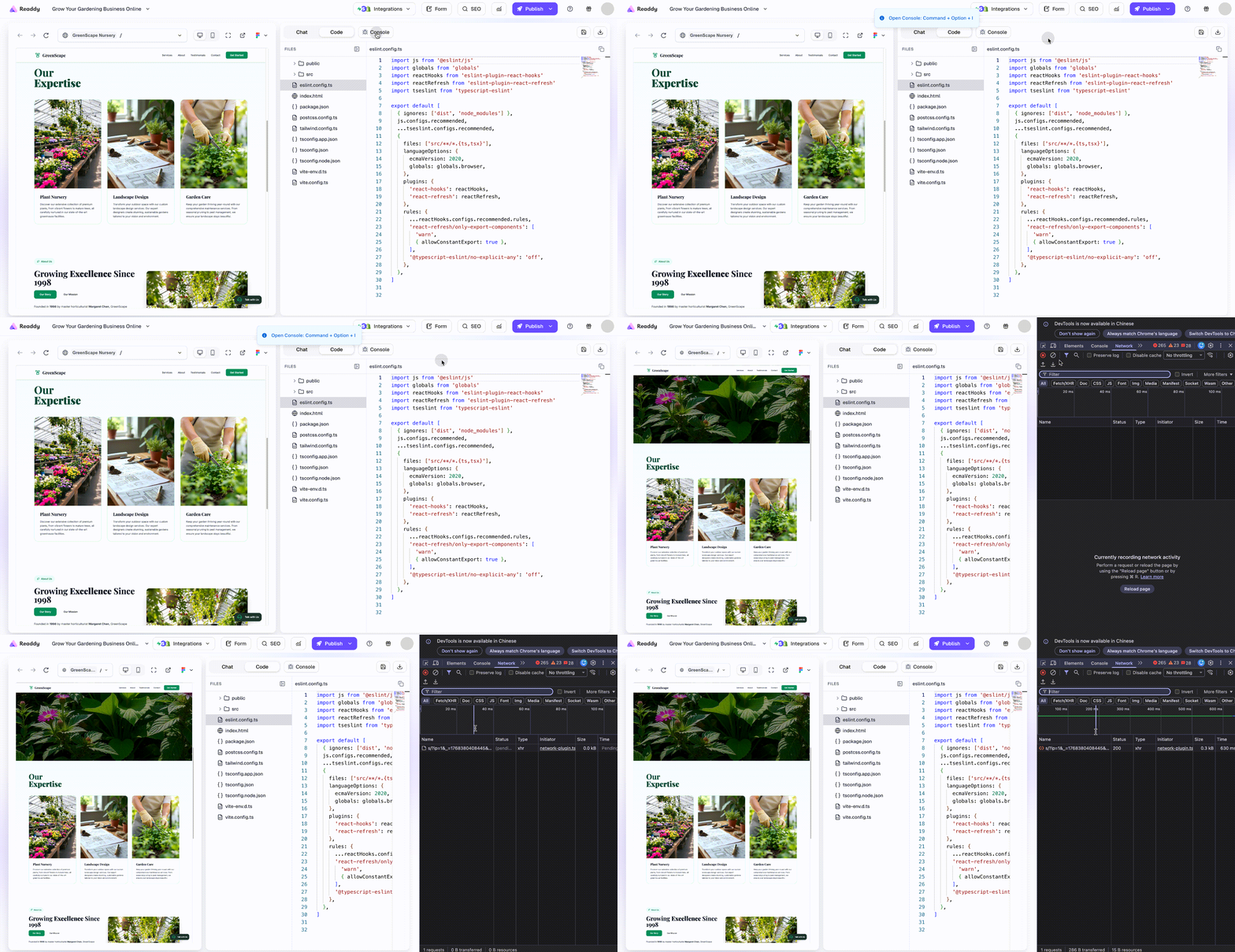
- Quick Debugging: Click the top-right Console button to view available shortcuts. Use the shortcut Command + Option + I for Mac, Ctrl + Shift + I for Win to open the console, check errors and logs.
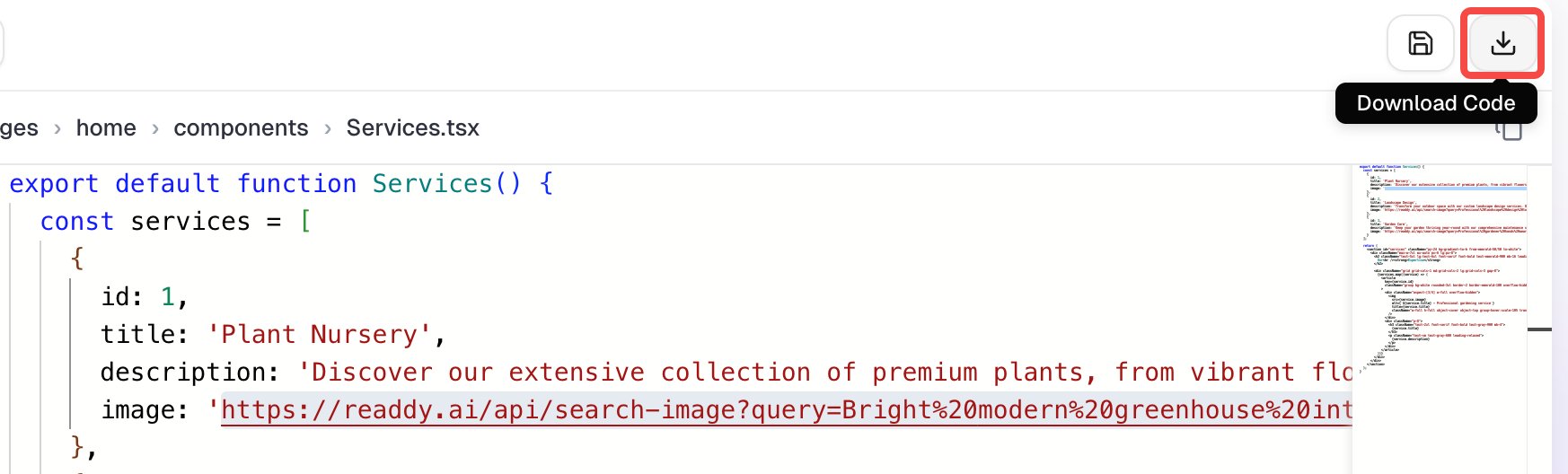
3. Download Code
Click the Download button in the upper-right corner to export a complete.zip project bundle containing all your project files for independent hosting on any platform.
Special Considerations
- Project Snapshots: The exported bundle represents your project at the exact moment of download. If you make further AI edits, remember to download a new version.
- Installing Dependencies: Readdy projects use the standard NPM ecosystem. Before running your code locally, you must run
npm installto install dependencies. - Local Staging: After downloading, unzip the file and run
npm run devin a local editor like VS Code to test the site before final deployment.
Need Help? Get Support
We offer three ways to help you get the most out of Readdy:- Submit a Ticket: Click the Feedback button to submit a support ticket for specific issues.
- Contact Support: Click the Support button to send an email directly to our technical team.
- Ask AI Assistant: Use the AI Assistant Agent to ask detailed questions about documentation and features for instant answers.