Overview

Readdy’s notification feature keeps you informed of important updates within the platform, ensuring you never miss critical information during collaboration.

Collaboration Notifications

Notifications center
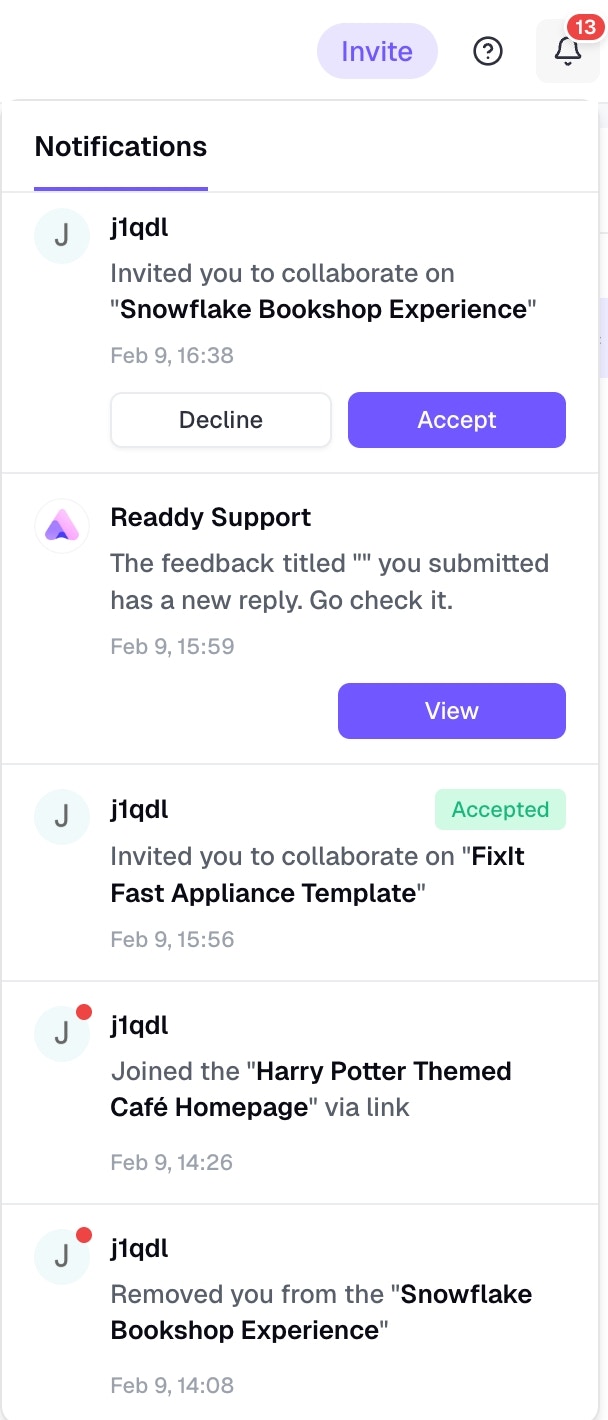
The notification center keeps you informed of all collaboration activities. You can access it by clicking the notification bell icon. When working with team members on Readdy, you’ll receive notifications for the following events:

Member Invitations

When someone invites you to join a project, you’ll receive an invitation notification. Simply click to accept and start collaborating.

Invitation Status

As a project owner, you’ll be notified when someone accepts your project invitation and joins the team.

Project Changes

You’ll be notified if:
  • You are removed from a project
  • A project you’re a member of is deleted

Role Changes

If your role changes on a project (such as from Editor to Viewer), you’ll receive a notification to keep you informed of your current permissions.

Support Ticket Replies

After submitting a support ticket, you’ll receive an in-app notification when there’s a reply. Click the notification to view the response.