

- Each “Discard” consumes 1 Credit Guard usage, but refunds the Credits spent on that generation
- Credit Guard usage resets monthly based on your subscription plan
- Readdy Credit Guard is not a refund or compensation mechanism — it’s a subscription benefit designed to reduce AI exploration costs and failure risks
How It Works
Click the Discard Button
If the generated result doesn’t meet your expectations, click the “Discard” button.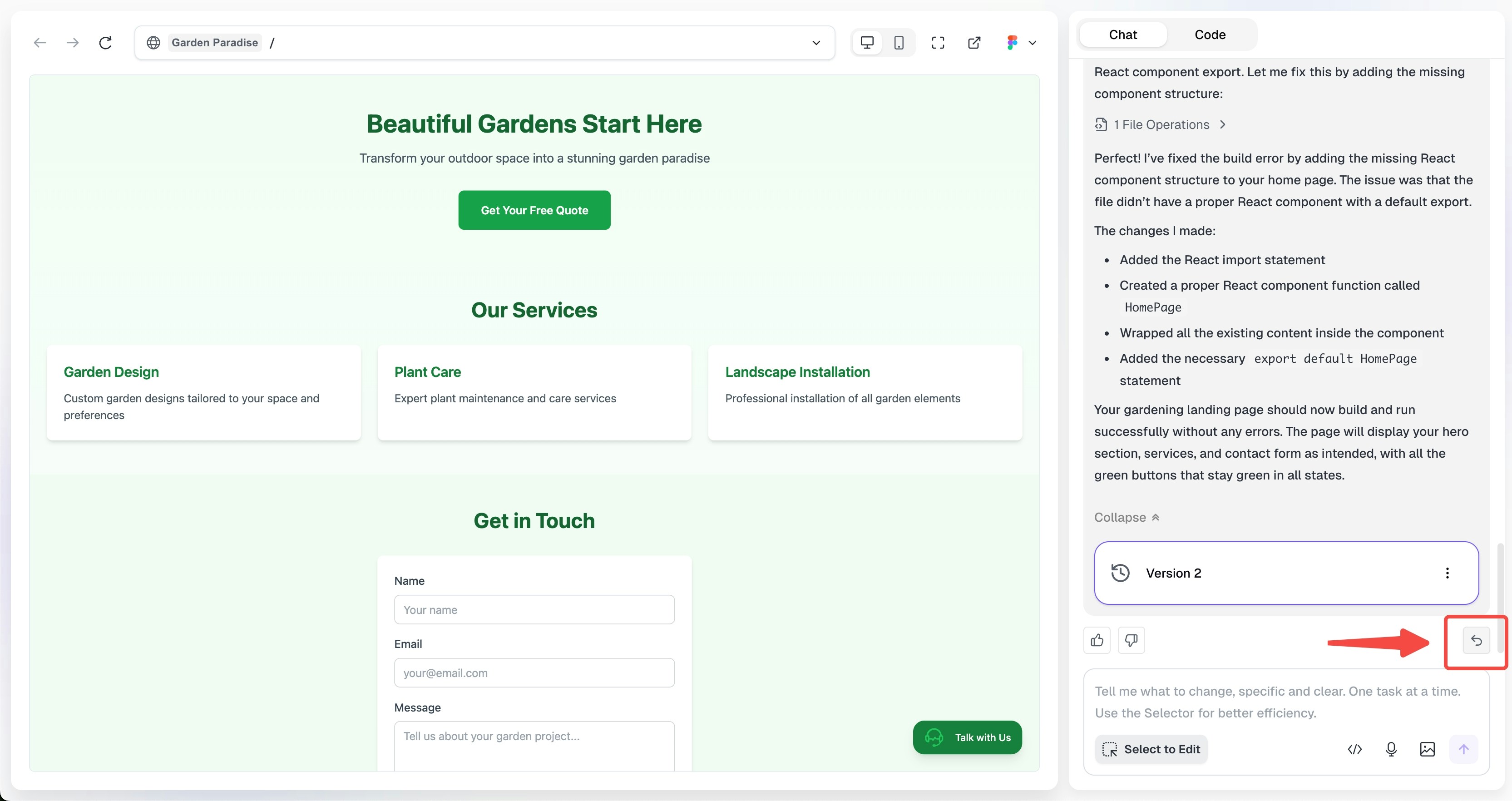
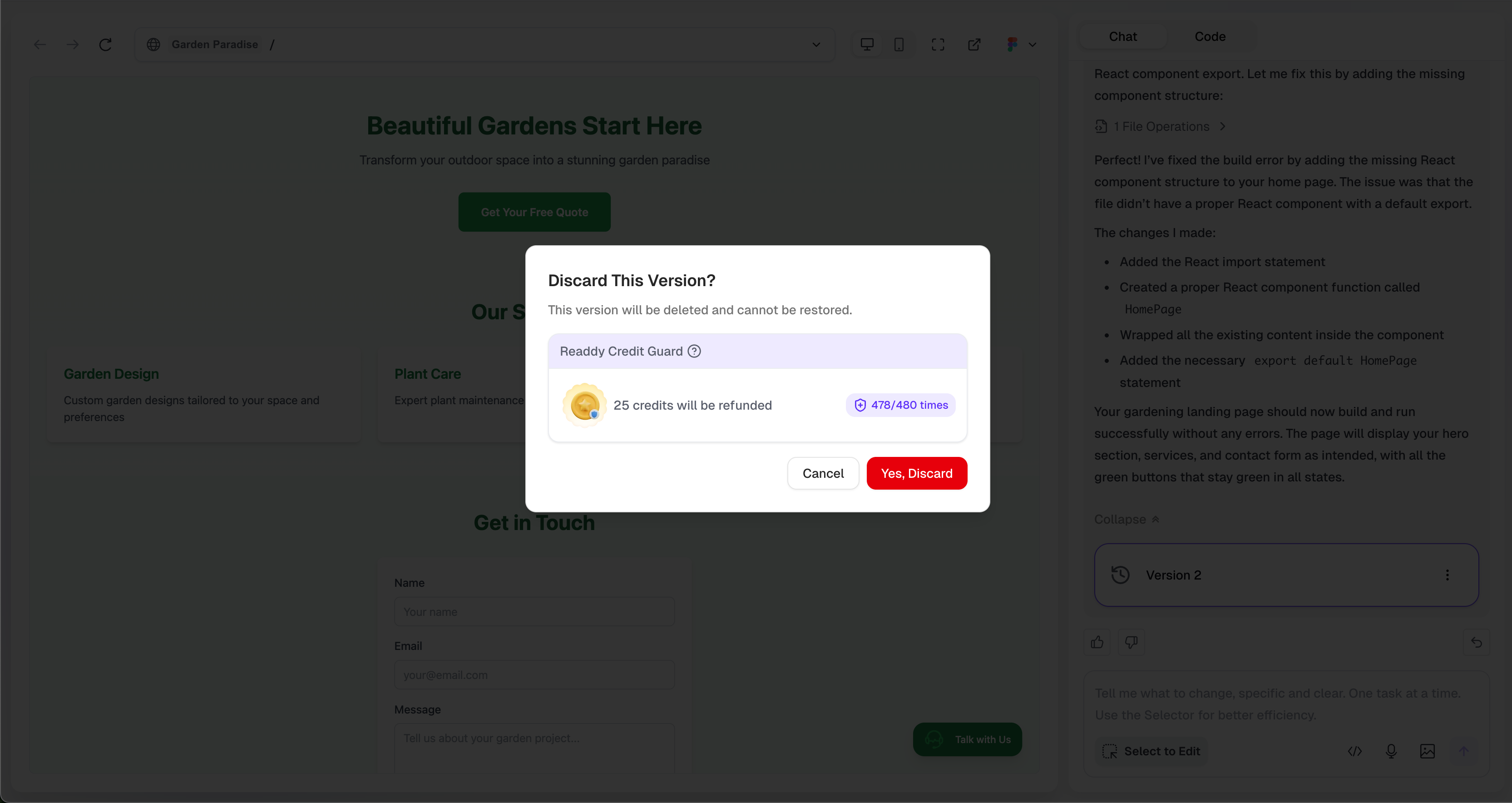

Credit Guard Allowances
Each subscription plan includes corresponding Credit Guard allowances:| Plan | Monthly Credit Guard Usage |
|---|---|
| Free | 10 |
| Starter | 30 |
| Pro-40 (6,000 Credits) | 50 |
| Pro-80 (12,000 Credits) | 100 |
| Pro-120 (18,000 Credits) | 150 |
| Pro-160 (24,000 Credits) | 190 |
| Pro-200 (30,000 Credits) | 240 |
| Pro-240 (36,000 Credits) | 290 |
| Pro-280 (42,000 Credits) | 340 |
| Pro-320 (48,000 Credits) | 390 |
| Pro-360 (54,000 Credits) | 430 |
| Pro-400 (60,000 Credits) | 480 |
Conditions for Credit Refund
When discarding a version, the following conditions must be met to refund Credits:Generated Within Current Billing Cycle
Only versions generated within the current billing cycle are eligible for credit refunds when discarded
No Reward or Goodwill Credits Used
Only when the discarded version was generated using 100% subscription credits (no bonus or Goodwill credits) can the credits be refunded
Examples
✅ Eligible for Credit Refund
✅ Eligible for Credit Refund
Example 1: You subscribed to a Pro plan on January 15th. On January 20th, you generated a version consuming 25 Credits (from subscription credits), and discarded it because you weren’t satisfied with the result.Refund Eligible: The version was generated within the current billing cycle, and all credits came from subscription credits.
❌ Not Eligible for Credit Refund
❌ Not Eligible for Credit Refund
Example 1: You generated a version on January 10th, but your subscription renewed on January 15th entering a new cycle. On January 20th, you want to discard the version from January 10th.Not Eligible: The version was generated in the previous billing cycle.
Example 2: You used Reward Credits or Goodwill credits for generation, then want to discard the version.Not Eligible: The consumed credits are not from subscription credits.
Example 3: You used a mix of subscription credits and Reward Credits or Goodwill credits for generation.Not Eligible: The consumed credits are not entirely from subscription credits.
Example 2: You used Reward Credits or Goodwill credits for generation, then want to discard the version.Not Eligible: The consumed credits are not from subscription credits.
Example 3: You used a mix of subscription credits and Reward Credits or Goodwill credits for generation.Not Eligible: The consumed credits are not entirely from subscription credits.
Important Notes
FAQ
What if I run out of Credit Guard usage?
What if I run out of Credit Guard usage?
You can still “Discard” versions, but Credits will not be refunded until the next billing cycle begins.
Or you can click Upgrade to a higher plan to get more Credit Guard usage.
Does unused Credit Guard usage carry over?
Does unused Credit Guard usage carry over?
No, unused allowances expire at the end of each billing cycle.
When does Credit Guard usage reset?
When does Credit Guard usage reset?
At the start of each new billing cycle.
How is Credit Guard usage handled when upgrading or downgrading plans?
How is Credit Guard usage handled when upgrading or downgrading plans?
- Upgrade: Takes effect immediately, Credit Guard usage resets to the new plan’s allowance
- Downgrade: Takes effect at the end of the current billing cycle, Credit Guard usage will then reset to the new plan’s allowance