> ## Documentation Index
> Fetch the complete documentation index at: https://docs.readdy.ai/llms.txt
> Use this file to discover all available pages before exploring further.
# Getting a Request ID
> Learn how to obtain a request ID for troubleshooting and getting technical support for your Readdy issues
Something's not working while building your page? No worries — follow this quick guide to help us fix it faster.
For issues unrelated to subscription or other feature-related questions or suggestions, feel free to contact us at [hi@readdy.ai](mailto:hi@readdy.ai).
Please select the option that applies to your situation and follow the appropriate steps accordingly.
## How to Copy the Request ID
Navigate to your project's version history and locate the most recent version.
Click **Copy Log** as shown in the screenshot below.
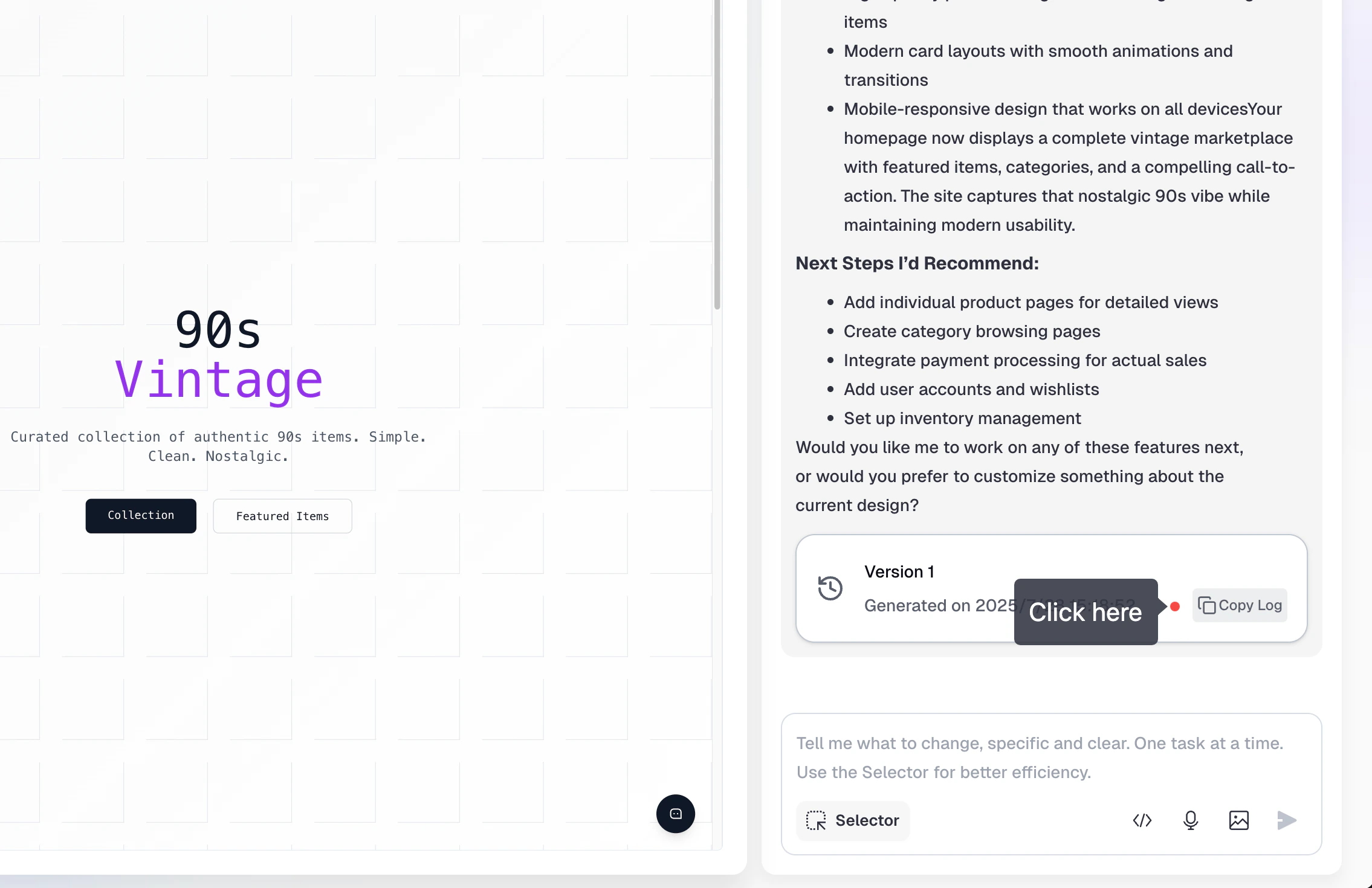 Paste the copied information (Request ID) into the feedback form when contacting support.
## How to Copy the Request ID (For Non-Next.js Projects)
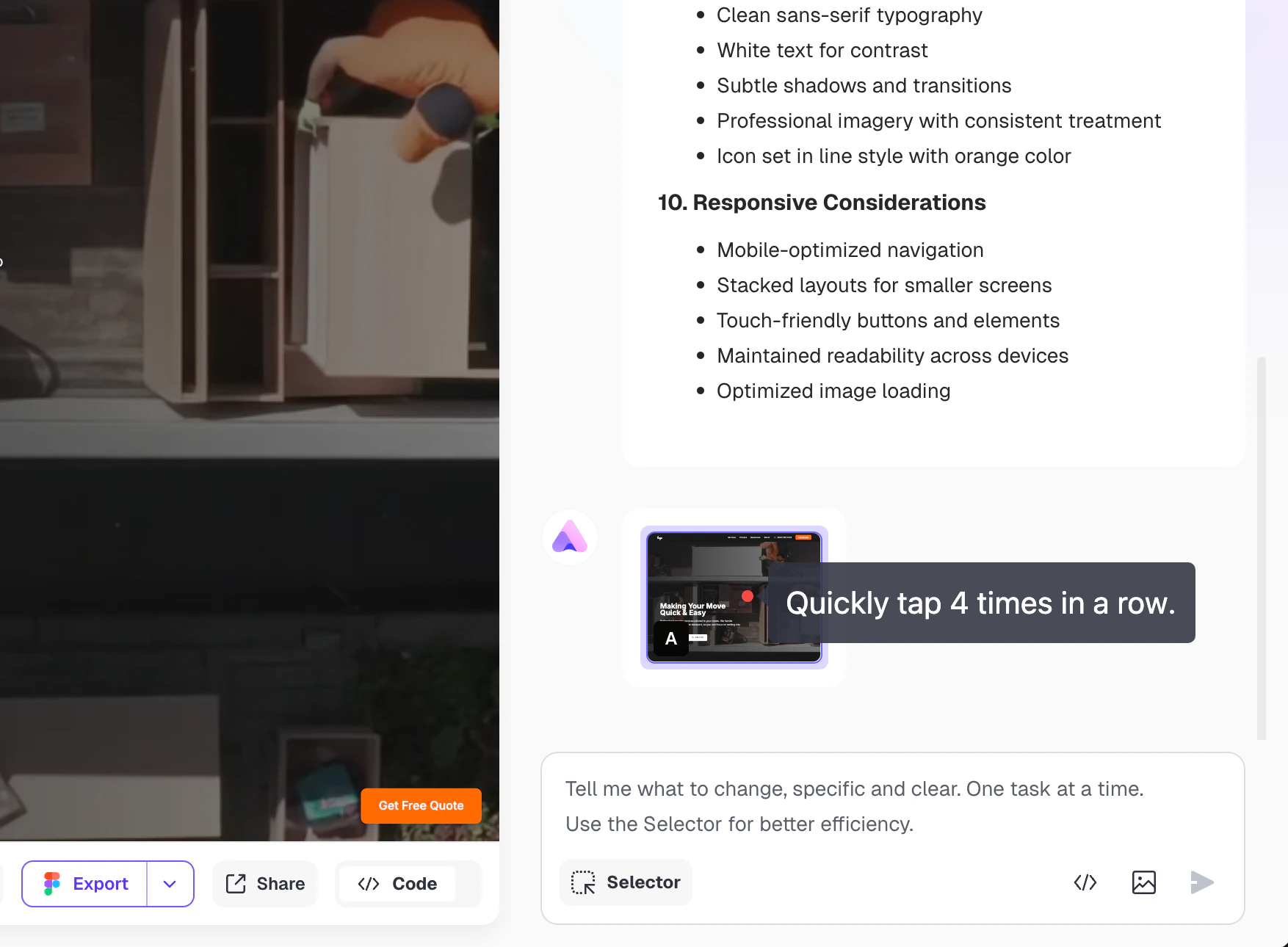
Navigate to the most recent version in your project history.
Click four times to trigger the error message.
Paste the copied information (Request ID) into the feedback form when contacting support.
## How to Copy the Request ID (For Non-Next.js Projects)
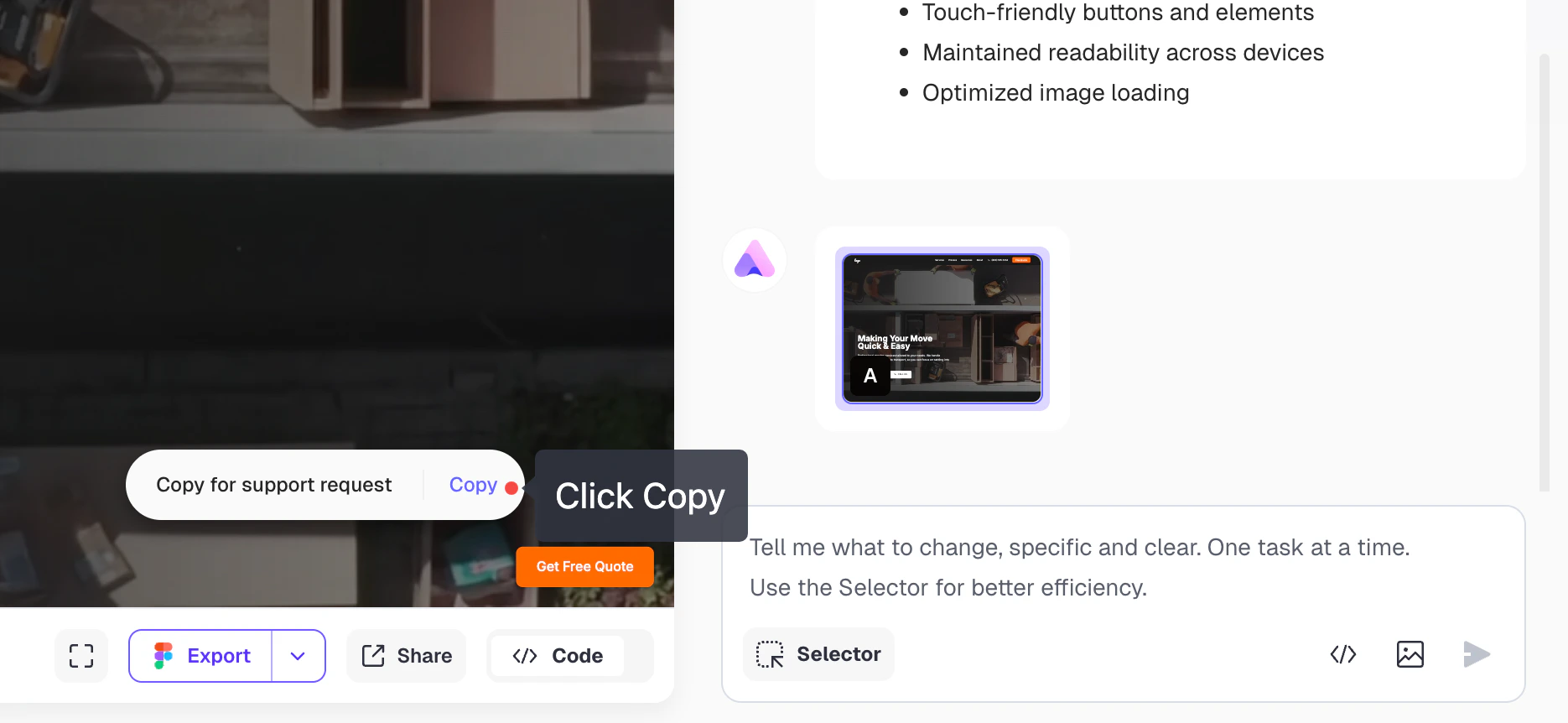
Navigate to the most recent version in your project history.
Click four times to trigger the error message.
 Copy the ID that appears and paste it into the feedback form.
 ## Alternative Solution: Delete Problematic Version
If you need to continue working while we resolve the issue:
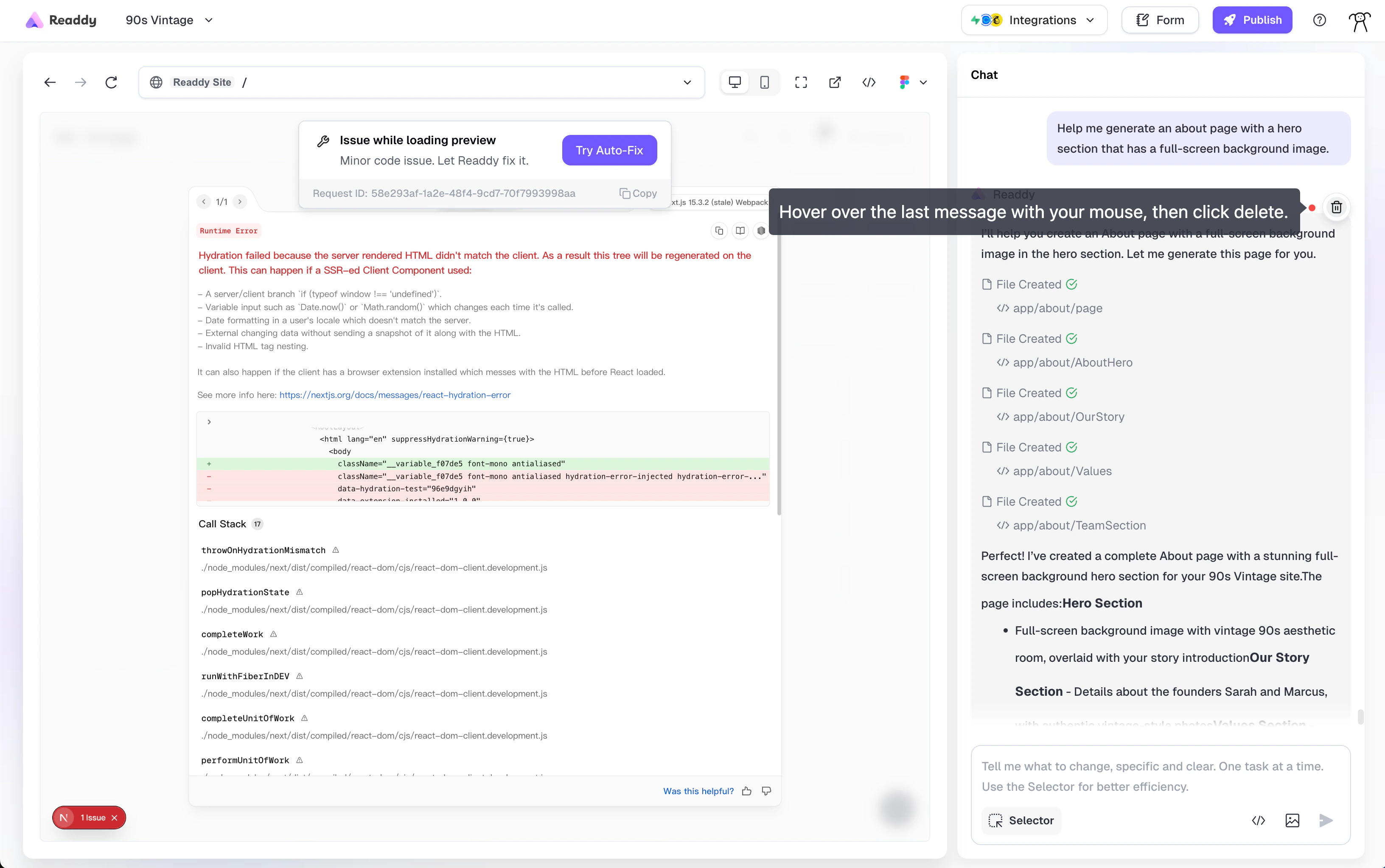
1. **Locate the problematic version**: Find it in the right-side chat panel
2. **Delete the error version**: Click the delete button for that version
You can only delete the last conversation at a time. Multiple versions need to be deleted one by one.
Version deletion cannot be undone. Please confirm the version is truly problematic before deleting.
## Alternative Solution: Delete Problematic Version
If you need to continue working while we resolve the issue:
1. **Locate the problematic version**: Find it in the right-side chat panel
2. **Delete the error version**: Click the delete button for that version
You can only delete the last conversation at a time. Multiple versions need to be deleted one by one.
Version deletion cannot be undone. Please confirm the version is truly problematic before deleting.
 3. **Automatic rollback**: The system will automatically revert to the previous working version
4. **Continue development**: Resume editing from the stable version
This allows you to remove the problematic version and continue your work without interruption.
## Need Additional Help?
If you're still experiencing issues or need further assistance, don't hesitate to reach out to us at [hi@readdy.ai](mailto:hi@readdy.ai). Include your Request ID in your message for faster troubleshooting.
3. **Automatic rollback**: The system will automatically revert to the previous working version
4. **Continue development**: Resume editing from the stable version
This allows you to remove the problematic version and continue your work without interruption.
## Need Additional Help?
If you're still experiencing issues or need further assistance, don't hesitate to reach out to us at [hi@readdy.ai](mailto:hi@readdy.ai). Include your Request ID in your message for faster troubleshooting.