> ## Documentation Index
> Fetch the complete documentation index at: https://docs.readdy.ai/llms.txt
> Use this file to discover all available pages before exploring further.
# Upload and Edit Image
> Complete guide to uploading, replacing, and editing images on your website including background removal and image enhancement features
The image editing features allow you to work with images on your page in several ways, including: replacement, background removal.
Start by opening the **Selector Mode** to begin editing. This mode allows you to select elements on your page.
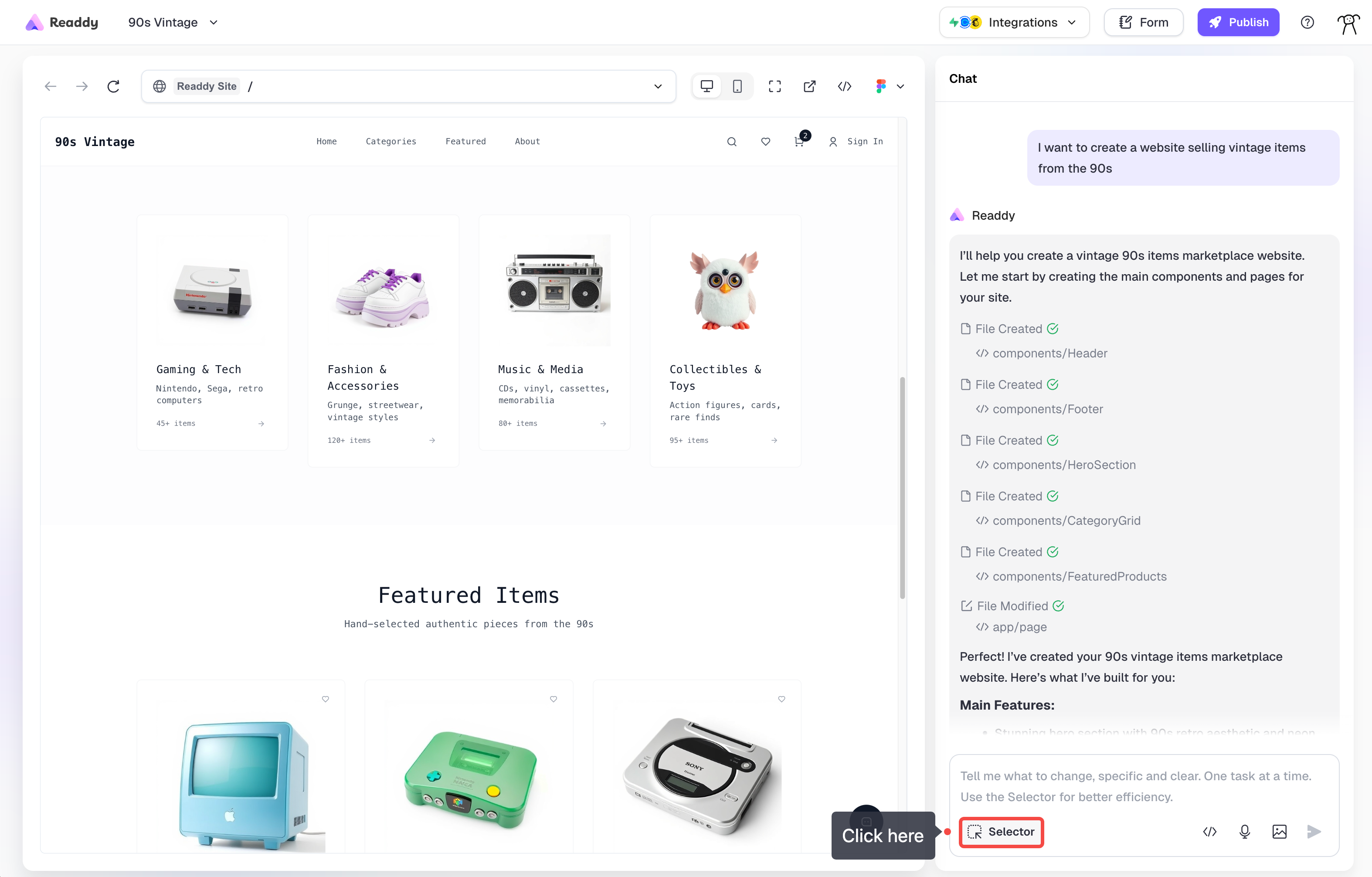 Click on any image you'd like to modify. The selected image will be highlighted.
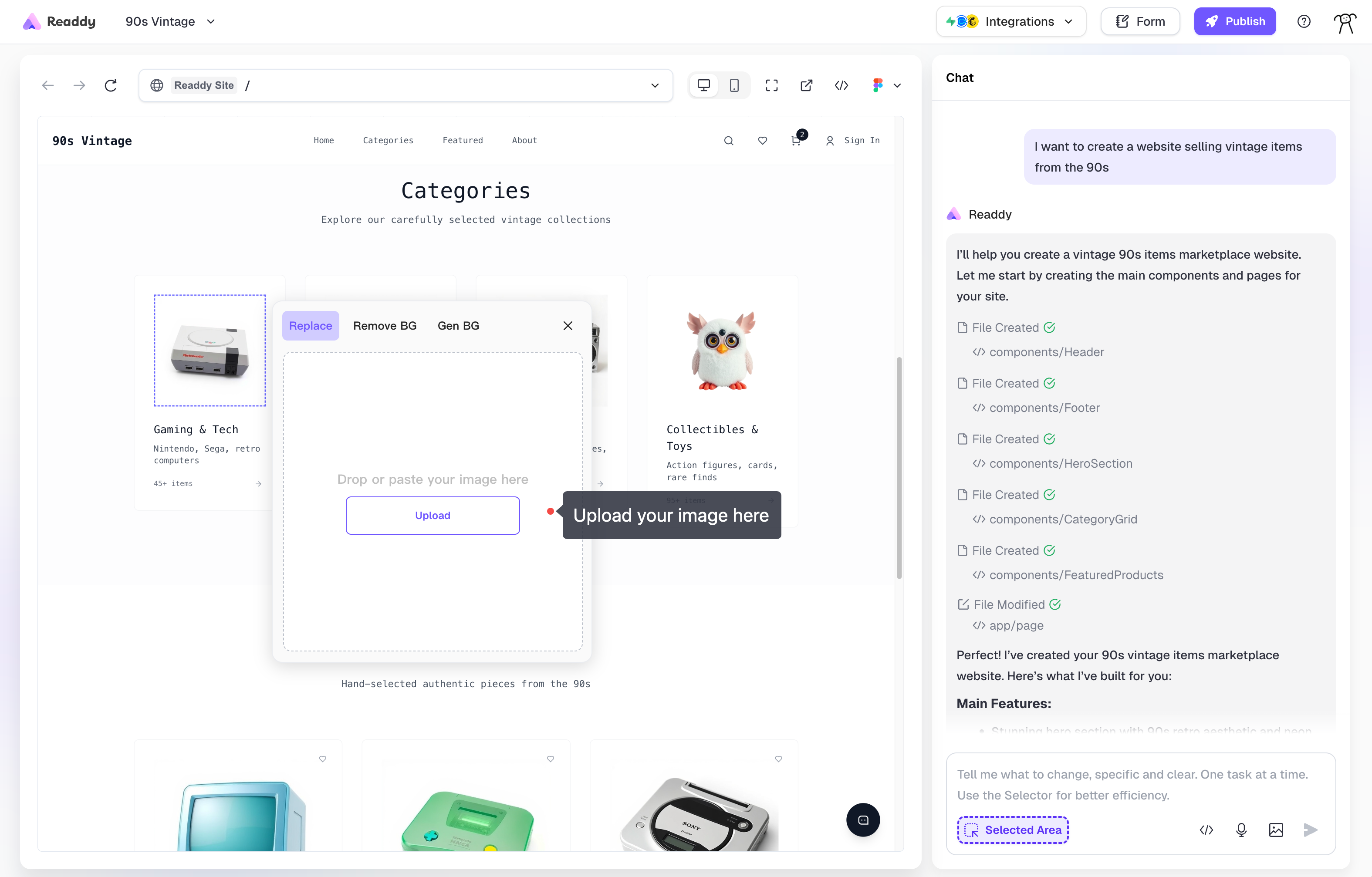 ### Replace (Upload) Your Images
Use Selector Mode to click on any image, select **Image** > **Replace**, then upload your new image to replace it instantly.
### Background remove
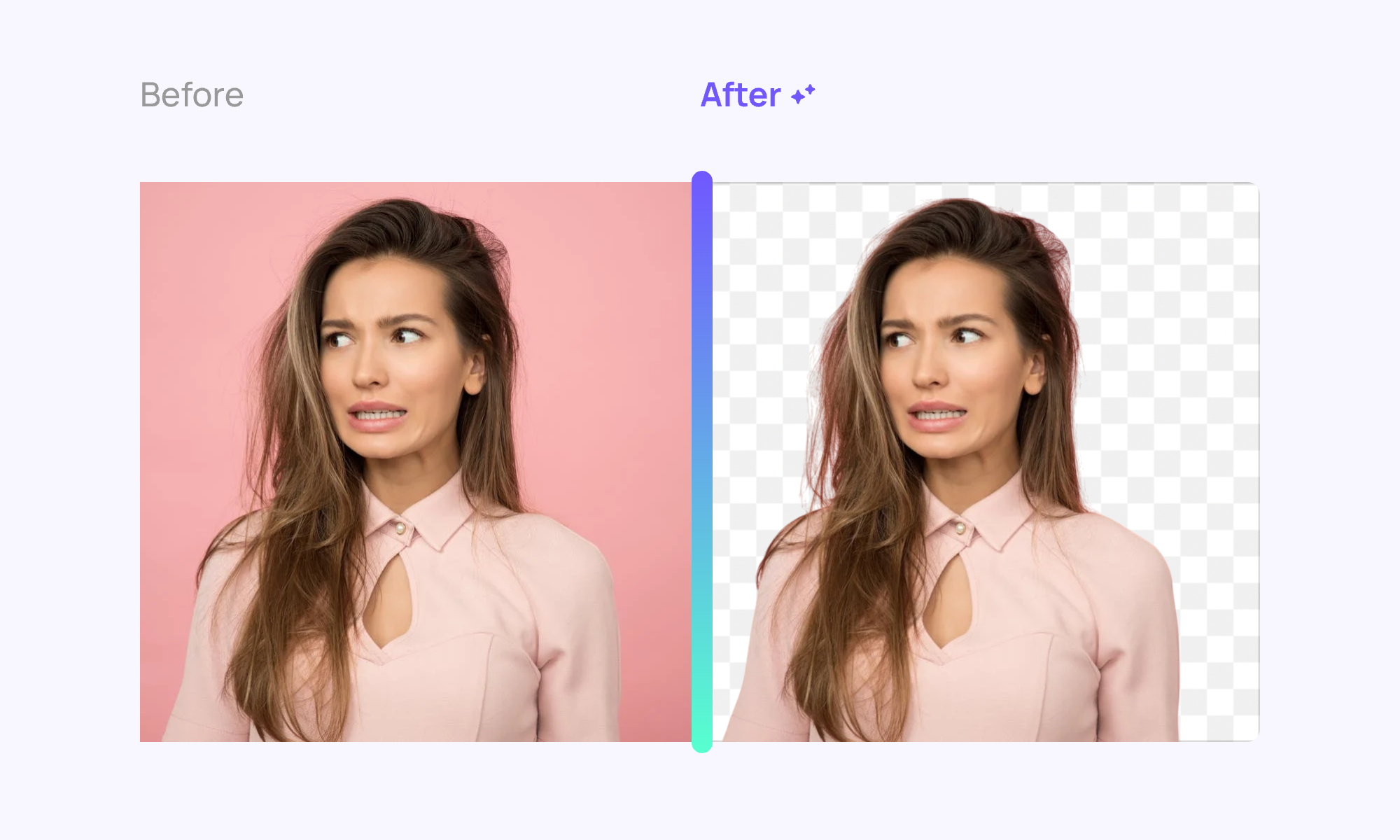
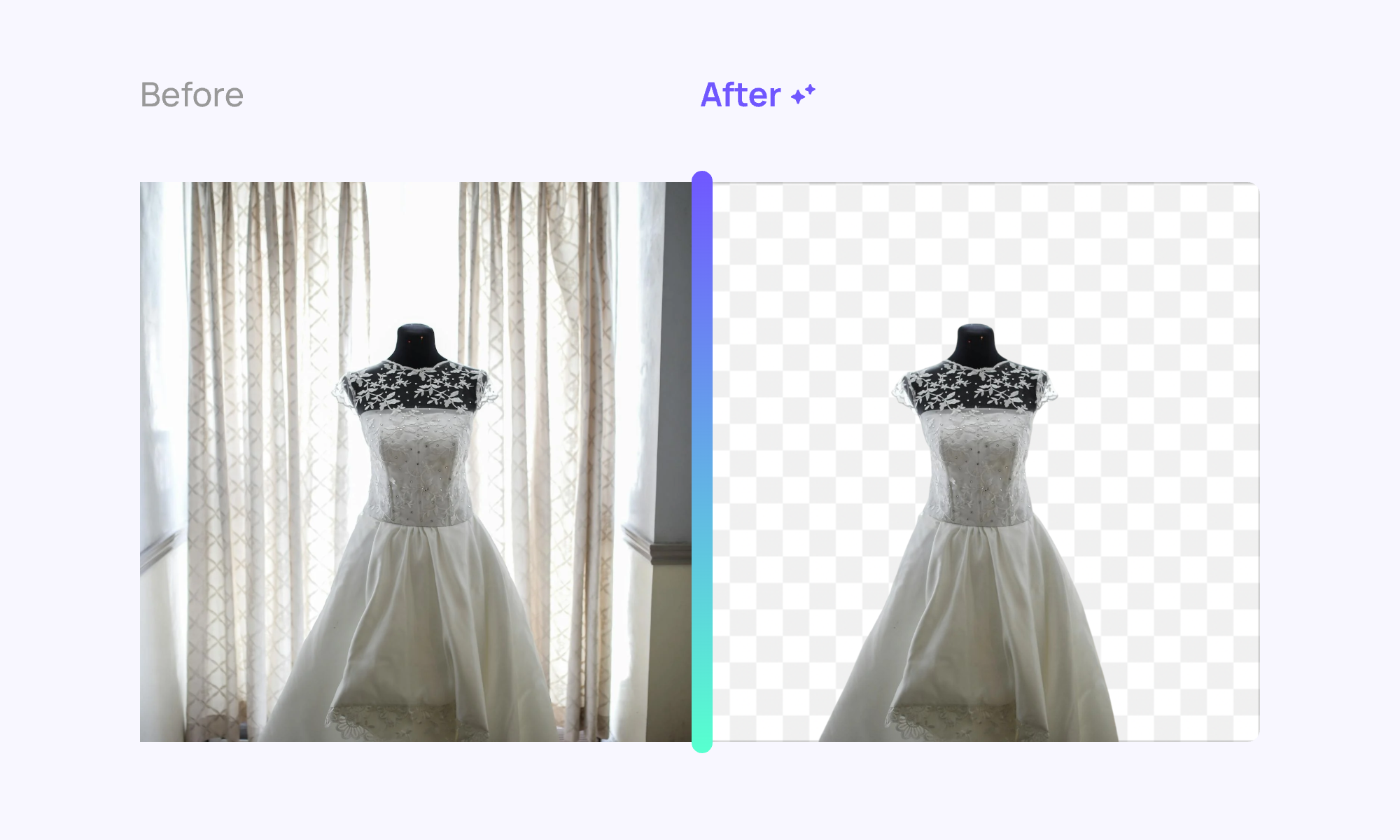
Remove backgrounds from images to create transparent backgrounds. This works well for product photos and portraits.
Select the image, choose **Image** > **Remove BG**, then proceed with Remove Background and Apply operations.
Background remove costs **10 credits** per operation.
### Replace (Upload) Your Images
Use Selector Mode to click on any image, select **Image** > **Replace**, then upload your new image to replace it instantly.
### Background remove
Remove backgrounds from images to create transparent backgrounds. This works well for product photos and portraits.
Select the image, choose **Image** > **Remove BG**, then proceed with Remove Background and Apply operations.
Background remove costs **10 credits** per operation.
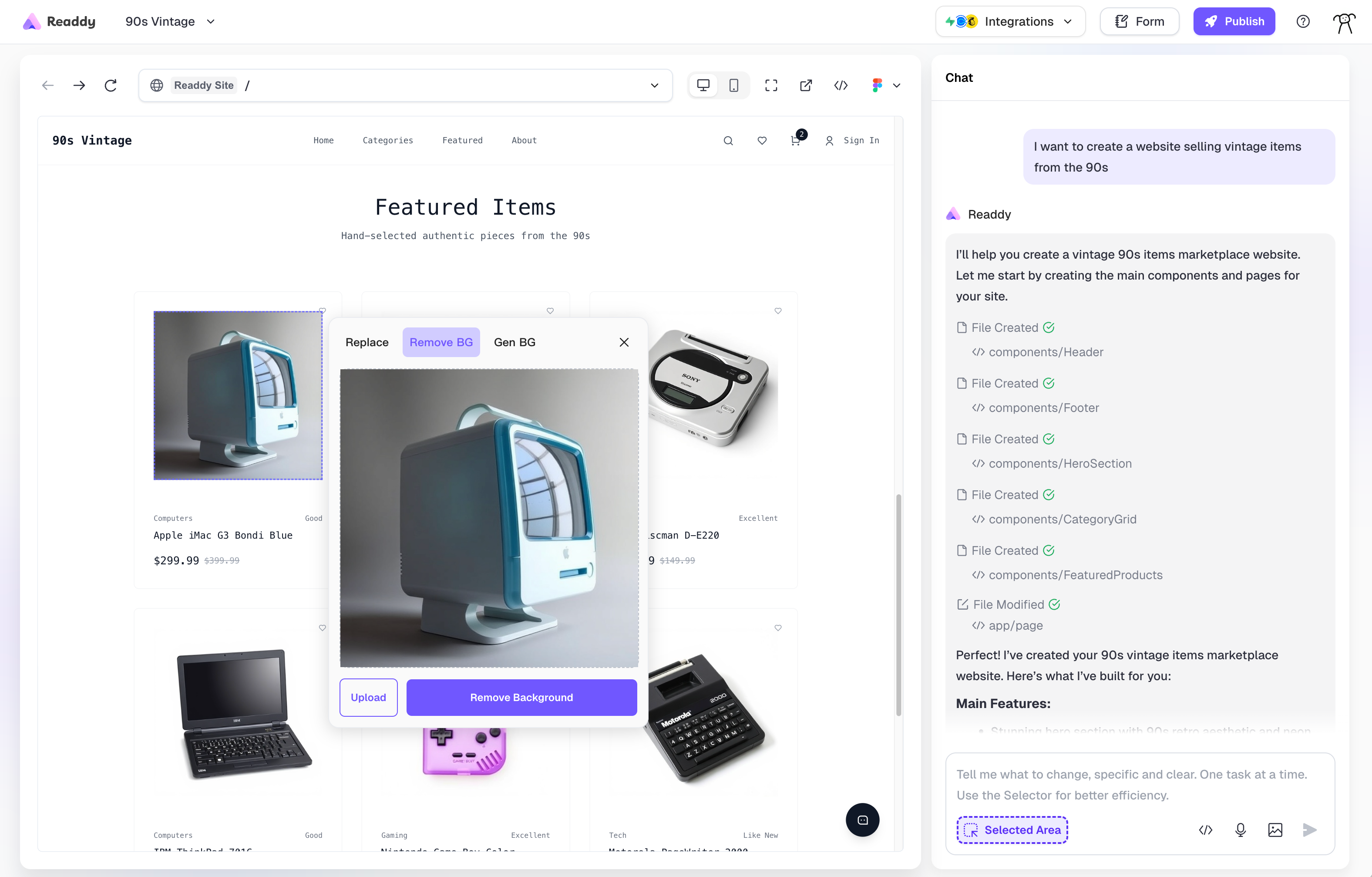 **Example:**
 ### Background Generation
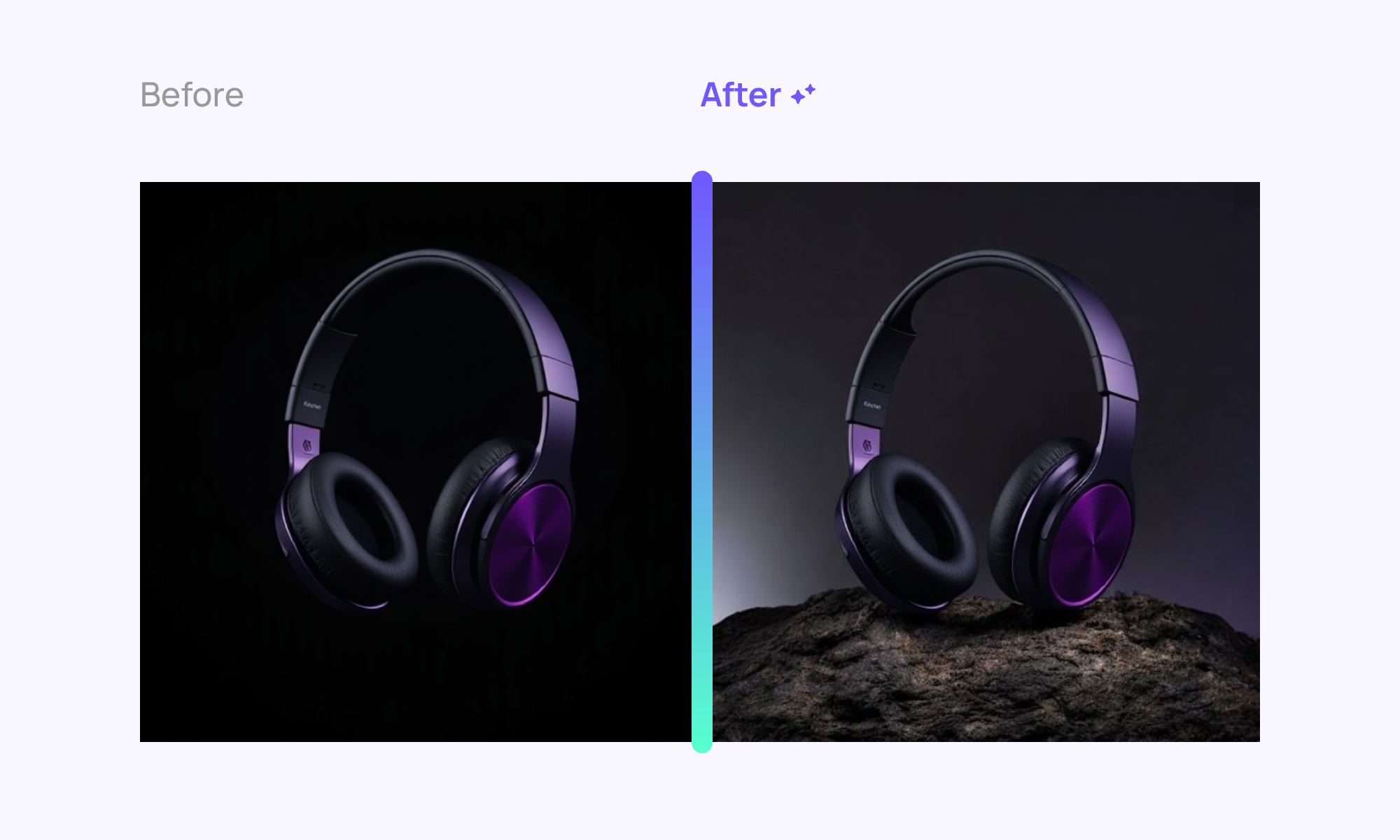
Generate new backgrounds for product images using AI. Select the image, choose **Image** > **Gen BG**, then enter your prompt and click Generate.
Background generation costs **50 credits** per operation.
### Background Generation
Generate new backgrounds for product images using AI. Select the image, choose **Image** > **Gen BG**, then enter your prompt and click Generate.
Background generation costs **50 credits** per operation.
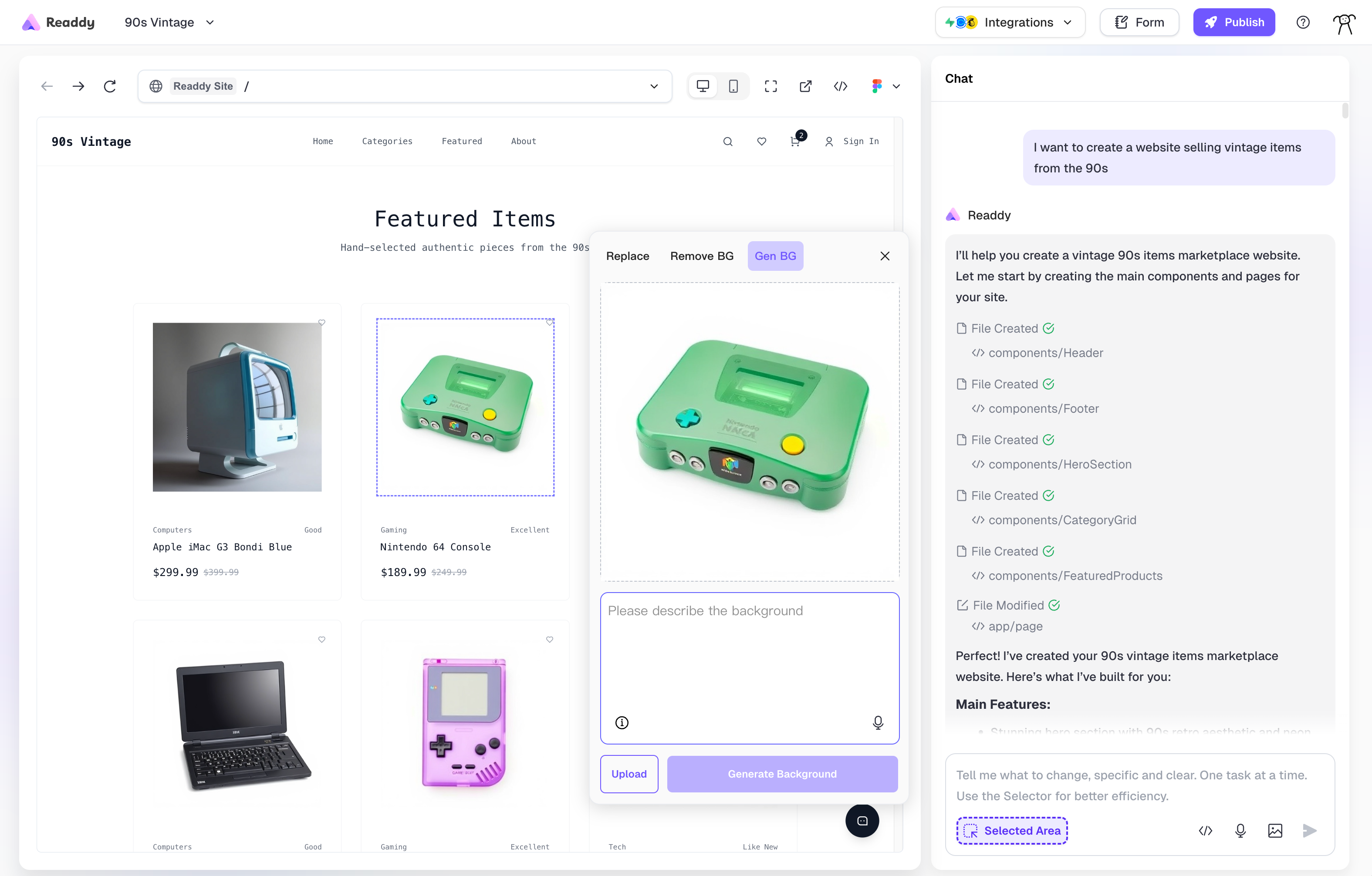 **Example Prompts:**
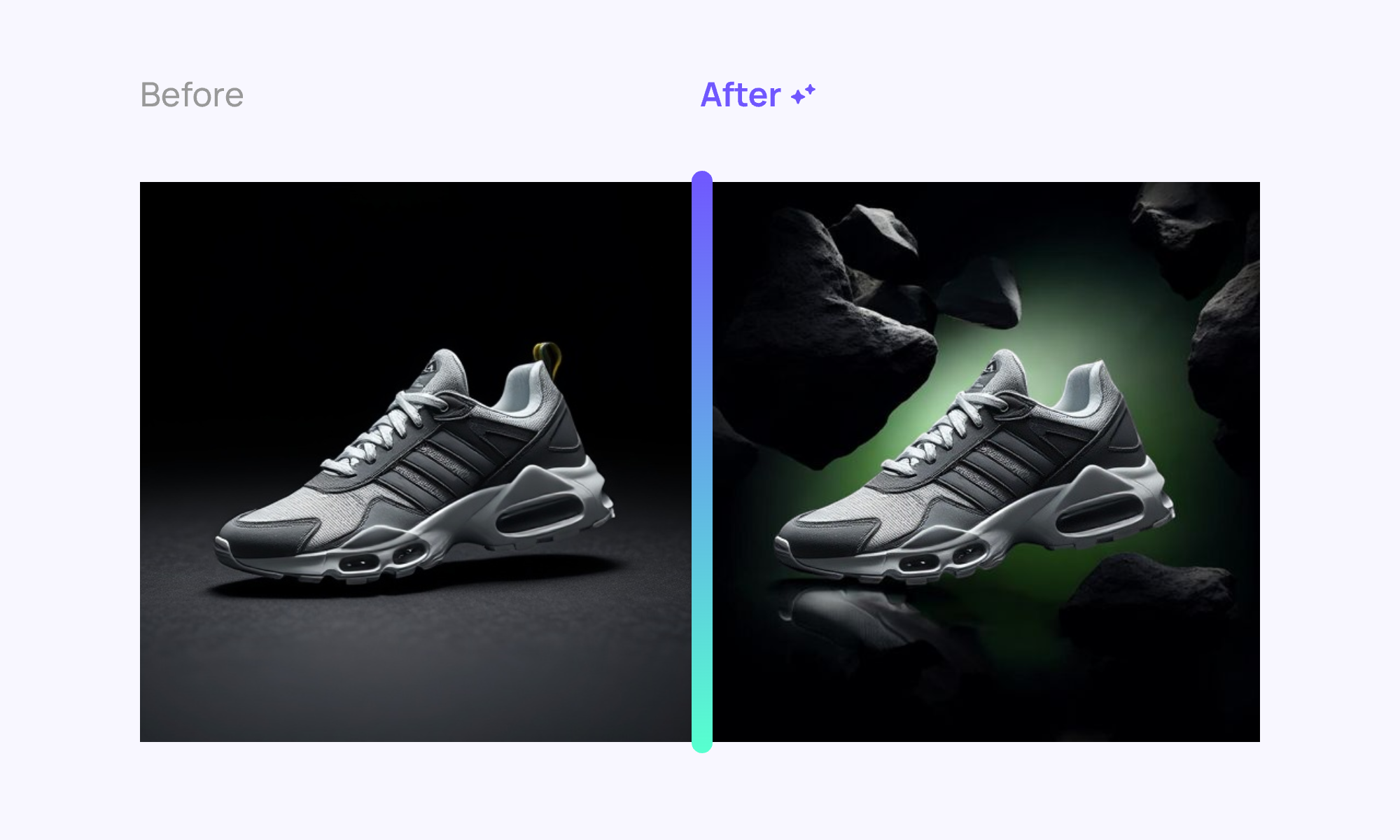
**Prompt:** "Create a dark, moody background to emphasize the sneaker. Incorporate floating black rocks around it, adding a sense of depth. Use a gradient from black to dark green to enhance the dramatic effect. Soft lighting should highlight the shoe's unique design and texture, creating a bold, adventurous vibe."
**Example Prompts:**
**Prompt:** "Create a dark, moody background to emphasize the sneaker. Incorporate floating black rocks around it, adding a sense of depth. Use a gradient from black to dark green to enhance the dramatic effect. Soft lighting should highlight the shoe's unique design and texture, creating a bold, adventurous vibe."
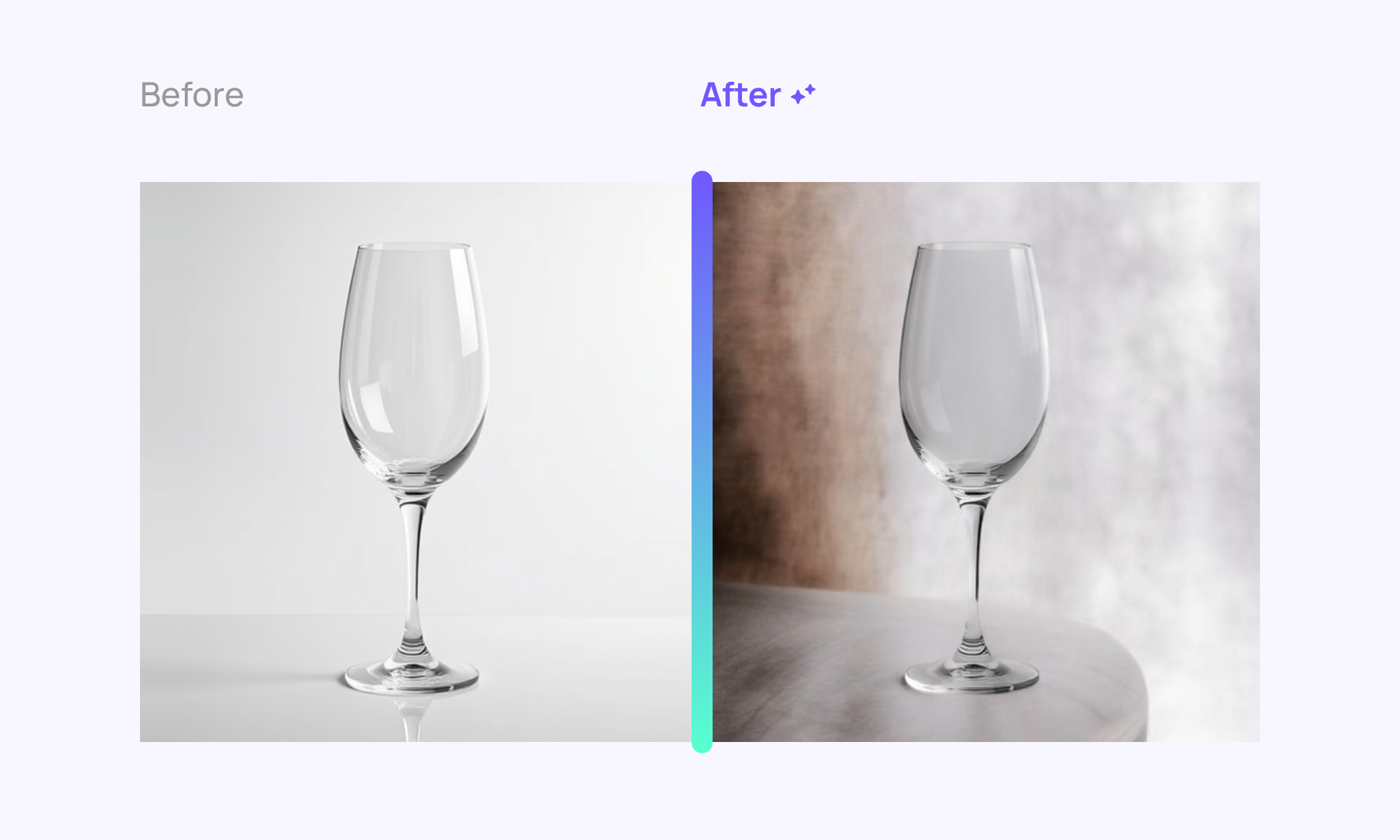
 **Prompt:** "Create a warm, rustic background with soft, blurred textures resembling a cozy wooden surface. Position the wine glass prominently, allowing the light to catch its contours and reflections. Use gentle lighting to enhance the glass's clarity."
 **Prompt:** "Create a minimalist background with a soft gradient from light gray to dark gray. Position the headphones on a rugged rock formation, emphasizing their sleek design. Use subtle lighting to highlight the headphones' contours and textures, creating a modern and sophisticated atmosphere."