> ## Documentation Index
> Fetch the complete documentation index at: https://docs.readdy.ai/llms.txt
> Use this file to discover all available pages before exploring further.
# Code Editor
> Master your source code with professional-grade control and zero vendor lock-in.🚀
## Overview
**Readdy Code Editor** provides high-precision control over your website's codebase. Inspect every file, make direct edits, and export standalone, production-ready projects built with **React, Tailwind CSS and TypeScript**.
## Why Use It?
* **Full Ownership**: Export your entire project as a standalone bundle.
* **Efficiency & Speed**: Skip the AI generation queue. Edit code directly for instant updates, saving both your time and AI credits for more complex tasks.
* **Precise Control**: Make exact modifications. Avoid unexpected AI changes by manual overrides.
* **Production-Ready Stack**: Receive clean, industry-standard code. Projects include essential files like `vite.config.ts` and `tailwind.config.ts` for professional deployment.
* **Rapid Delivery**: Skip hours of manual environment setup. Move from AI concepts to functional projects for client handoff in minutes.
## How It Works?
### 1. Access and Navigate
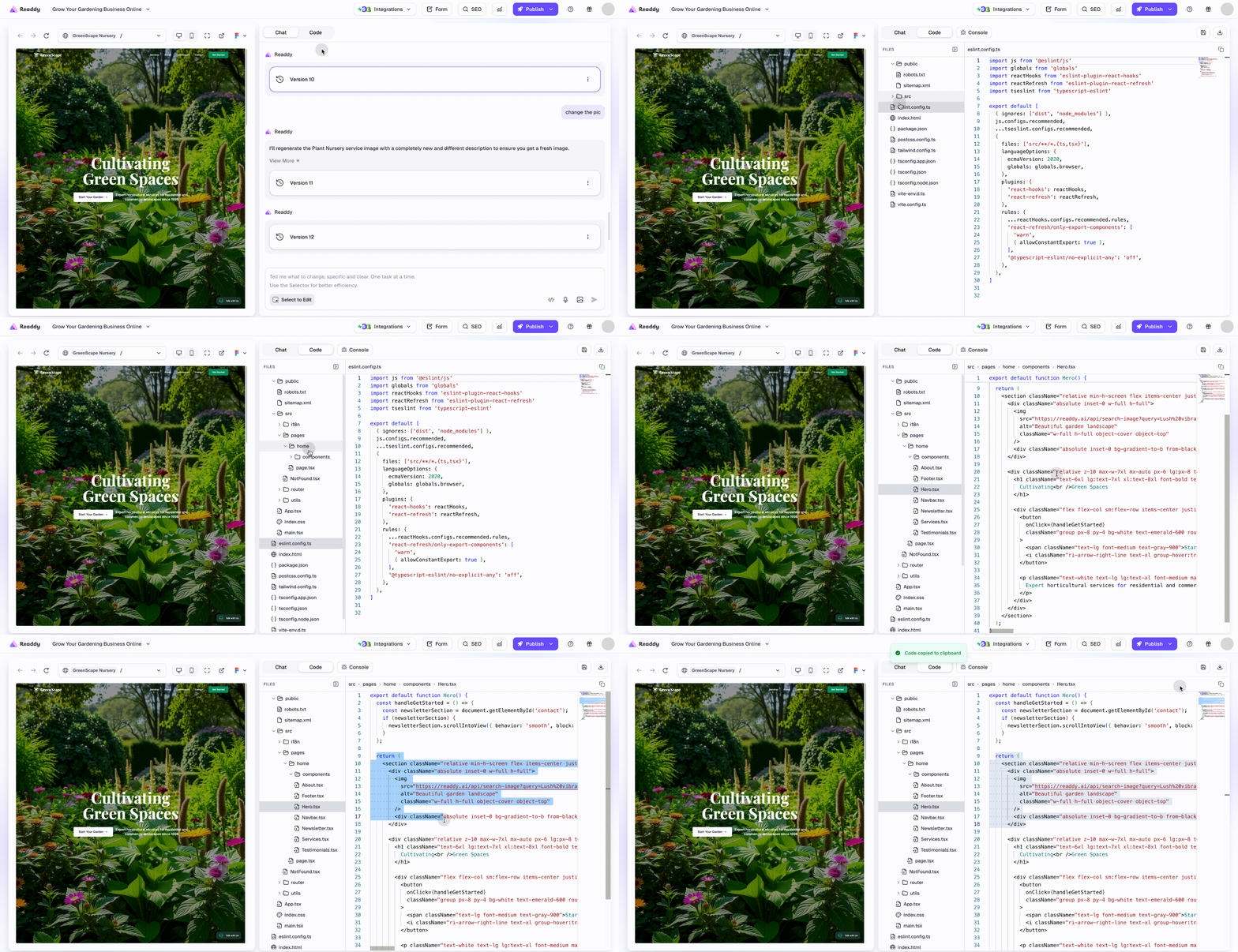
View your site preview and code interface side-by-side for seamless navigation.
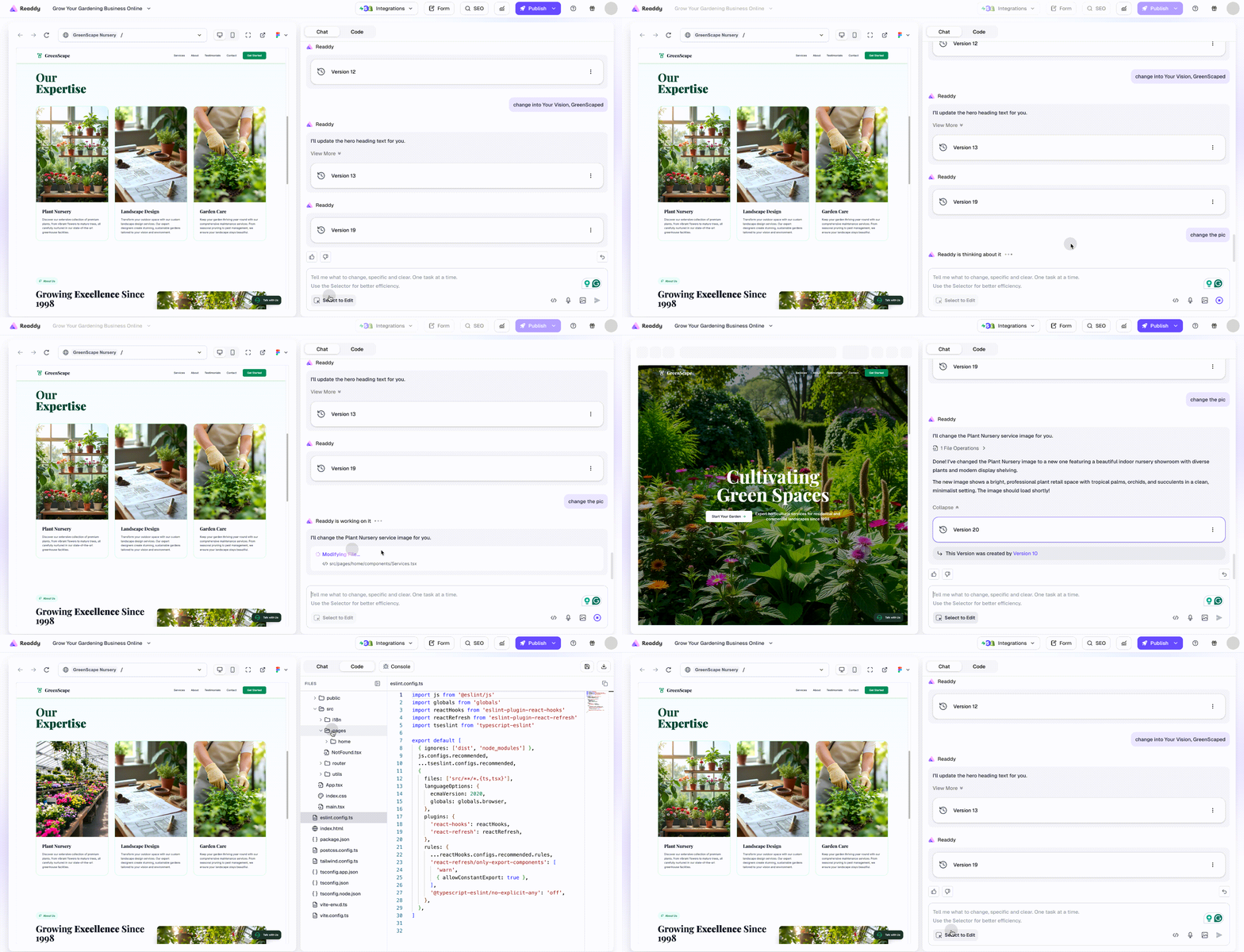
* **Switch to Code**: Click the **"Code"** tab in the right panel. Switch from AI Chat to the Code Editor instantly.
* **Explore & Inspect:** Use the **File Explorer** on the left to browse your project structure. Click files like `App.tsx` or `index.html` to view, check, and copy source code.
 ### 2. Edit and Live Render
Modify your code directly to fine-tune designs and functionality.
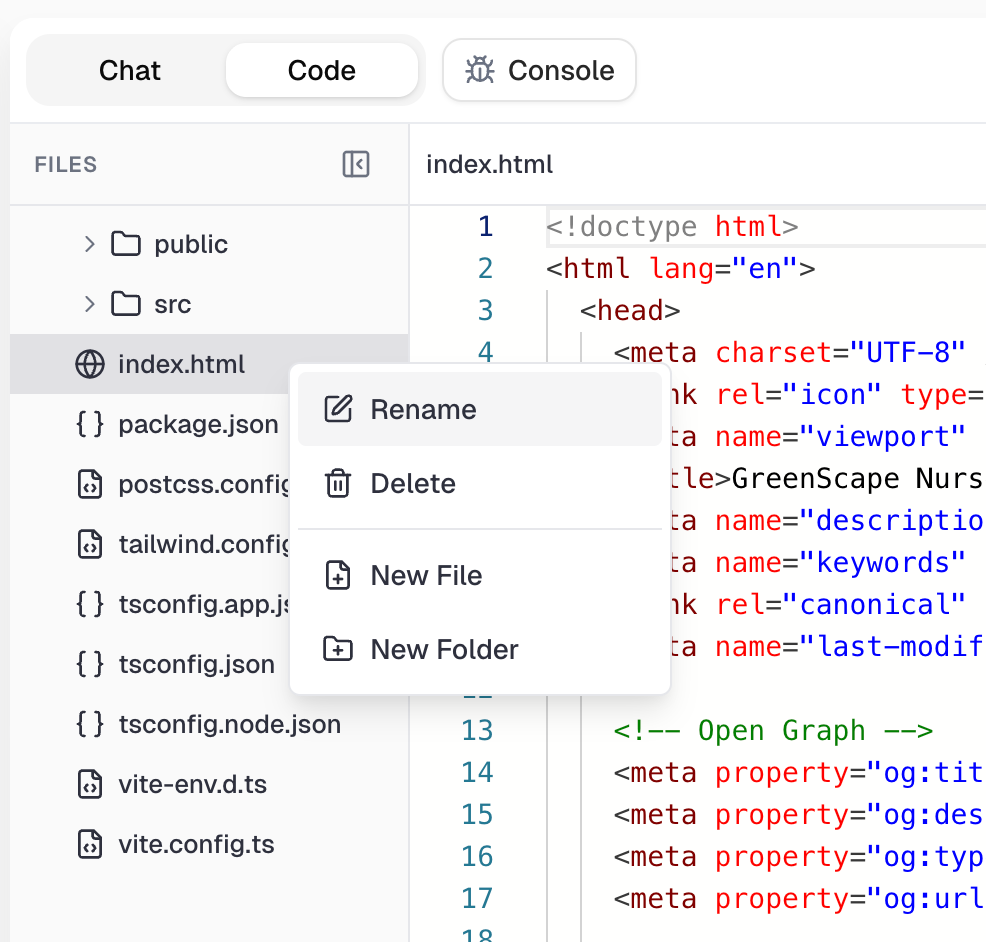
* **Direct Code Editing**: Take full command of your source code. Modify files in `src` or configs like `tailwind.config.ts`. You can also rename, delete, or create files and folders via the right-click menu.
### 2. Edit and Live Render
Modify your code directly to fine-tune designs and functionality.
* **Direct Code Editing**: Take full command of your source code. Modify files in `src` or configs like `tailwind.config.ts`. You can also rename, delete, or create files and folders via the right-click menu.
 * **Instant Rendering**: Once your code edits are saved, the preview pane automatically refreshes to reflect your latest changes, enabling rapid, iterative development.
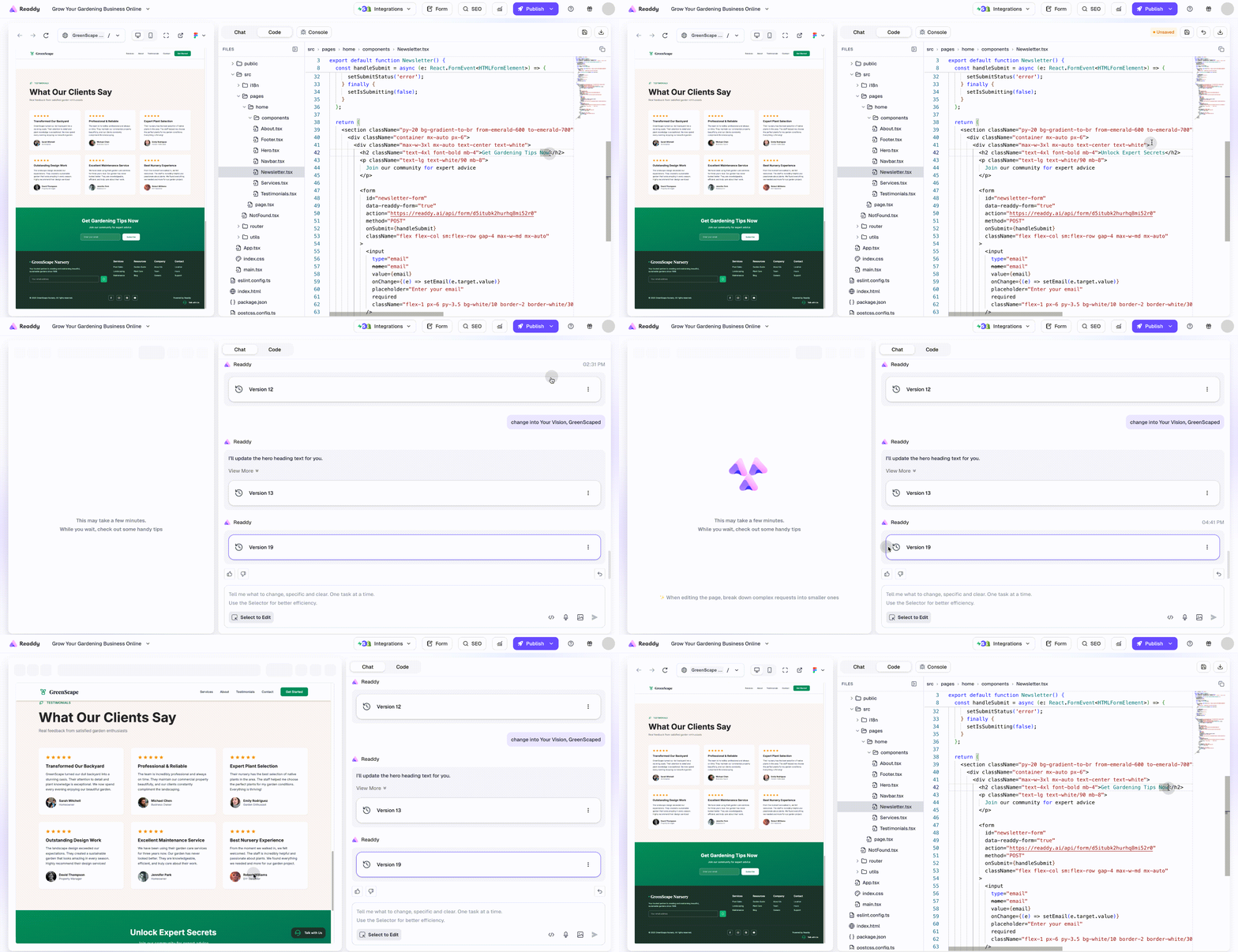 * **Sync Visual Changes**: When you modify elements in the visual preview, the updates automatically sync to your codebase.
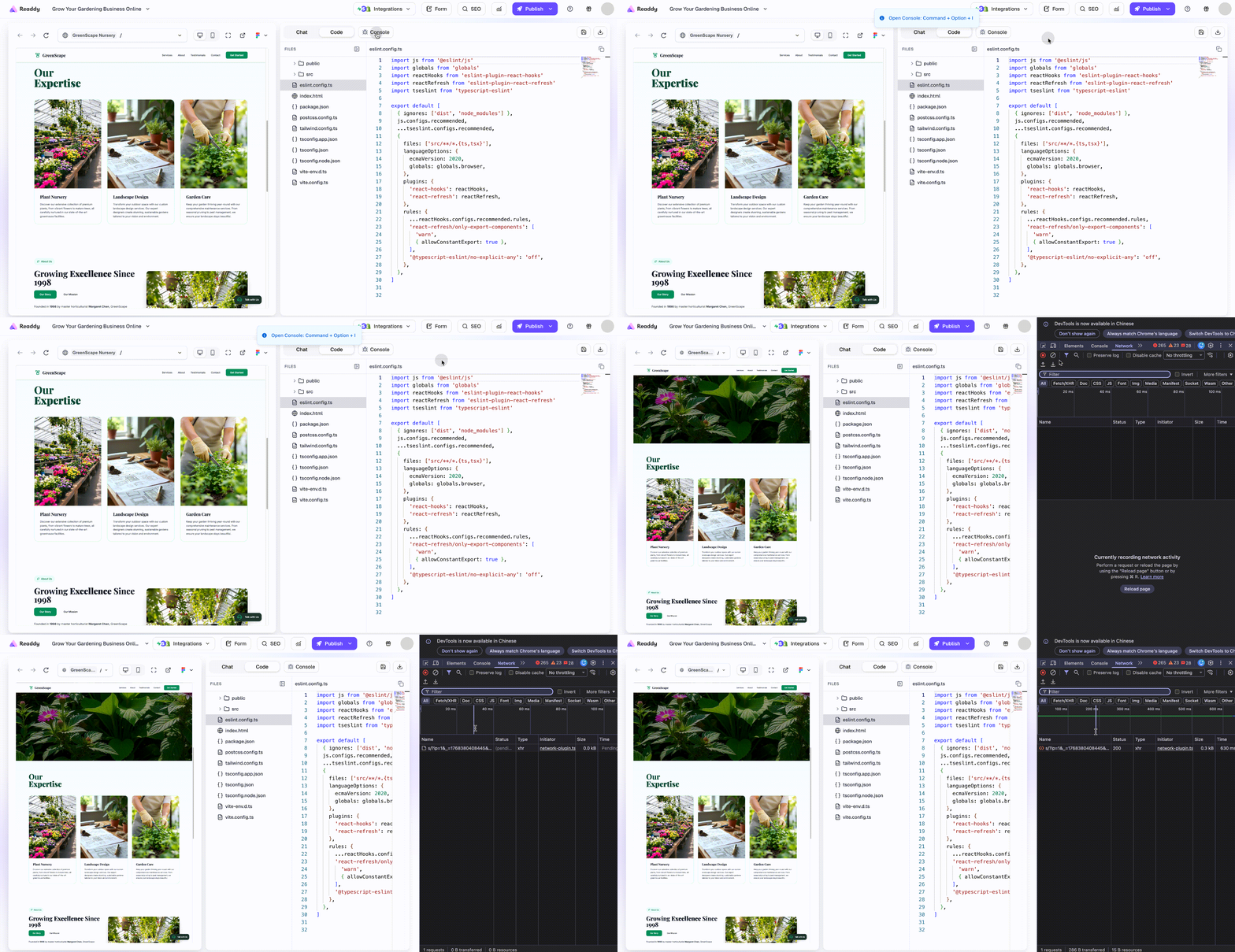
 * **Quick Debugging**: Click the top-right Console button to view available shortcuts. Use the shortcut **Command + Option + I** for Mac, **Ctrl + Shift + I** for Win to open the console, check errors and logs.
 ### 3. Download Code
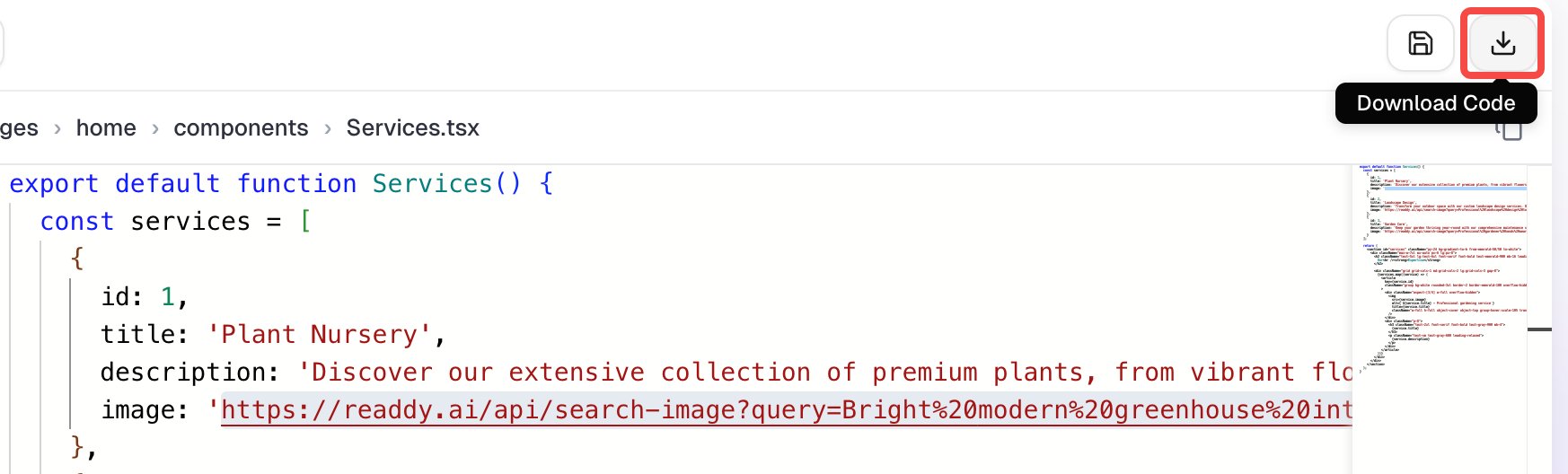
Click the **Download button** in the upper-right corner to export a complete `.zip` project bundle containing all your project files for independent hosting on any platform.
### 3. Download Code
Click the **Download button** in the upper-right corner to export a complete `.zip` project bundle containing all your project files for independent hosting on any platform.
 ## Special Considerations
* **Project Snapshots**: The exported bundle represents your project at the exact moment of download. If you make further AI edits, remember to download a new version.
* **Installing Dependencies**: Readdy projects use the standard NPM ecosystem. Before running your code locally, you must run `npm install` to install dependencies.
* **Local Staging**: After downloading, unzip the file and run `npm run dev` in a local editor like VS Code to test the site before final deployment.
## Need Help? Get Support
We offer three ways to help you get the most out of Readdy:
1. **Submit a Ticket**: Click the [**Feedback**](https://readdy.ai/feedback) button to submit a support ticket for specific issues.
2. **Contact Support**: Click the [**Support**](mailto:hi@readdy.ai) button to send an email directly to our technical team.
3. **Ask AI Assistant**: Use the **AI Assistant Agent** to ask detailed questions about documentation and features for instant answers.
## Special Considerations
* **Project Snapshots**: The exported bundle represents your project at the exact moment of download. If you make further AI edits, remember to download a new version.
* **Installing Dependencies**: Readdy projects use the standard NPM ecosystem. Before running your code locally, you must run `npm install` to install dependencies.
* **Local Staging**: After downloading, unzip the file and run `npm run dev` in a local editor like VS Code to test the site before final deployment.
## Need Help? Get Support
We offer three ways to help you get the most out of Readdy:
1. **Submit a Ticket**: Click the [**Feedback**](https://readdy.ai/feedback) button to submit a support ticket for specific issues.
2. **Contact Support**: Click the [**Support**](mailto:hi@readdy.ai) button to send an email directly to our technical team.
3. **Ask AI Assistant**: Use the **AI Assistant Agent** to ask detailed questions about documentation and features for instant answers.