> ## Documentation Index
> Fetch the complete documentation index at: https://docs.readdy.ai/llms.txt
> Use this file to discover all available pages before exploring further.
# Subscription FAQs
> Frequently asked questions about Readdy subscriptions, credits, billing, and account management
## Credits and Billing
If you’re on our Starter Plan, you can upgrade to the Pro Plan for immediate access to more credits. If you’re already on the Pro Plan, you can still remain on your current plan. To continue, please go to the **Subscription** page and choose a plan that fits your needs — you’ll find all available options displayed as shown in the screenshot below.
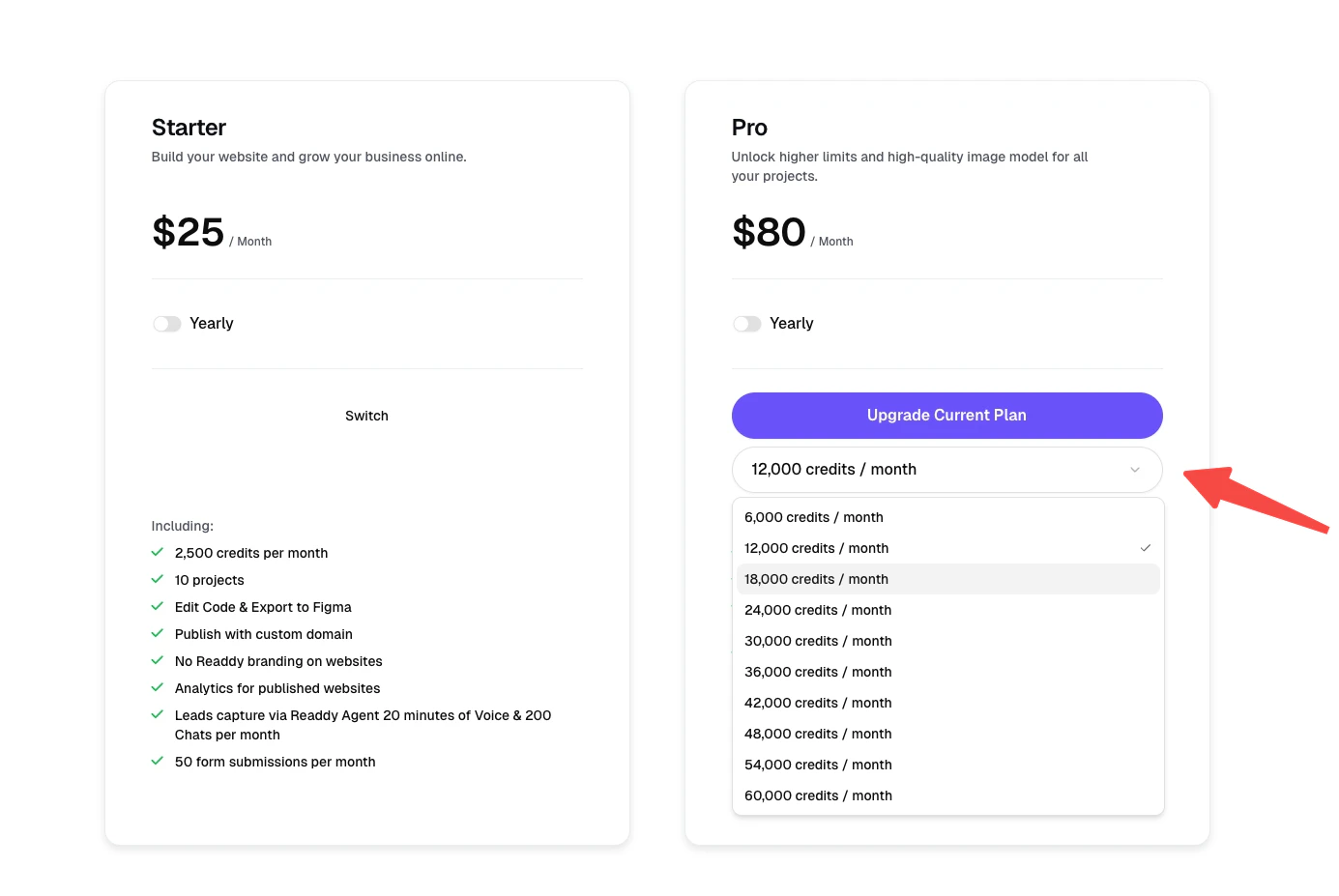 Credits reset automatically at the end of each billing cycle. The number of new credits will depend on your current subscription plan. You can check the reset time for your billing cycle here:
 Your subscription ends at the end of the next billing cycle after the day you purchased the plan. For example, if you subscribed on June 12, your subscription will end on July 12.
You can also check your plan's expiration date and see when it will switch to the Free plan on the Billing page.
Your subscription ends at the end of the next billing cycle after the day you purchased the plan. For example, if you subscribed on June 12, your subscription will end on July 12.
You can also check your plan's expiration date and see when it will switch to the Free plan on the Billing page.
 ## Projects and Plans
No. Your existing projects will remain intact. If the number of projects exceeds the limit of your new plan, you'll still be able to view and edit them, but you won't be able to create new ones until the total number falls within your new plan's limit.
## Invoice Management
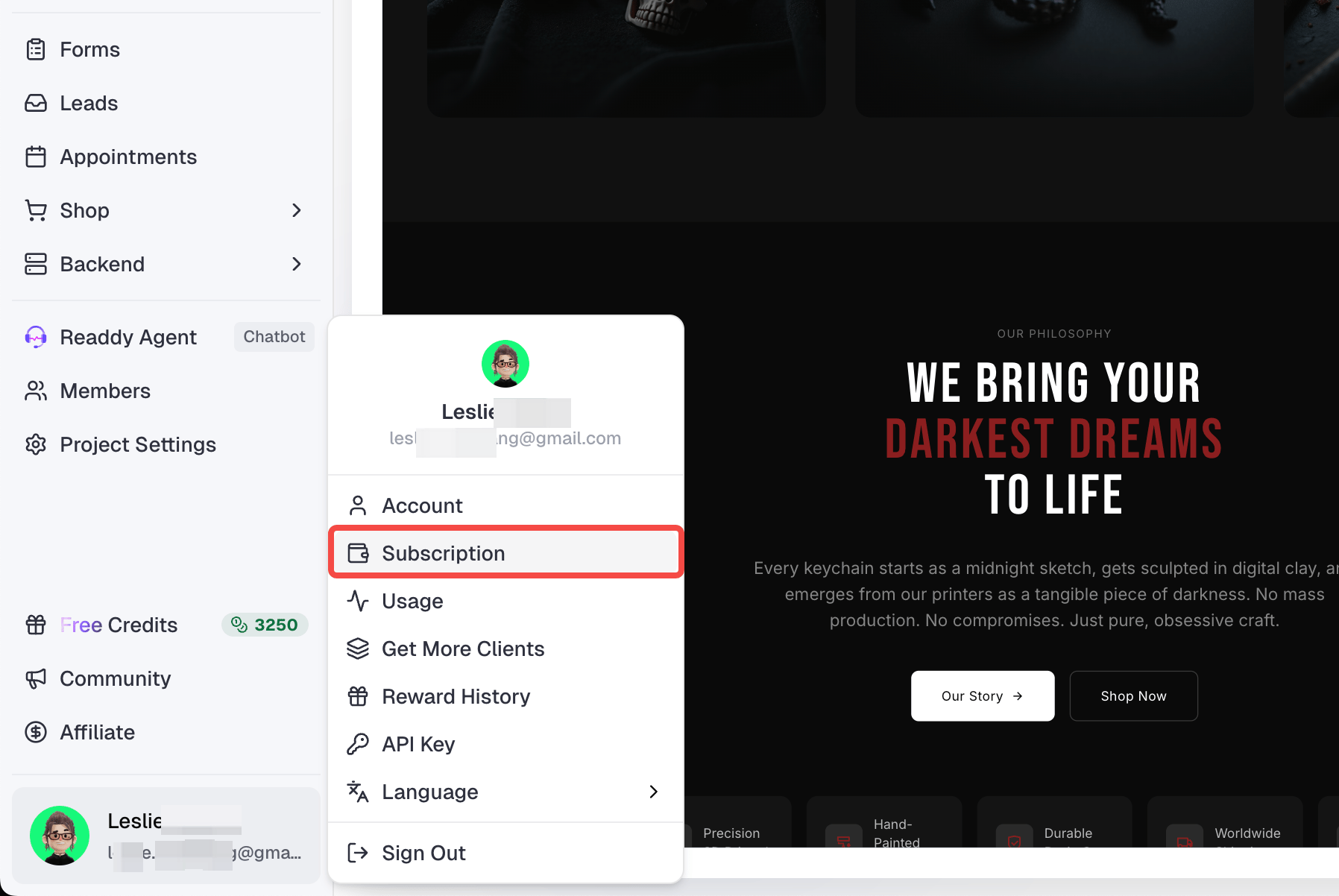
#### Open Billing Page
Click your profile icon → Select **Billing** from the dropdown menu.
## Projects and Plans
No. Your existing projects will remain intact. If the number of projects exceeds the limit of your new plan, you'll still be able to view and edit them, but you won't be able to create new ones until the total number falls within your new plan's limit.
## Invoice Management
#### Open Billing Page
Click your profile icon → Select **Billing** from the dropdown menu.
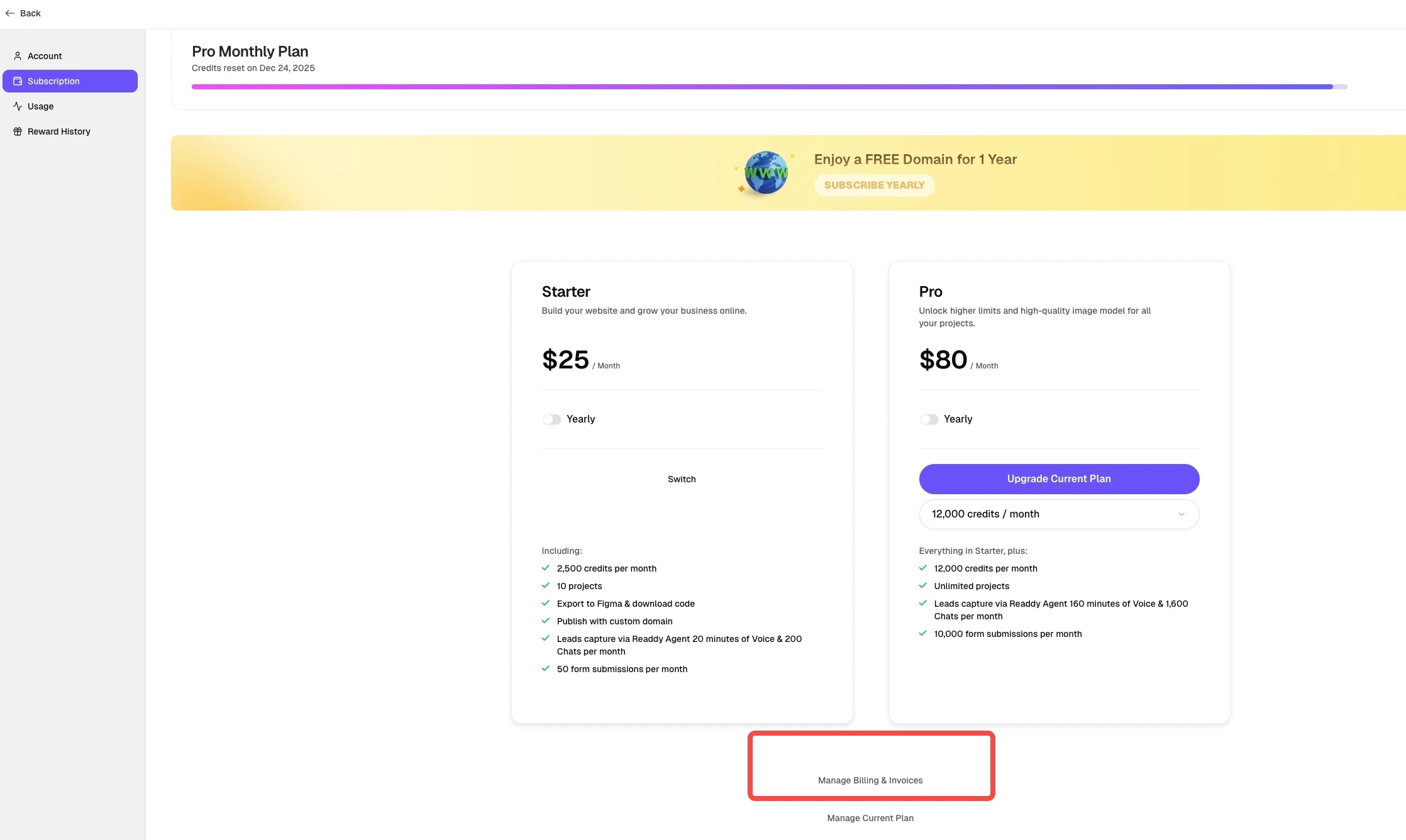
 #### Click the Manage & Invoices button
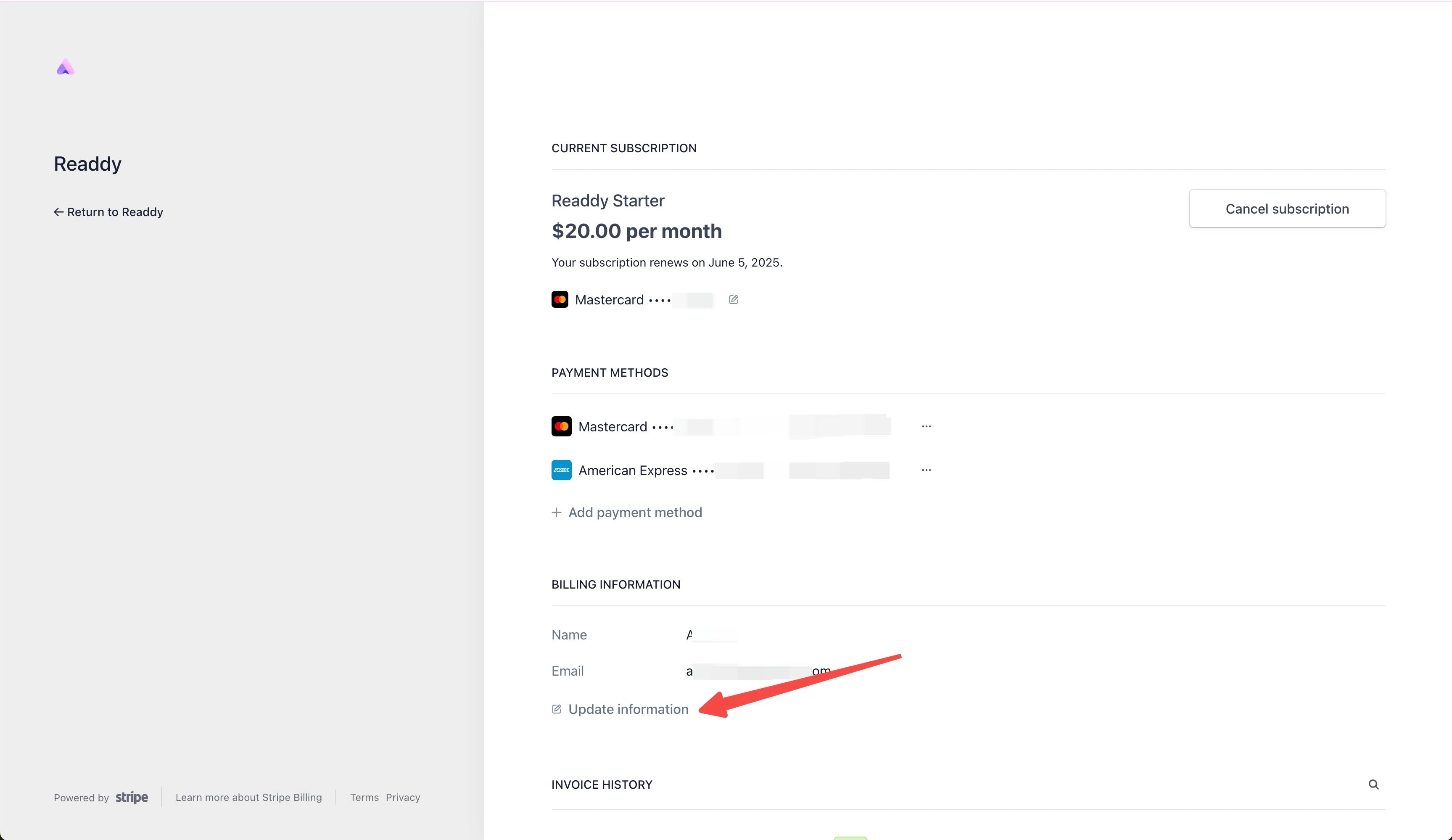
 #### Update Info
Click Update Information
#### Update Info
Click Update Information
 #### Edit Company Details
Please double check all the information before you submit.
#### Edit Company Details
Please double check all the information before you submit.
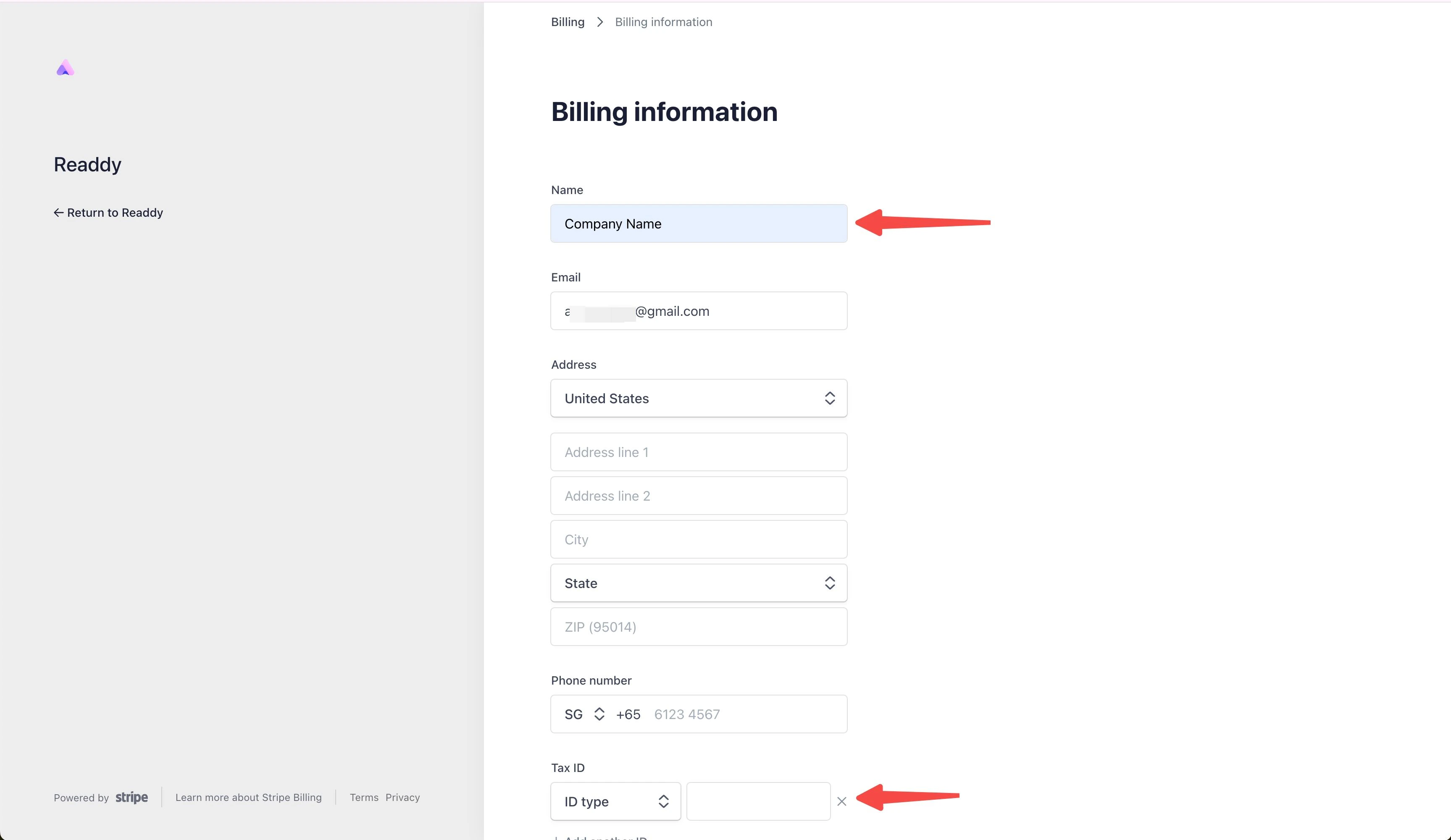 #### Save Changes
Click Save to finalize updates.
#### Save Changes
Click Save to finalize updates.
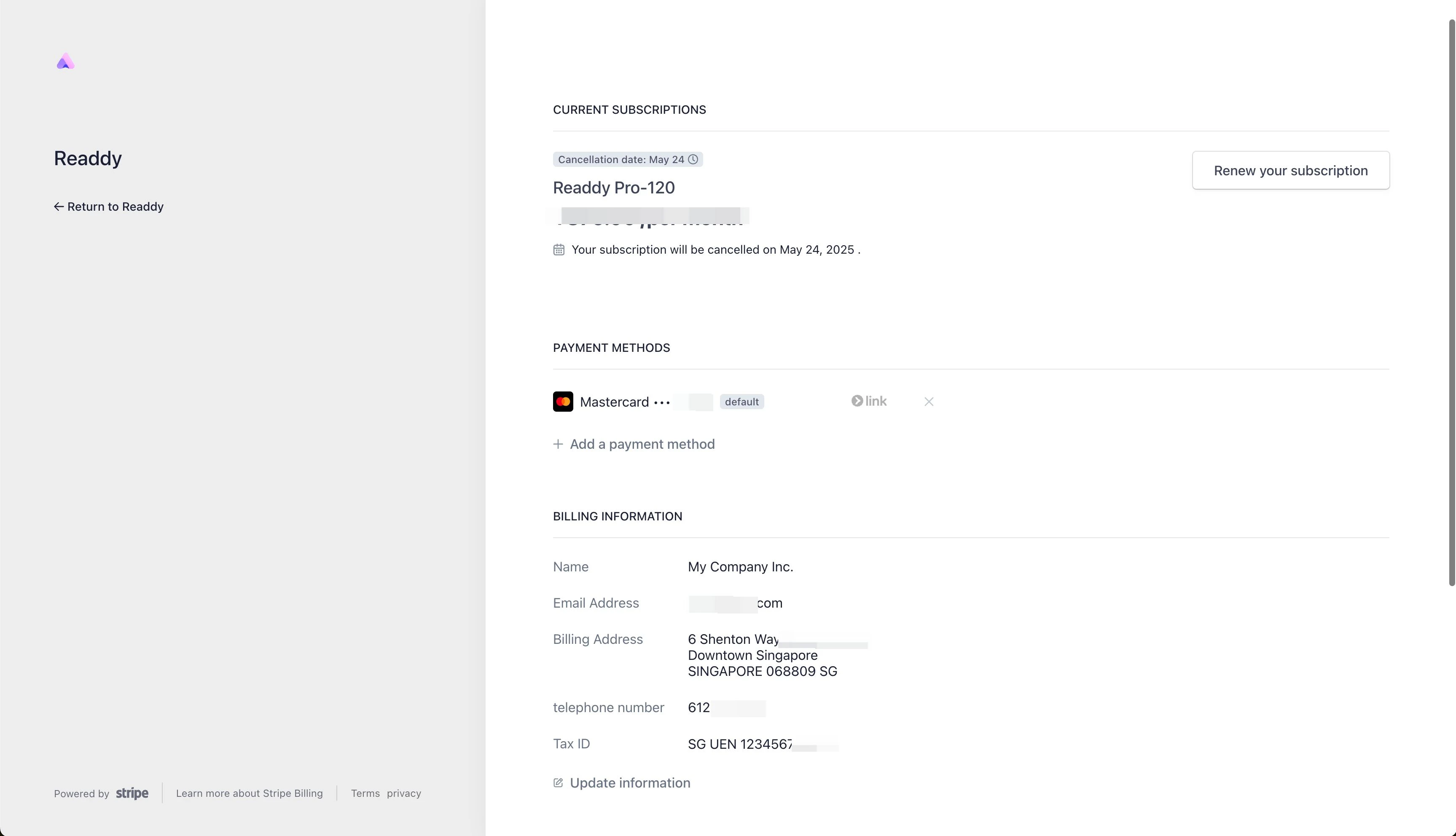 After that, your invoice will be update in the next time.
## Need Help?
If you have other questions not covered here, contact us at [hi@readdy.ai](mailto:hi@readdy.ai) or use our live chat. We're here to help!
After that, your invoice will be update in the next time.
## Need Help?
If you have other questions not covered here, contact us at [hi@readdy.ai](mailto:hi@readdy.ai) or use our live chat. We're here to help!